How big is the ZTool file? Can you zip it and upload it here? you are allowed 500 kb size. I’m on PC and not Mac but maybe that doesn’t matter. I can see more if I had the file.
sorry lol, how do i zip it? The file size is 19.79 MB btw
The file is too big as is. Delete the Image Plane x, take Skull to lowest subD level and then save the ZTool and see how big it is.
the file size is 12.44 MP still, I can’t post it in.
Just to check, select the Skull subtool and then turn off visibility on Image Plane X ( Eye icon) and see if you still see the white.
if i turn off the visibility of imageplane then the hole doesn’t appear.
Attachments
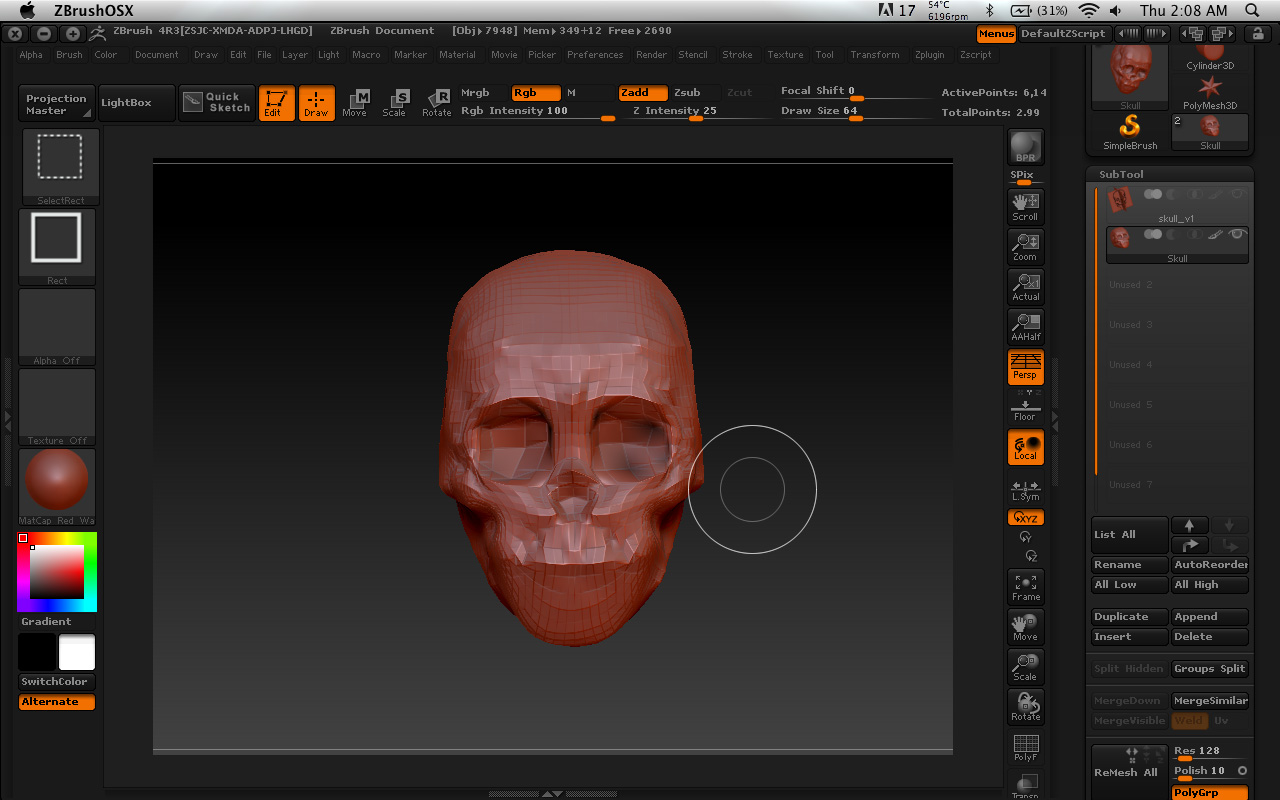
ohh the while holes are gone now, i have the flat color on too… weird.
Attachments
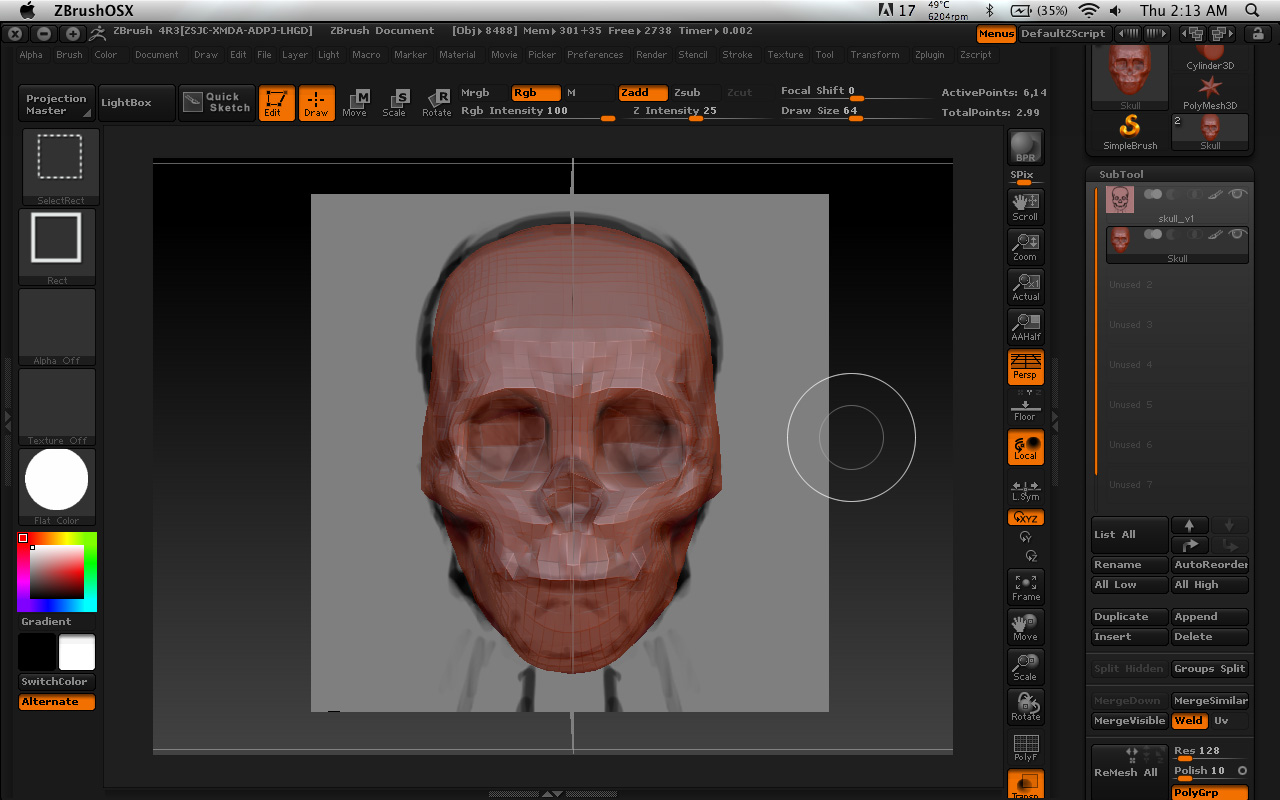
Well, it looks like it’s the image plane that is poking through the skull mesh and there is nothing wrong with it.
sigh…i keep getting problems throwing at me >< that problem is gone now, but i have a new problem. When i hold option (alt) and LMB to click on the object and that part turn white. Sorry for keep asking you question.
Attachments
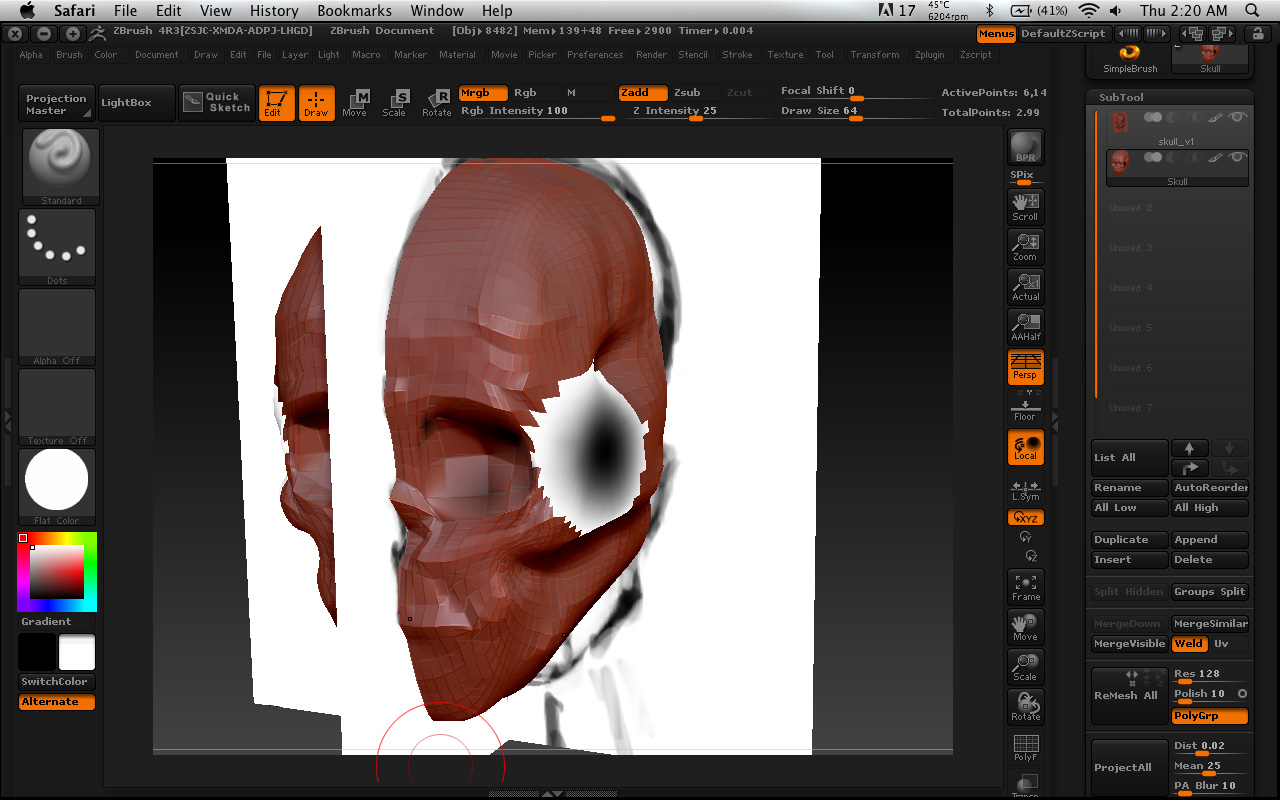
Copy those instructions on how to reset the material and save them. I have a funny feeling that you might need them in the future. If it ever looks like you have more than one material that you didn’t want. I have seen quite a few people do it and then wonder what happened.
lol ok, thanks for the advice.
regarding your last problem, can you post an image again without ImagePlane X visibility on?
BTW, what part of the world are you in? I’m in Canada and it is very early in the morning right now.
Your problems might just be a Mac thing. I know for sure that ZBrush likes PC’s better than it does Mac’s
Excuse me, how do i fix this gap between the objects? And I click merge down two subtools to merge right?
Attachments
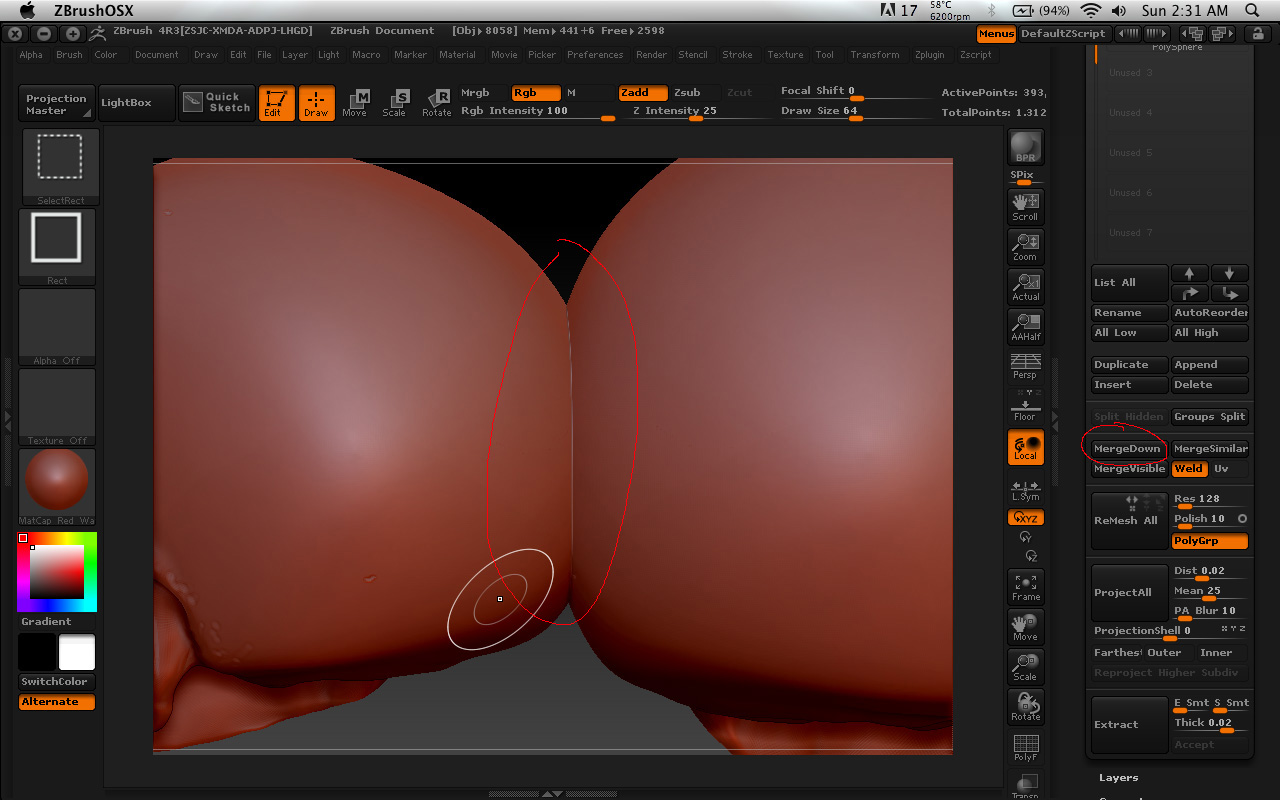
not gap, my bad. I mean the line between the objects when i stick them together.