ZBrushCentral

PLEASE HELP!! Half of mesh goes haywire.

Hopefully someone on here will be able to help me with this. I am importing a modified version of my mesh(same veticies and uv’s) into my character Ztool, but when I go to the higher sculpted subdivisions I am getting this weird thing happening.

[cyc_zb_import_low.jpg]
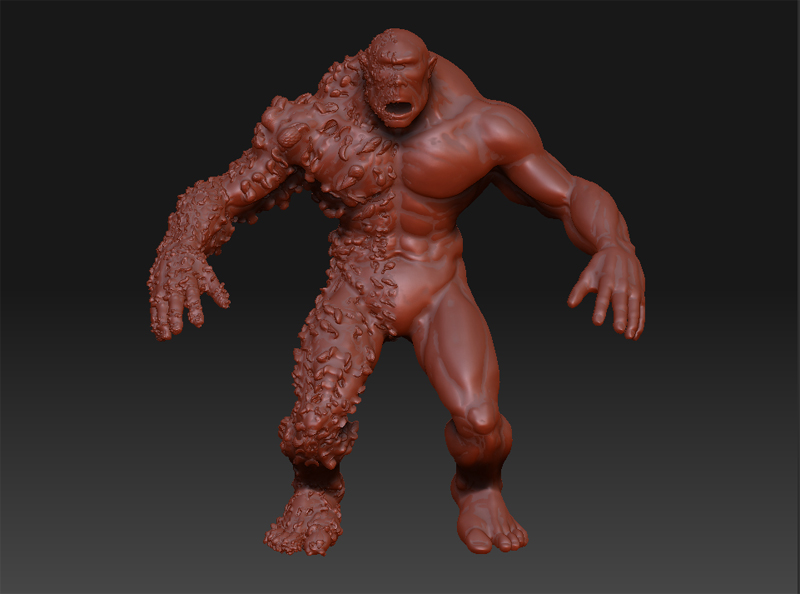
Only the one side goes weird on me… The uv’s and vertex numbers are all the same, normals are all facing the proper direction… any ideas??

The number of points is the same, but it looks like the actual order of them is different.

In this case, since you have one side of the mesh that’s good you might try using Smart ReSym. Go to level 1 and mask the good half of the model. Use Tool>Deformation>Smart ReSym. Then step up one level at a time, applying the deformation at each level.

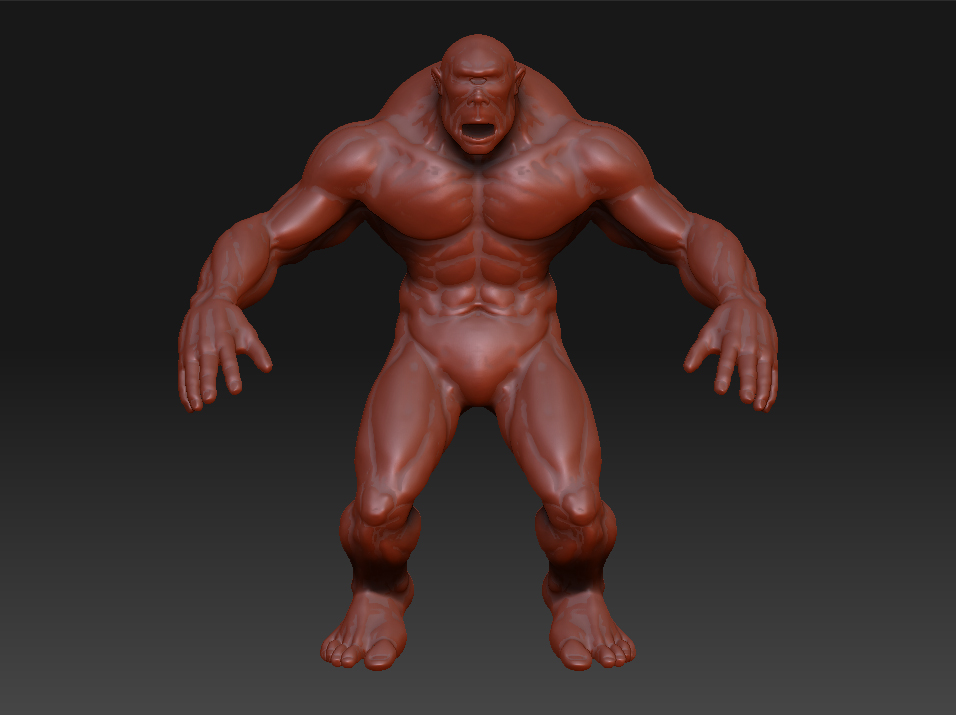
Well I got it to work, or it just decided to be nice. I exported the low subdiv from Zbrush, then transferred the vertex position from the altered mesh to Zmesh based on uv’s in maya, then exported the obj with point groups turned on. Now the import works and is smooth and proper on both sides.

Thanks for the help though Aurick. :smiley:

[cyc_zb_import_low_good.jpg]