ZBrushCentral

Please help-Fusing Dynamesh Subtools

Hello! I am very new to zbrush and using 4R2b as my first version. I am working on an eagle for printing,and I made the wings from separate feather subtools then dynameshed them together…no subdivisions. I also made a head in dynamesh with no subdivisions. In retrospect, I have gone about this whole thing the very wrong way I’m sure, but now I would like to be able to fuse the wings and head to the body. Right now, when I try to dynamesh them together it washes out the detail of the wing and head to a point where they are unusable. This happens even at the highest resolution and with projection on in dynamesh. It also happens regardless of the scale of the model. I wonder if anyone knows how I can merge the body to the wings so that there is no lasting seem line. I would like to be able to do this and then add a texture to merge body feathers with the wing feathers without seeing the division. Thanks a million for any assistance in advance. I realize that I should have used subdivisions, but I’m way past that possibility now.

Thanks again for any help!

-Matt

Attachments
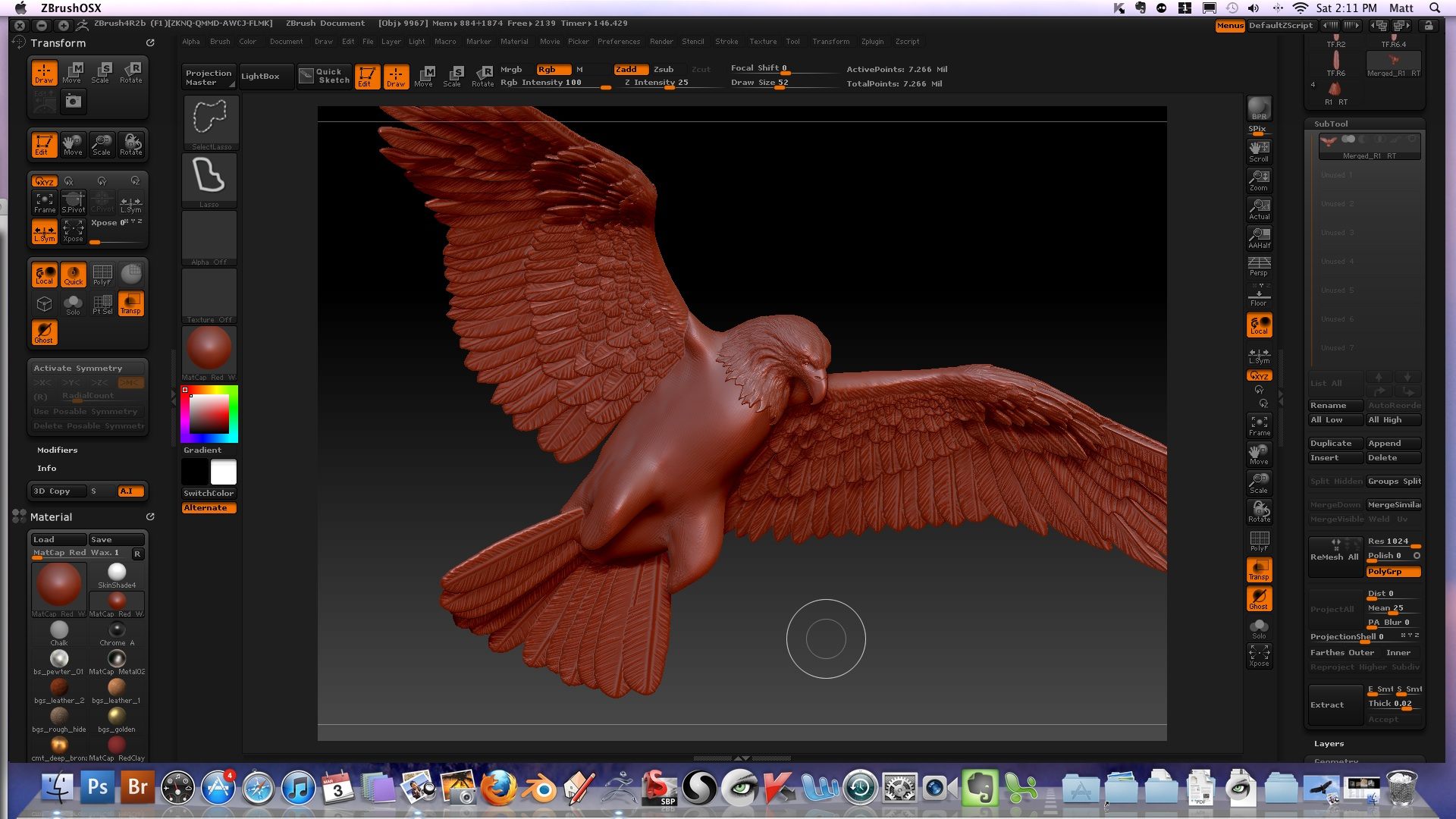
Front.jpg

back.jpg

there´s no easy way to do this;

i would recommend a retopology workflow:

merge the subtools that you want to be one by using subtool>merge visible, making sure you merge them at their highest subdivision levels

then make a retopology of the resulting tool, using zbrushs retopo workflow

as a result you have your detail and one singular mesh that you can texture; another advantage is that you have subdivision levels.

You could try duplicating what you have into a new subtool, dynameshing that with a medium resolution (or running Remesh). Worry less about capturing all the detail, and just try to get something close to the silhouette. Then turn off dynamesh, subdivide it a bit to have plenty of geometry, and then try Project All.

here is a tuturial that might be helpful: http://www.youtube.com/watch?v=ifnGYk4jmHQ&feature=player_embedded

what I do is merge all of the subtools into on tool, then duplicate the tool. Switch to the second tool. Dynamesh the second tool as high as possible. Then reproject the second tool onto the first. You should get like 95% of your detail back. You may need to touch some things up, but nothing major. When I use this technique, I rarely have to touch anything up at all. Nice feathers by the way;)