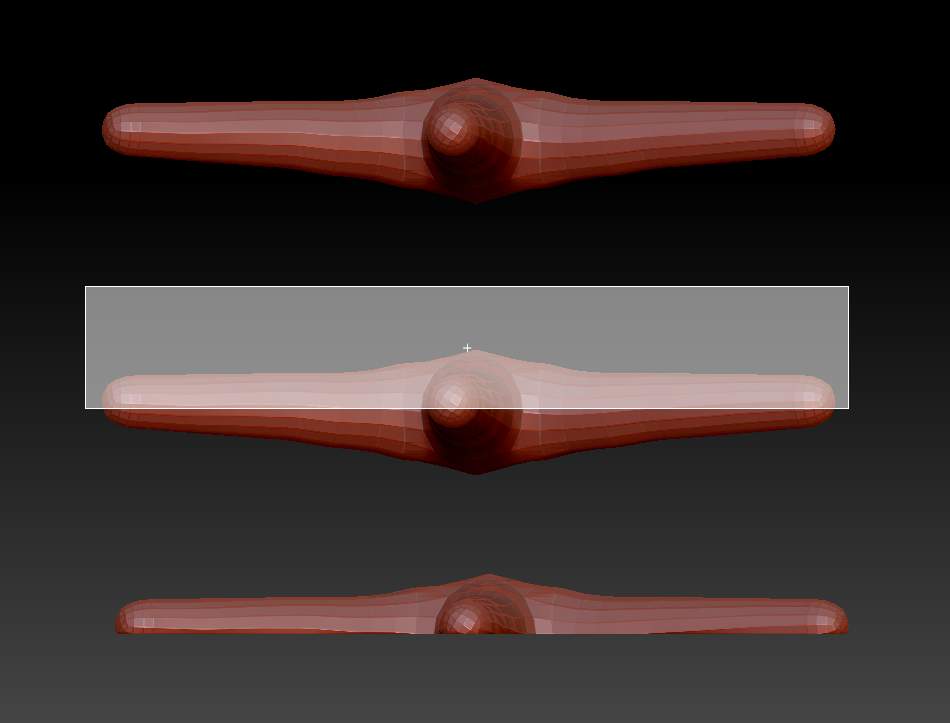
I am trying to make a starfish with zspheres. I am having trouble on several fronts:
-
Zspheres get twisted on the five arms. I am using radial symmetry (Y, M, R, and 5) for the arm creation. I need to keep them straight as the mesh is getting twisted.
-
When create the mesh I mask half of it to protect the top portion that I want for my starfish and then turn it over to expose the editable side for the planar brushes to sweep away the unwanted mesh on the bottom. I make a hole (see photos) then have been experimenting with various planar brushes to no avail to get a flat bottom. As you can see from the screen caps the mesh is too high at some ends and is taken away even below the masking at the other end. I have made starfish after starfish and get the same results. I do Shift when rotating it to get a it on a flat plain for the masking and the mask looks pretty good. So what am I doing wrong??
Also, shouldn’t the mask protect the mesh not masked? The planar brushes are digging beyond the mask as you can see from the screen caps.
I have put the zipped .ztl starfish file here also if anyone wants to “dissect” it.
Please help, I really need to get this project off the ground!
thanks so much!
Karen