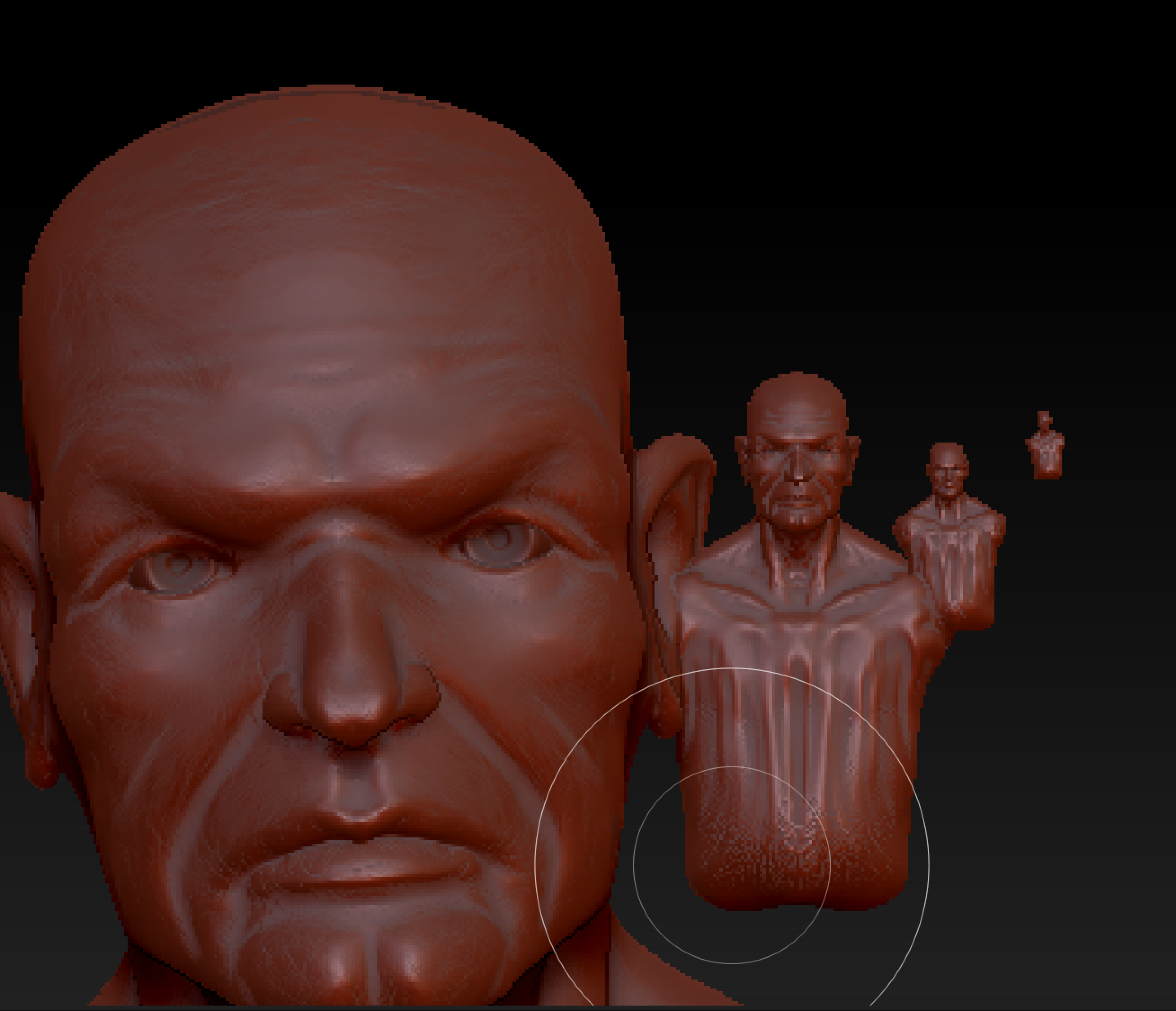
What you are showing is very clearly the product of canvas zooming rather than model scaling. They are not interchangeable.
Under normal circumstances, you should not resize your canvas.
If you want a larger canvas space, do this before you draw your model and enter Edit mode. Enlarging the canvas is done through the Document palette. You can even click the button there to set your current canvas as your startup document. So for example, you could double your canvas size so that it more than fills the screen, then save that as your startup document so that it’s always that size when you launch ZBrush.
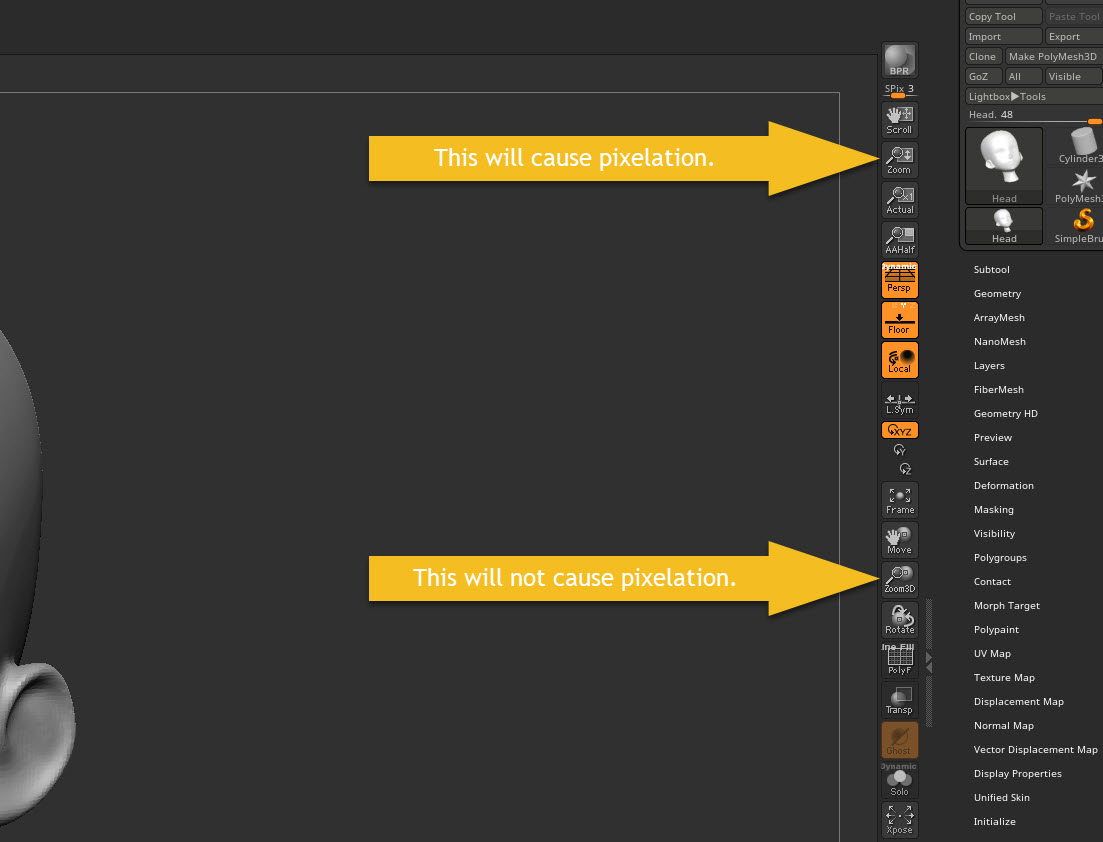
After you have drawn your model on the canvas and entered Edit mode, DO NOT use the top set of buttons next to your canvas – the ones that zoom your canvas view. You’ll get pixelation every time. ALWAYS use the keyboard shortcuts to scale your model, or use the lower set of buttons to the right of the canvas.
When you save your work, either use Tool >> Save As to save the model itself or File >> Save As to save all of your current Tools, your document settings and more. Do not use Document >> Save As since this will only save a 2.5D snapshot of the model rather than the 3D data.
Attachments