Hi Guys,
I have run into a strange situation with the location of my model again and it is unclear to me how to resolve it. I am hoping someone can shed some light here.
My body model seems to be centered. I had an issue with previously (http://www.zbrushcentral.com/showthread.php?195670-how-to-re-center-a-model-that-has-gone-slightly-off-center) but I resolved it. When I sculpt with X symmetry on the body the center point is right where it should be, and when I show the Grid the model is clearly centered in relation to that.
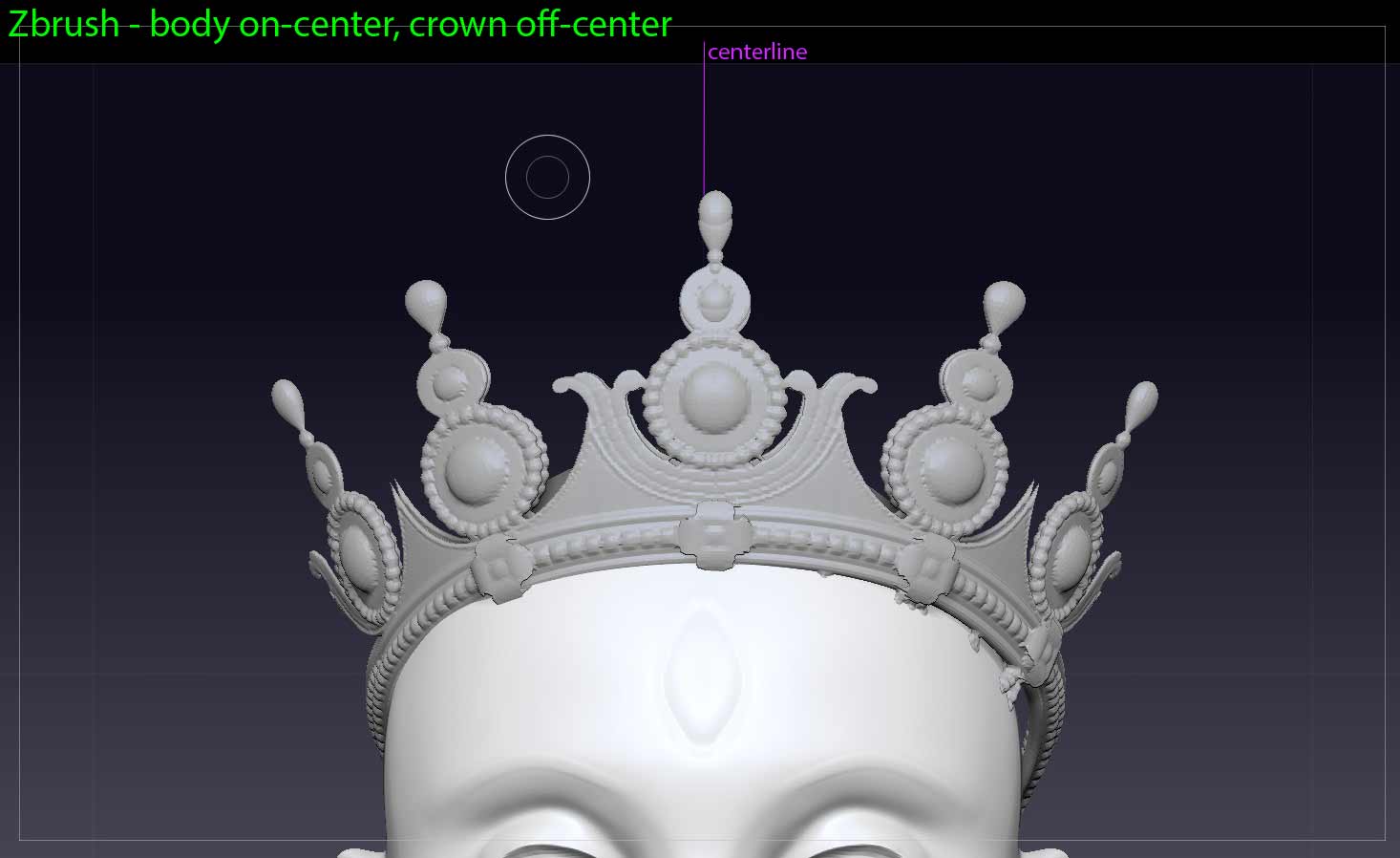
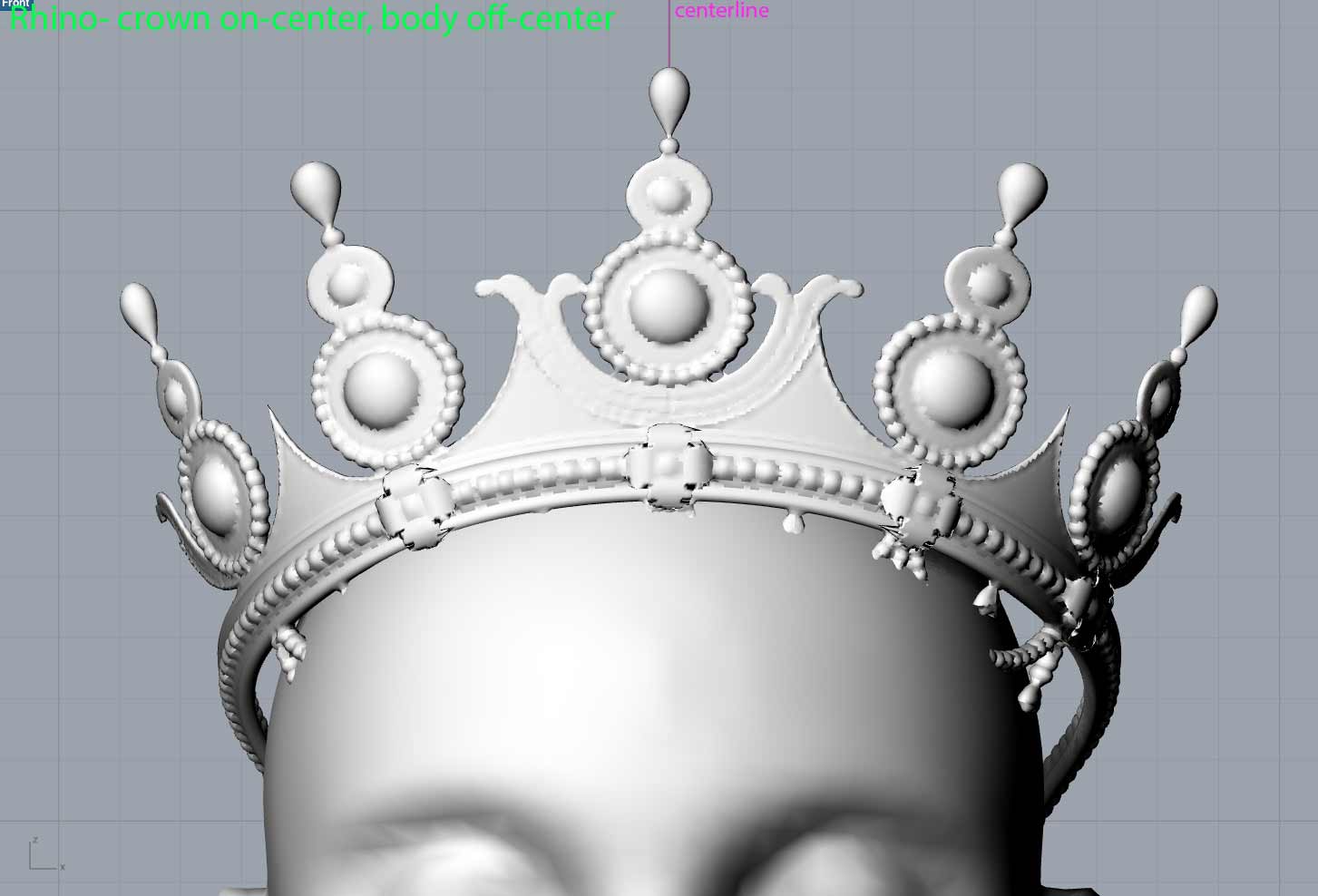
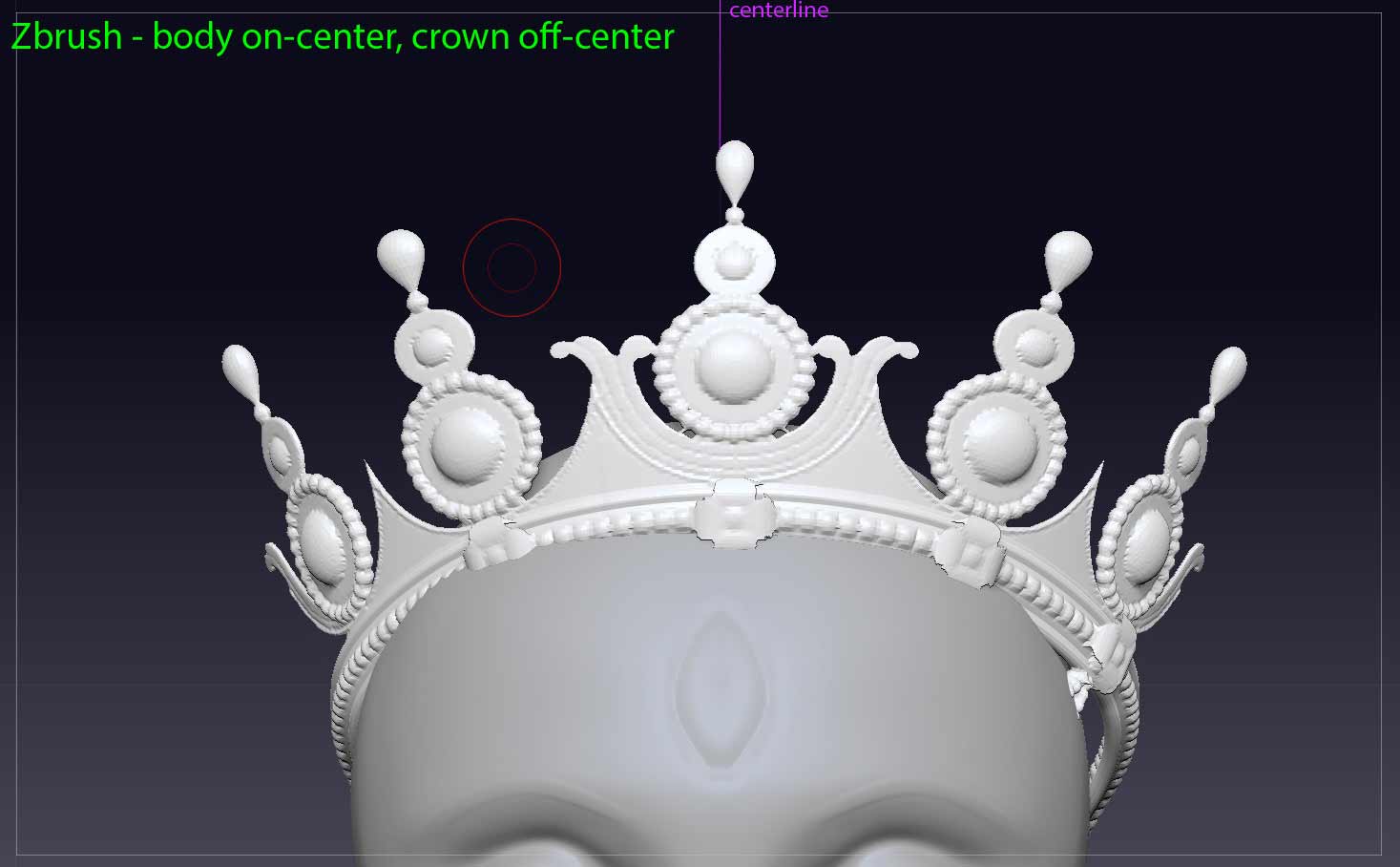
I just designed a crown to go on the figure. I made it in Rhino and when it is Rhino it is centered. But when I import the crown to zbrush it is slightly off center when compared to the body and the Zbrush Grid and the X symmetry. You can see in the image below how the crown is slightly to the left of the head. If I export the body from Zbrush and import the body into Rhino, the body is slightly off-center.
So I am confused because in Zbrush the body is on-center but the crown is off-center, but in Rhino the crown is on-center but the body is off-center!!
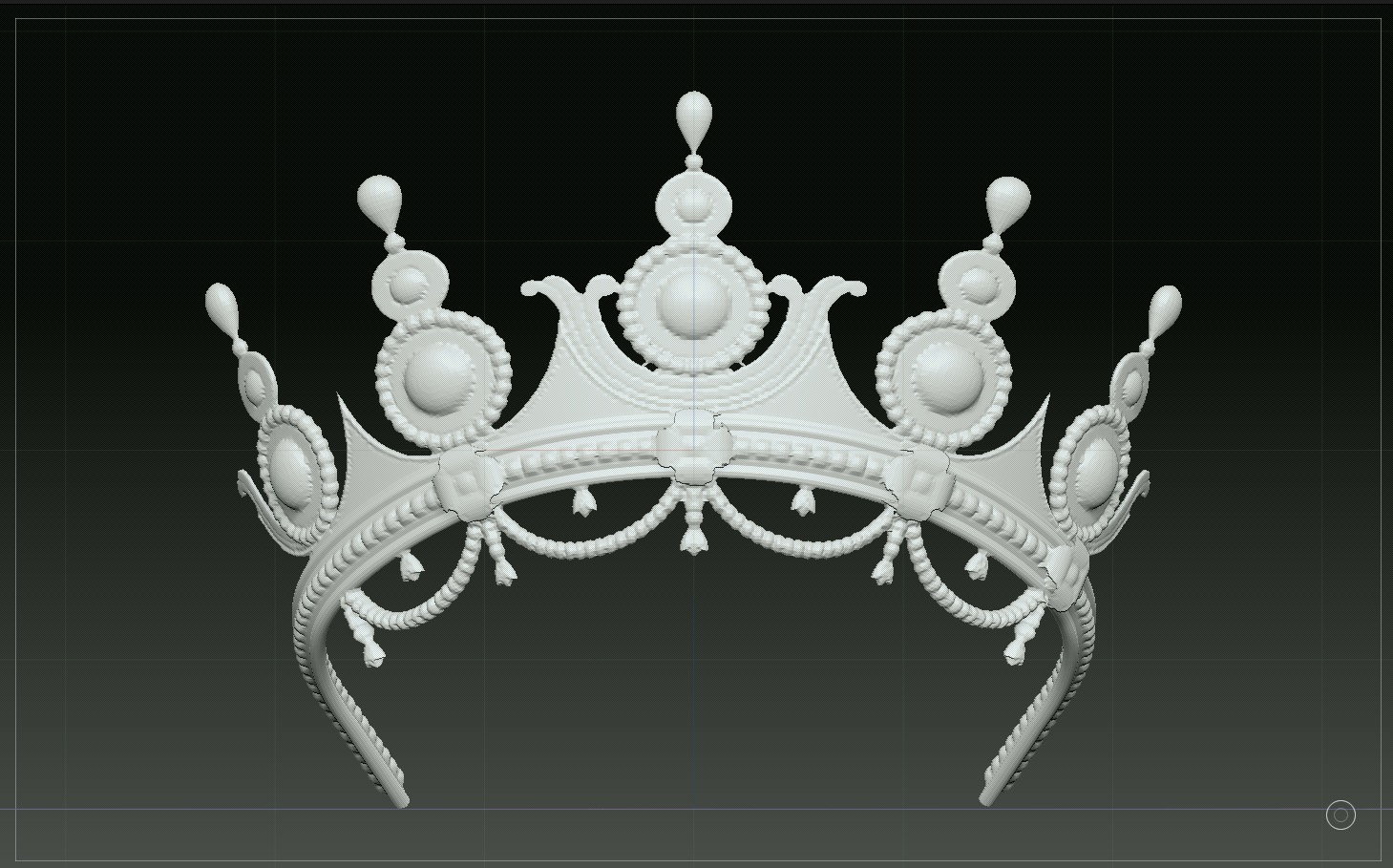
To make matters more confusing - when I import the crown model into a clean document page in Zbrush (by choosing any polymesh 3D tool and then importing the .obj) the model is indeed centered. It is only when I import the model into the document I am working on with the body that the crown is off-center.
Is there anyone out there who may be able to offer an explanation here and/or a way of correcting the problem? Please see images:
Zbrush - body on-center, crown off-center
Rhino - crown on-center, body off-center
Zbrush, when I open the crown in a separate new document it is on center
Attachments