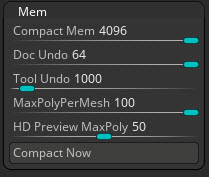
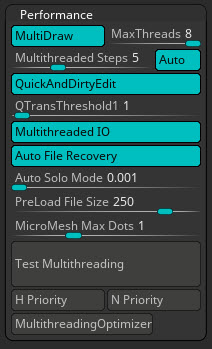
Hi! I’ve been experiencing performance issues when working in Zbrush, even though I thought I had a pretty decent PC. I have 32GB DDR4 and an i7 6700K (overclocked to 4,5GHz) and a Samsung EVO 850 SSD. (I also have a GTX 1080, but from what I understand, Zbrush doesn’t care about your GPU.) The issues are that Zbrush crashes every so often, a couple of times a day sometimes. This hardly ever happened in r7 though, so it might get fixed with a patch I suppose. But my main issue is to do with insufficient memory. I get told to close the program due to too little memory, or the program tells me I have too little memory to perform certain operations. I can’t have more RAM on my current motherboard, since it’s a mini ITX. How much RAM do you guys have? Shouldn’t 32 be enough? Are there any settings I should tweak to make things run smoother? I’ve been messing around with the “MEM”- swttings etc, but I’m not sure I’m doing it right. It’s not that the issues are so bad that I can’t work, but if there is something I could do to make the experience smoother, I’d like to know what it is.
Thankful for input.