Hi Guys
It’s probably something simple, so take it easy on me 
http://img189.imageshack.us/img189/6601/picture1bpm.jpg

Thanks
Hi Guys
It’s probably something simple, so take it easy on me
http://img189.imageshack.us/img189/6601/picture1bpm.jpg
Thanks
The best way will be to re-topo your mesh.
You can also use the “move” brush, and hide the seams with the clay tool, but you’re early enough along that retopology will reward your efforts more in the long haul.
An example of retopology is covered here: http://www.pixologic.com/docs/index.php/Topology:_Mesh_Editing
Doc articles are here: http://www.pixologic.com/docs/index.php/Topology
Thanks a lot Kervin, that worked great on my model.
I just have a question, it seems that when i am trying to cut out somewhere in the middle of the sphere, no matter what i do, the top will always be cut off. I cannot bring the start point to the middle of the sphere.
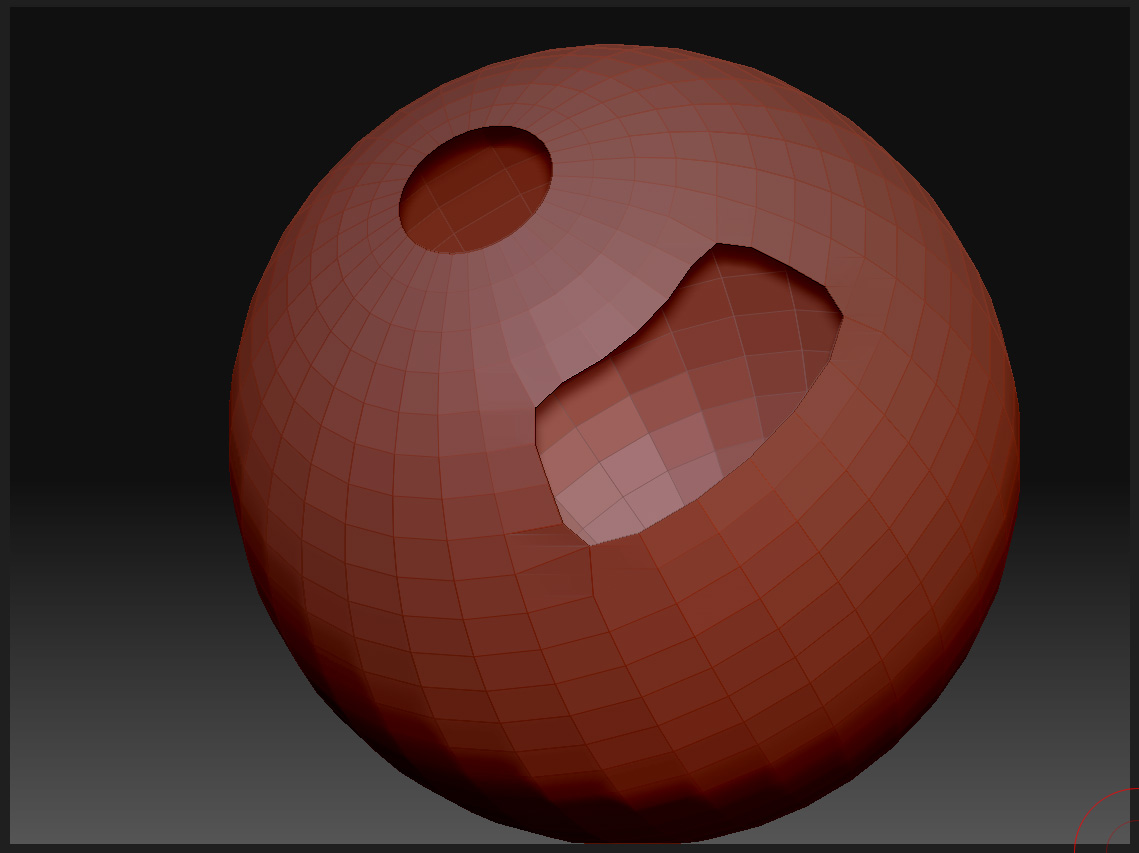
How are you doing the cut? The best way is start with the sphere primitive and make it into a polymesh (make polymesh3d button). Then hide what is to be cut out and use the “Del Hidden” button on the geometry subpallet. The top shouldn’t disappear. 
Another neat way to cut a hole in a spherical shell (complete with inside’s and outsides–that is, thickness) is to use the mesh extract feature on the subtools pallet. It works like this: start with a polymesh sphere. Mask what you want to keep (or mask the hole and invert the mask if that’s easier.) Use the “extract” button on the subtool pallet. Voila! A nicely cut spherical shell. Use the frame button to show the polygroups and you can see that Zbrush has marked the inside, outside and edges.
Cheers!
-K
Thanks for the tip.
It’s hard for me to explain the problem i had with Zsphere but now when you mentioned to del hidden parts first it all makes sense to me.
Thanks for the help!
Ah, you we’re starting from a Zsphere? (That icon with a lighter and darker hemisphere?) This is different from a the sphere primitive. The very first zsphere you draw, when you generate an adaptive skin from it, will be uncapped on one side. The best way to start a Zsphere model is to draw out the first Zsphere and then immediately add a sphere on top of it and then on the bottom of it. This will give you a potato-like shape, which is closed (and a good start for a torso.) Zspheres are deceptively powerful, but can play tricks on you.