ZBrushCentral

Patch problem

Hey,
I’m currently a student at Staffordshire university in my final year studying Concept design, the focus on my portfolio is to recreate a series of sculpts based on reference imagery from consenting models.
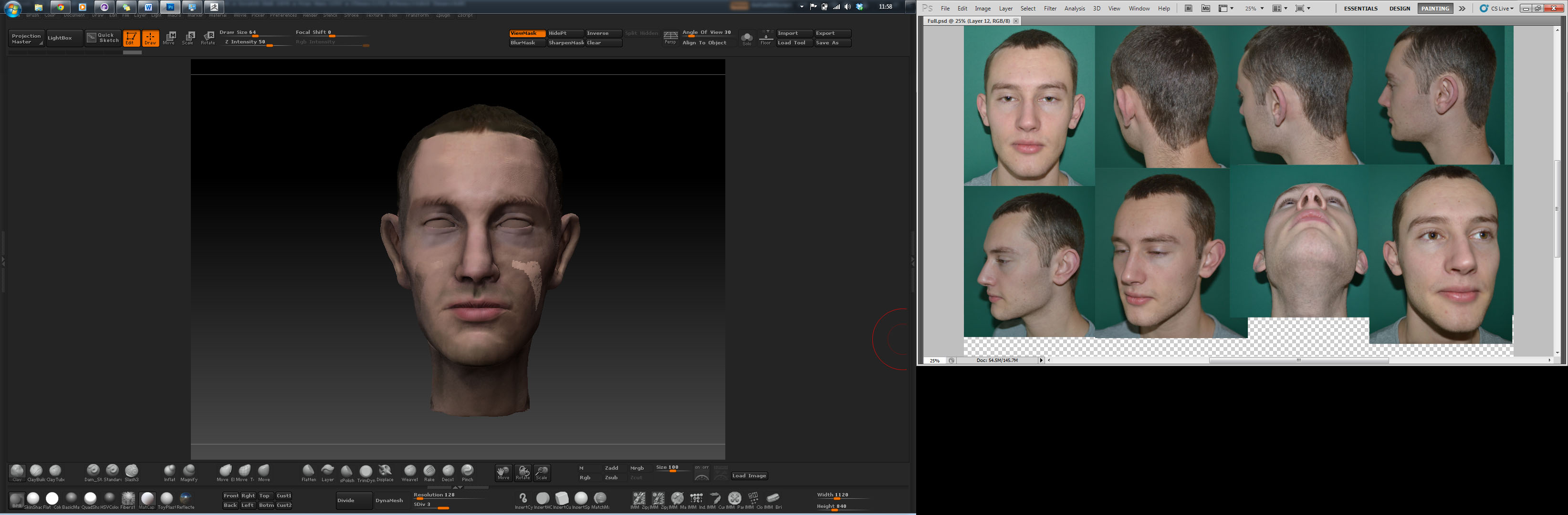
I’m currently painting one of the heads and i’ve experienced a problem.
These patches show up on the mesh and will not disappear at all, I’ve tried deleting all poly paint information/ Masks/ layers but the problem persists. Does anyone know the cause of the issue? as i cant afford to redo the head to avoid the problem due to strict time constraints.
Thanks Zac

Attachments
Untitled-1.jpg

That’s a preview(as seen unrendered on the canvas)? Ctrl+LMB drag was how masks were cleared? How did you construct the mesh? That area won’t take new color/material?, if you have a texture applied, it will cause problems. Have you tried clone in tool menu to see if that’ll help (select the clone after creation and see if it also has the issue)? Maybe export as an obj and then reimport?

Looks like it just has a different material painted into the polypaint. Select the flatcolor material, enable the M draw mode, and use color: fill object. Also go into the Tool: Texturemap subpalette and fill the material there as well.