ZBrushCentral

Partially rendered bump map useing Approximation

This is not technically a ZB problem but thought I’d ask here anyway.

The problem is that when I render a mesh with a displacement and bump map using the Approximation Editor the bump map only partially rendered (Maya, Mental Ray). The image on the left is just of the displacement wile the render on the right had both bump and displacement. This happens in Maya 2008 and 2009 and also Normal maps.

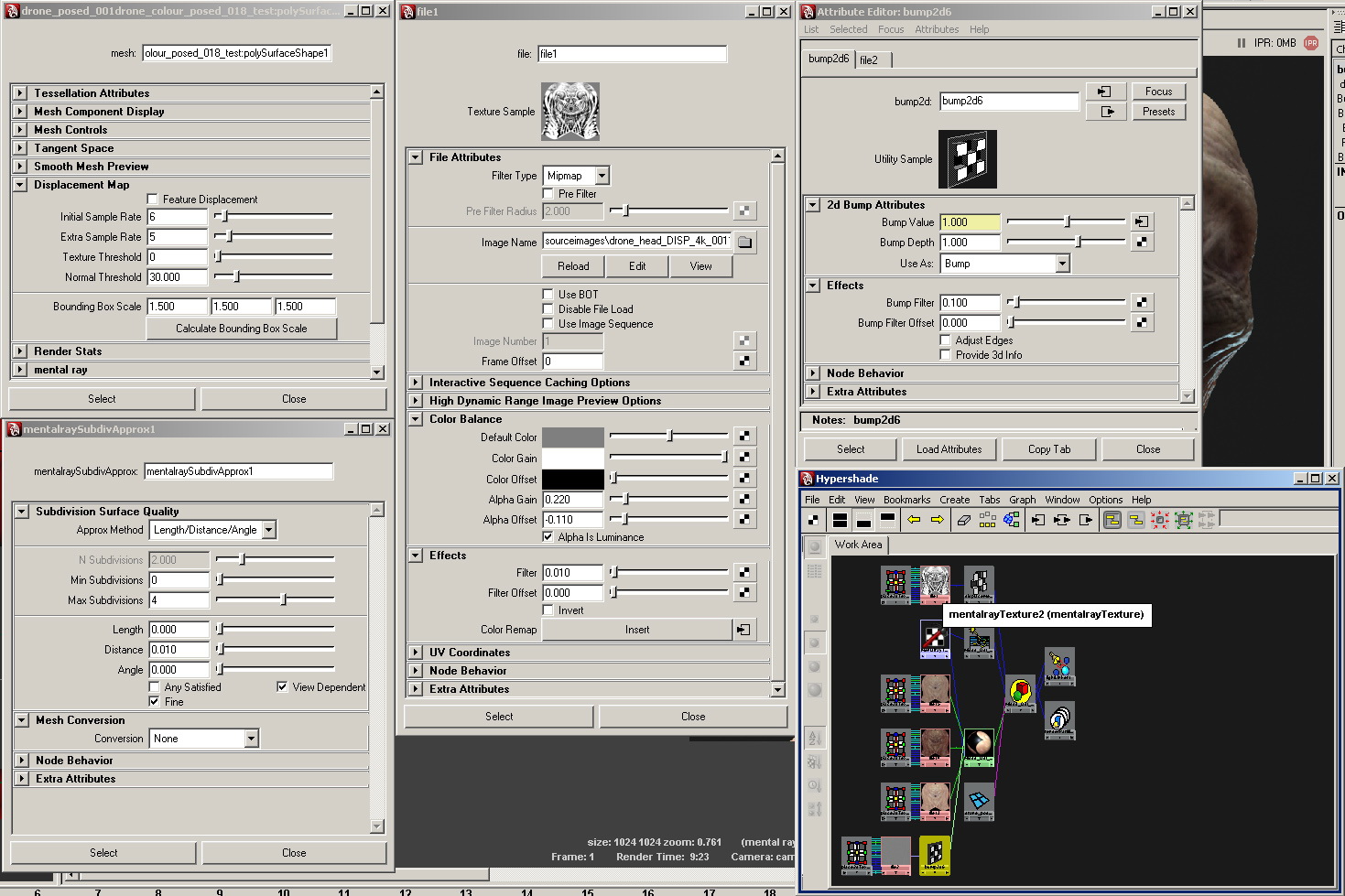
It maybe tricky to spot but the bump map stops around the centre of the head and face. There is a slight edge over his left eye socket where the render stops. I’ve also attached a screen grab on my render settings.

[Render_problem_no_bump.jpg]render_settings.jpg
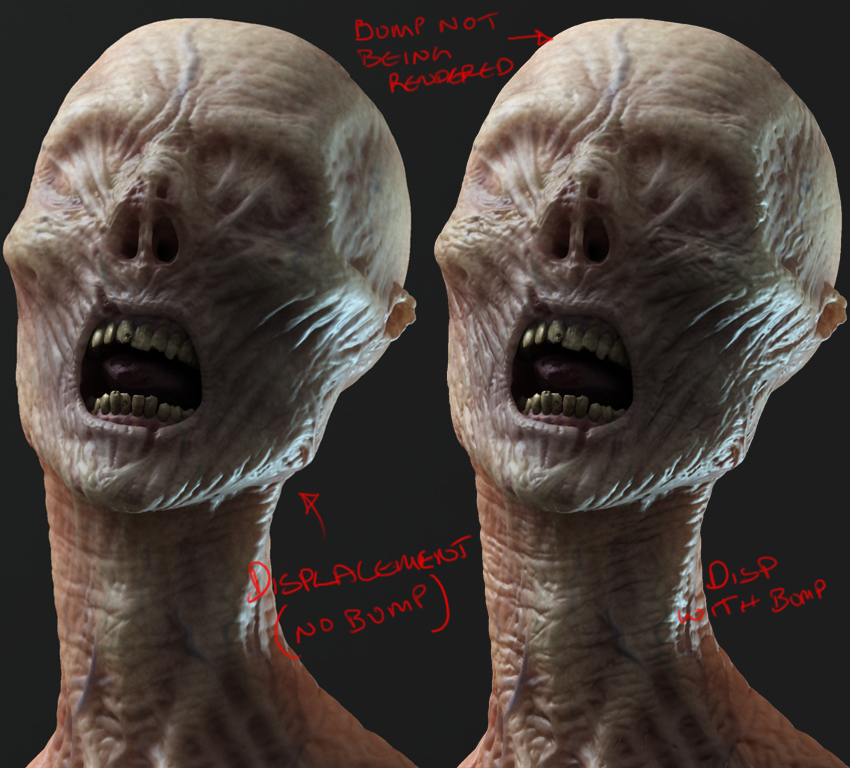
This only seems to happen when I set the Approximation to 4 or above. 3 and bellow works fine but obviously the displacement loses detail

I would be grateful for any help. Thank you.

MX

A good colleague found a work-around for the bump problem. It’s not a proper fix as it causes issues with seams but if the seams are not visible then it could help.

"Type in this bit of MEL into your script editor and tell me if it works:

addAttr -ln miExportCCMesh -at bool mentalraySubdivApprox1

(replace “mentalraySubdivApprox1” with the name of your subdiv approx node)"

The original thread can be found here: http://forums.cgsociety.org/archive/index.php/t-653224.html

Also, If you are using MipMap Filter Type with image files, make sure you tick ‘Advanced Elliptical Filtering’ under the mental ray section of the image file node.

There are a few lengthy threads here on ZBC too.

That little slice of MEL can be found in the Maya help files (buried of course) and actually helps eliminate the seam issues from the “new” CCmesh approximation in Maya 2008. I’m surprised you’re still getting seam issues AFTER switching back to the old style approx.

I had an issue last week similar to yours where certain maps, mainly displacement, were not working at certain camera angles. Switching out of ccmesh for the approximation node solved all my problems but greatly increases rendering times (10x).

Jbuck,

I did a search for this problem in the ZB forum but nothing came up.

The seams problem that I mentioned was from past projects that had seam issues but the test render that has just been done is working perfectly fine. But I wonder if UVs layout can make a difference.

There’s so many problems with getting Displacement maps to work in Mental Ray it’s quite amazing. I’m still learning (obviously) but the tech chap says that if the camera angle is very low from the surface then instead of using Length or Distance, Angle works better. But who knows, you’ve fixed the problem anyway. :slight_smile: