Hi All:
I’ve recently been trying to do texturing in ZBrush, and I’m running into some problems when wanting to paint on flattened UVs.
Essentially, I’ve been trying to use these steps to paint on flattened UVs in Zbrush:
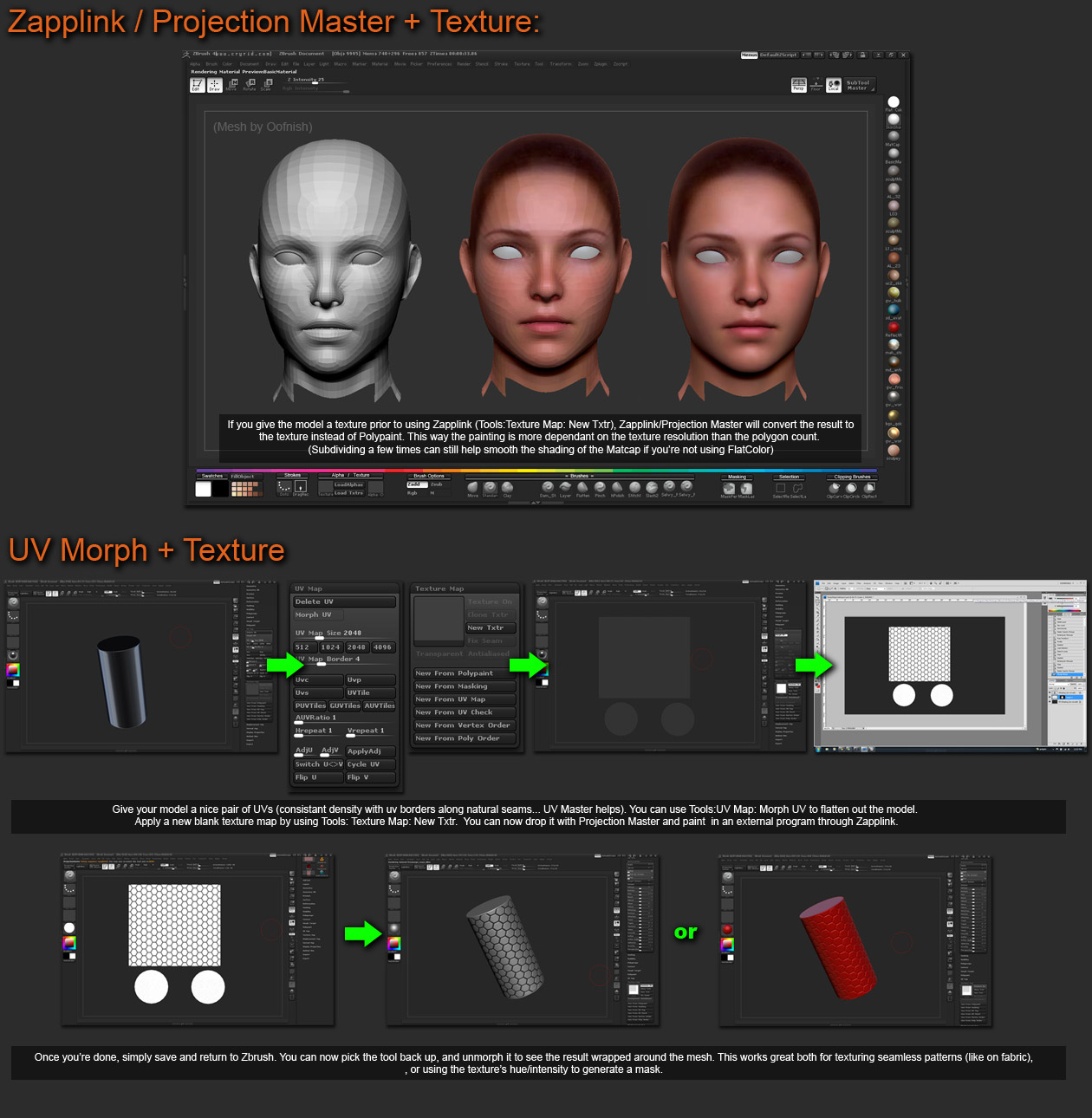
I tested it and it seemed to work fine for most of my models. However, for an assignment that I’m working on, something strange is happening.
When I do a test projection using the exact same steps, I can paint fine. However, when I pick up, something very odd occurs: the paint seems to be picked up in a speckled manner, as shown.
Dropped to canvas and test paint:

Upon pickup:

This seems to happen regardless of sDiv level, no. of subtools or point count, as I have been unable to reproduce this problem with any of my other OBJ models with UVs on them. This also appears to be happening for all subtools in this particular ZTL, so I am at a loss as to why this could be occuring.
Anyone who could help solve this problem or offer a better way of painting directly on flattened UVs in Zbrush, please, I would really appreciate any assistance you could offer! Right now my workaround is to clone the texture to the palette, clear the canvas and fill that in, paint on that and then reapply the texture as polypaint, but that’s a little more extra work and I would really prefer to not have to keep repeating the process and clearing my canvas/redrawing in my tool all the time when I want to make adjustments on my flattened UVs.
Thanks!