as you can see the image I’ve attached…
That one makes me bother…
how can I remove that one…
even if I fillobjected in Color pallete, it didn’t work
Attachments
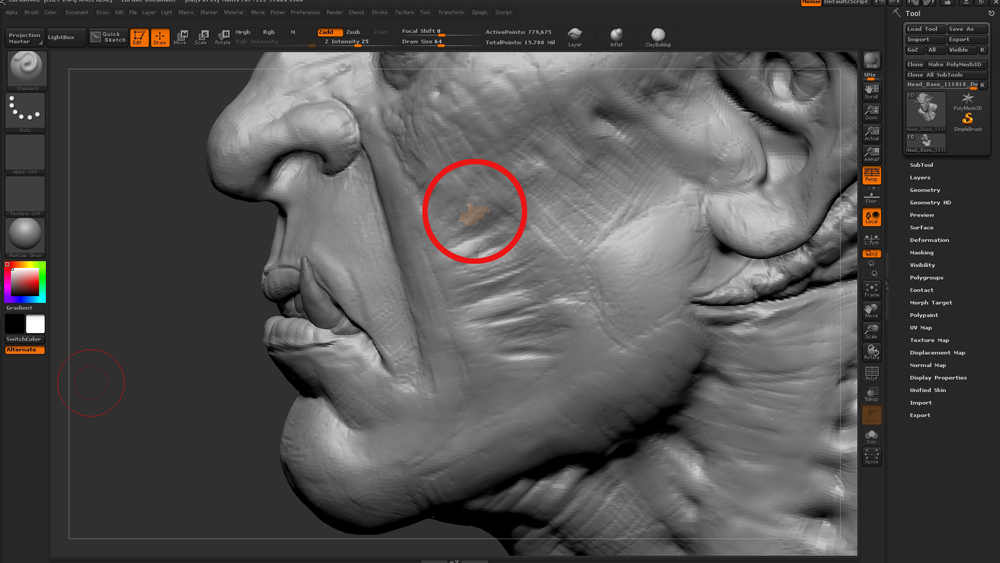
as you can see the image I’ve attached…
That one makes me bother…
how can I remove that one…
even if I fillobjected in Color pallete, it didn’t work
Turn on ‘Mrgb’ button and ‘FillObject’ with ‘Flat Color’ material first. This will remove any material information. Then you can select another material you want.
천만에요