ZBrushCentral

only have 1/2 a sphere? (answered)

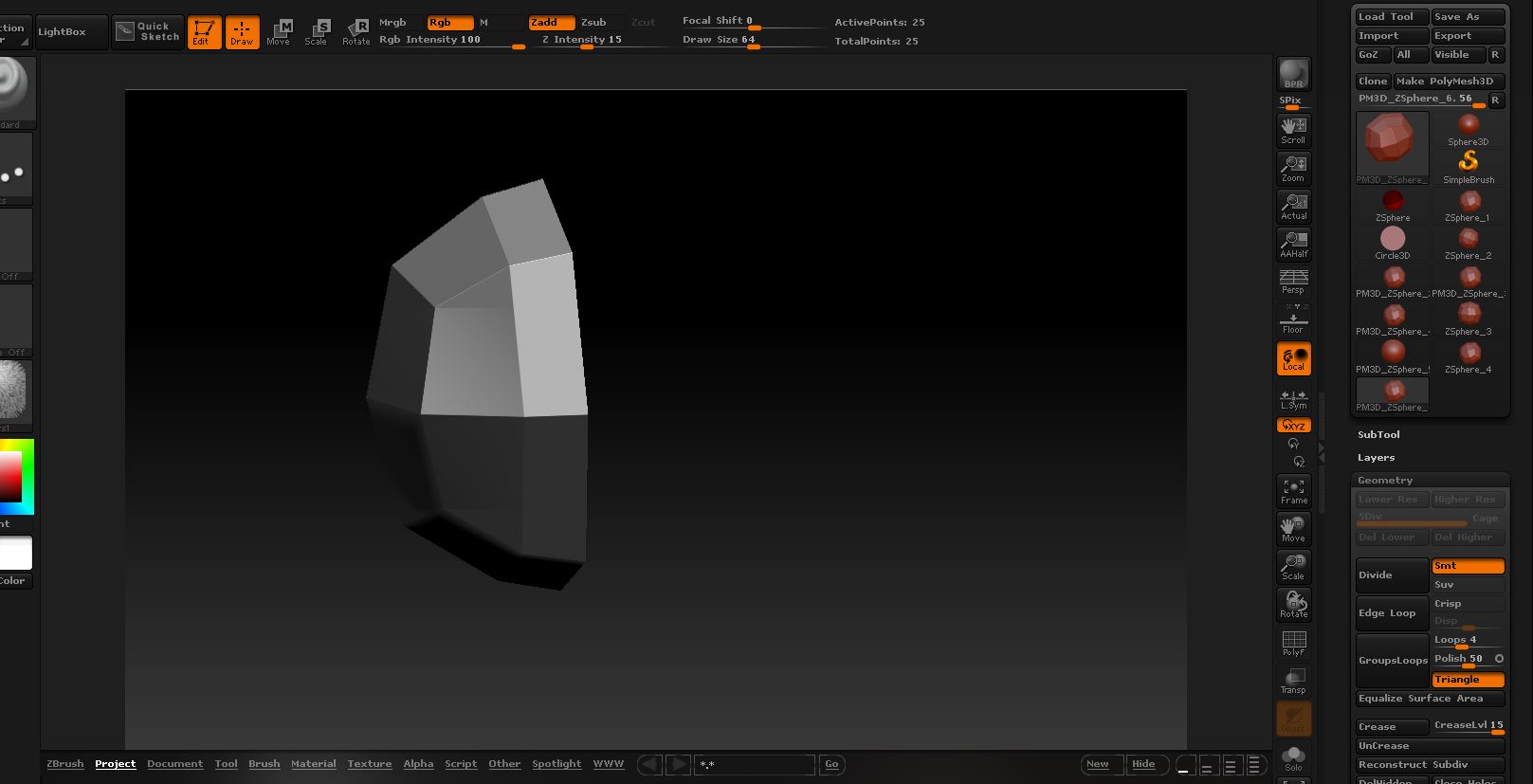
I was wondering why this is happening. if I bring in a zphere then make polymesh 3d I only have 1/2 a sphere? Any thoughts? Is this a bug, or have i pressed something I don’t know about.

I’m very new to zbrush, still learning and fumbling around. thanks in advance.

Mac zbrush4

Attachments

Snapz Pro XScreenSnapz034.jpg

That’s normal behavior. You need to cap the first zsphere with zsphere on each side.

? Cap the zsphere? you got me there. remember I’m a baby at this program. How do you do this? also I thought that a complete zsphere was in the polysphere was in the tools in 3.5 Did I imagine this? I know ther eis a sphere 3d but that has poles.

You need to read the manual and watch the excellent free videos available on the Pixologic website. But rest assured this is normal zsphere behavior.

look here;)
http://www.pixologic.com/docs/index.php/ZSpheres:_Basic_Controls
gr, Silberdenar

Thank you everyone. I have been playing with zspheres for quite some time now and have come up with some nice things however

Silberdenar- thanks for the link, though it doesn’t say how to get a single polyshphere from a zsphere. As I said, the sphere that is in the tool pallet has poles and won’t work for doing something like I do in mudbox. see my video http://www.youtube.com/watch?v=78rxEAicgpM

Nancyann- Yes there are many , many, many tutorials on the iternet and at pixologic about using zbrush. I’m thankful for them and I can’t tell you how many I have watched trying to learn this program, and how many times I have watched some, but often it is difficult to float through them all and find a simple answer to probably a stupid question. That is why I come to the forum.

Once again I thought I remembered their being a tool in the pallett that was a sphere without poles. Maybe I was imagining it.

I appreciate everyone’s help.
The DefaultSphere project that you can load from Lightbox is a polysphere without poles.

Thanks marcus. I was able to open that and saw it there. Some of my lightbox figures are not working instead I get the default cube. I put that in another post. Thank you, thank you, thank you. It is working now. I thought when I clicked on that before it came up as the 1/2 zshpere. I have learned when things act buggy to turn zbrush off and restart, though some things still are broken. I’ll wait for them to release the corrections. But I have a sphere!

I am thrilled to have a simple sphere. So much can be done. YEAHHH

I’m not sure about this, but these 3 Jason Welsh videos might be helpful. He shows how to make a “squirkle” (and a macro to create it) as a convenient base for sculpting.

http://www.wonderhowto.com/how-to-start-sculpting-zbrush-3-1-196462/

http://www.wonderhowto.com/how-to-make-squirkle-zbrush-3-1-261215/

http://www.wonderhowto.com/how-to-use-basic-sculpting-methods-zbrush-3-1-196468/