ZBrushCentral

Old Oak Tree Model and texture

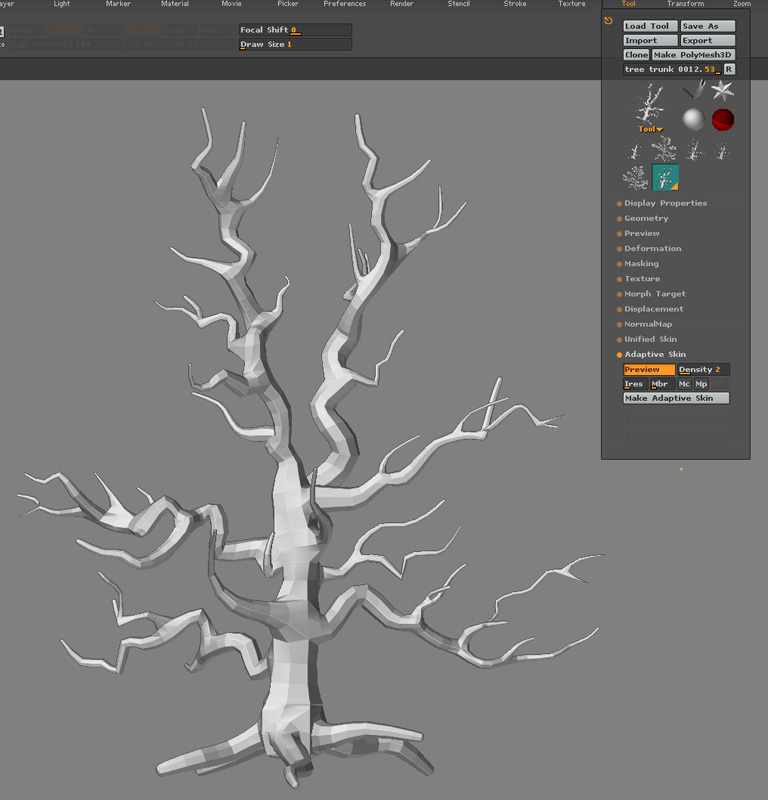
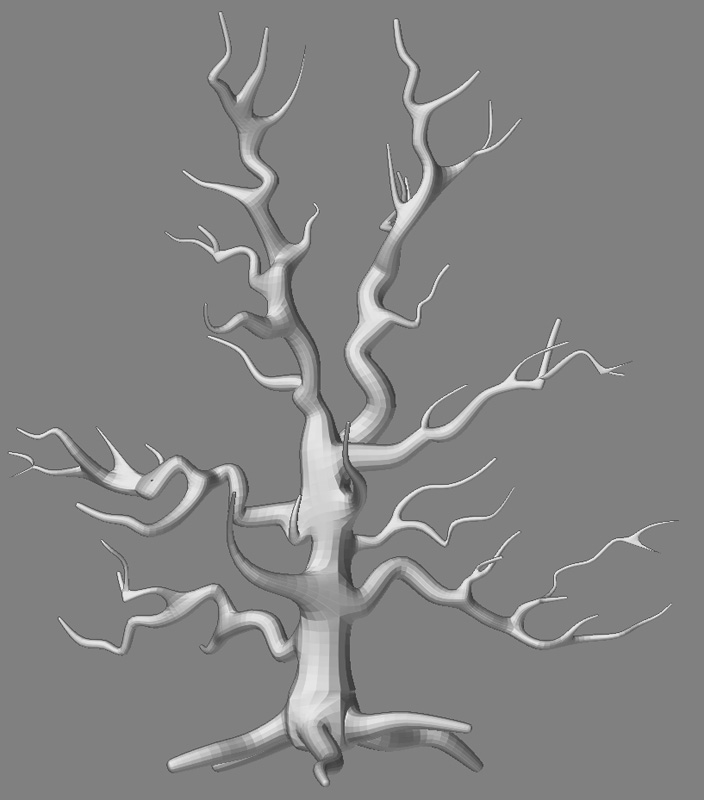
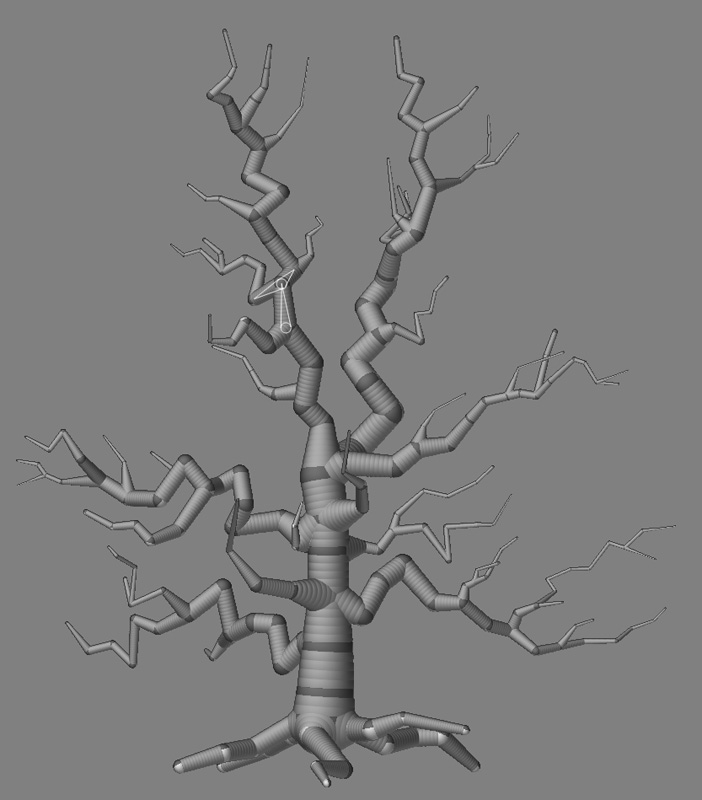
Here is a ZSphere model of an oak tree. When previewing Adaptive skin, I don’t get the results I need. I want realistic branches, but I am getting smooth, almost webbed, branches. How do I fix this?

I’m using ZBrush 2 on Mac

See attached images.

Thanks,

Steve

ZSPHERE TREE.jpg

Attachments

ZSPHERE TREE_ADAPTIVE PREVIEW 2 .jpg

ZSPHERE TREE_ADAPTIVE PREVIEW 3 .jpg

Those actually still look nice. Try clicking mp or mc in the adaptive skin menu, or move the mbr slider around and preview it again. You could also do further sculpting to push in those webbed parts. Not sure what else could be done. Good luck with this and hopefully someone has a solution for you.

or you could put spheres in front and bhind the ones u have that way he wont be able too make it a curve:+1:

Hey Steve look at this thread:
http://www.zbrushcentral.com/zbc/showthread.php?t=24589&page=1&pp=15
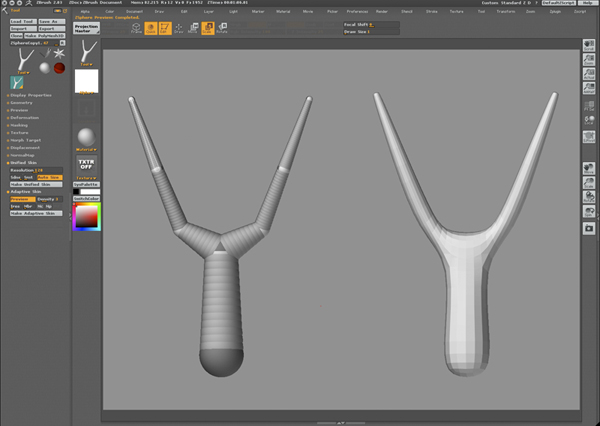
You need more spheres where 3 branches come together. You only use 1, but you need 4.
Good luck!

Nice work Steve, must have taken you a while to put the zsphears together.

Im not quite sure what you’re getting at.

You might be talking about certain joints in the tree. The natural form of a tree is to ALWAYS bcome thinner the farther the branches travel from the tree.

I see at a few of the joints further out in your tree the zspheres are actually making the branch thicker than the portions closer to the trunk of the tree.

While still in zspheres I would try to take the offending joint zspheres and make them smaller.

I would also say that there is only so much that zspheres can do and that much of the look that you want to acheive will be accompleshed once it’s made a polymesh 3d object and given higher sculpting resolution.

You’ll be able to shrink and mold the offending portions of the tree then.
Thank you all. I appreciate your help.

My goal is to make a high resolution version of the tree for print. Any comments on how to make a photoreal tree bark?

Steve

Hi Steve a material may be your quickest option try these famous mats from Froyd http://www.pixolator.com/zbc/showthread.php?t=23394

Kind Regards,

Boozy

Thanks Boozy,

I’ll test those out and post the results.

I am very impressed with this forum. Everybody has been so helpful.

Cheers,

Steve

Steve,

Yeah, these forums rock. There are so many gems in this place, that I often look waaaaaaaay back sometimes and find them… or someone points one out and I have to still marvel at the power of Z2 which IMHO is still way beyond a lot of the current programs out there, in terms of creative power. You already know that you have a treat in store for you when Z3 comes out for mac.

Bas, I missed that thread of yours somehow. Thanks, because that helps me too. You appear to have mastered the whole tree thing.

Boozy, thanks for the link. Those materials look nice.

Those tree materials are awesome!! Some instant thread Karma. :slight_smile:

@Lumin8
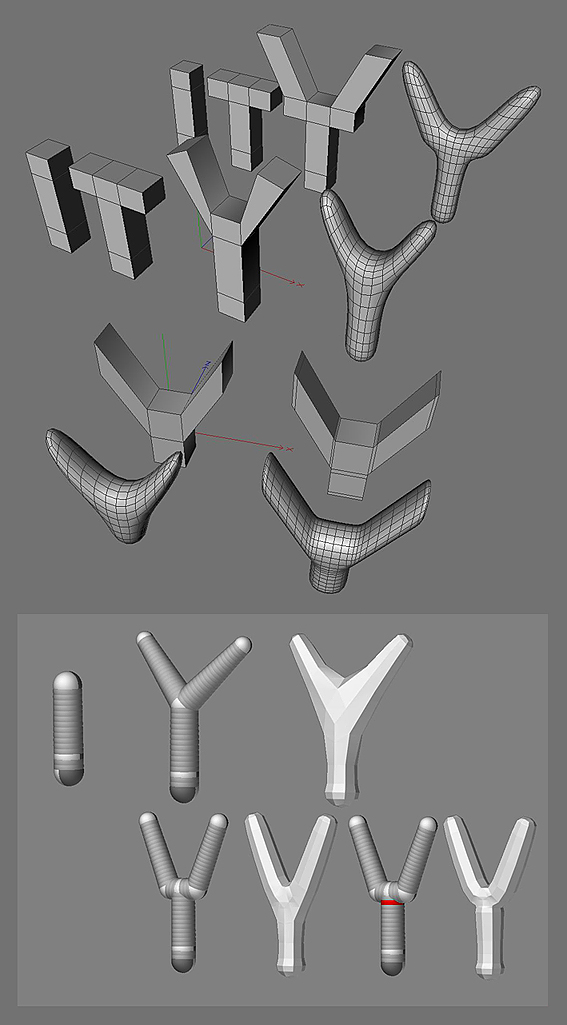
Glad I could give some help (Maybe for Steve too). Keep it in mind, ZSpheres are like extruded cubes and they need an extra edgeloop to keep the edges sharp after a subdiv. Nothing new, but another creative way of use.

Hi Bas,

I just wanted to thank you for your excellent post on the trees. I had a little trouble understanding the ZSphere comment about 4 spheres to make a branch. It was a little hard to see where the Zspheres werre positioned.
Also, I’m not sure I understand the edge loop comment. Can you be more specific?

Is this (see upload) the right approach for the basic tree structure?

Cheers,

Steve

Attachments

Tree_ZSphere_Structure.jpg

Steve, the way a mesh is made from ZSpheres looks like the traditional way of extruding a cube. Above an example of extruding and another with edgeloops.
Under, a way to place a sphere avoiding too much smoothing.

Attachments

tree.jpg

Hi Steve, here’s an old thread that explains very succinctly the relationship between zspheres and cubic faces as the basis for quickly setting out your mesh.
http://www.zbrushcentral.com/zbc/showthread.php?t=29617

Nice thread, Booz. I missed that one. :+1: