ZBrushCentral

Old mask keeps returning whenever I mask anything

Hi All,

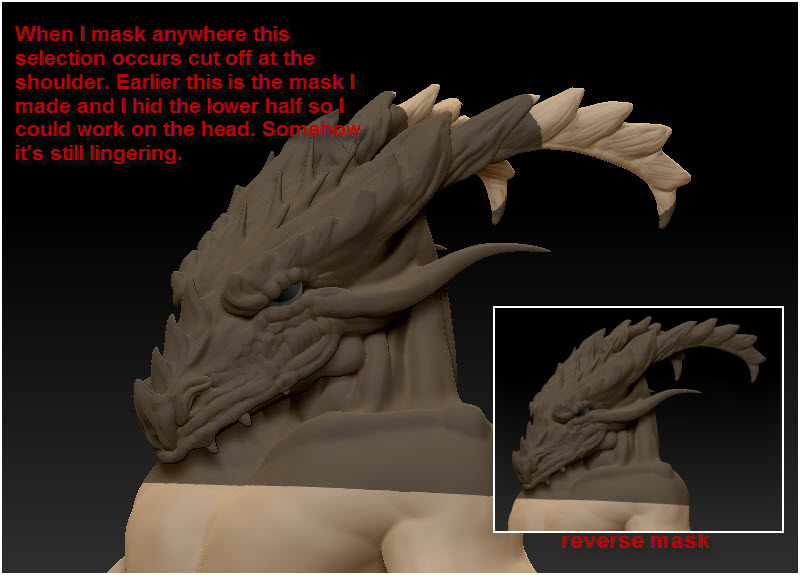
I have a problem with my mask here. I’m roughing out this dragon man and I wanted to just work on the head so I cntrl-shift’d from the shoulder down and hid the body. Later I cntrl-shift’d in blank space to bring everything back into view. Then I worked on the head some more until I wanted to move the top horns out to the side. Now when I lasso the horns this mask appears that starts at the shoulders in the same place as my old mask. And if I reverse the mask it will keep that same shoulders up mask and then select the horn tips.

Any solution to this?

I have since saved the tool and even the tool thumbnail has the little shoulders up mask on it. :frowning:

Thanks in advance,
Sad Panda

Attachments
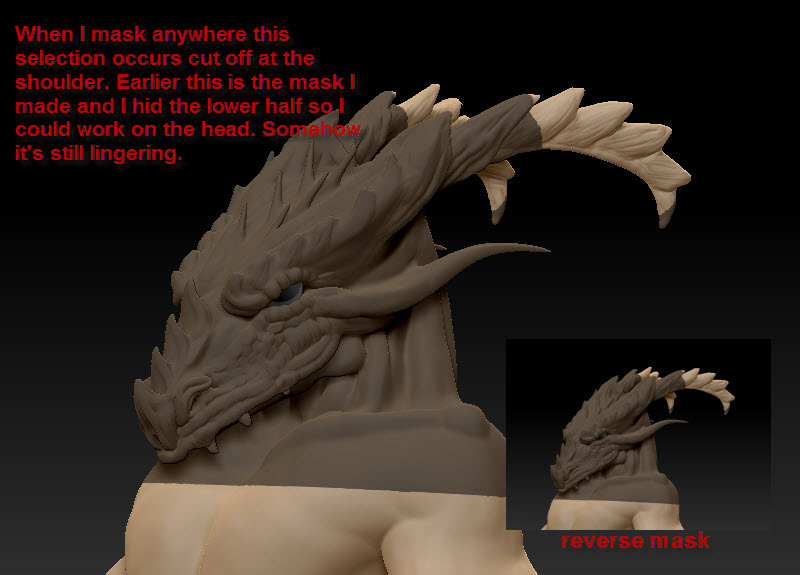
masking.jpg

masking.jpg

I am having the same issue and started a thread for it yesterday. I didn’t get an answer either. No matter how many times I hit “Clear,” the old mask returns. The instigator seems to be hiding a portion of the mesh.

It also makes Transpose and insertbrushes impossible to use.

Exactly what brush was applied when you did the ctrl+shift? There’s many possibilities with this situation. More info please, how many sub tools do you have?

It seems slightly different than a persistent phantom mask I’ve seen someone create in an earlier version (in that this one is actually visible), but that particular issue was either solved by isolating a portion of the model and repeatedly drawing and clearing masks, or by hiding part of the model, masking, unhiding the model, and then continuing to mask and clear. No guaranteeis that it will work for this problem, but it’s worth a shot.

Okay, so if you’re masking function is creating and retaining makes when you use “Ctrl” + “Shift,” click “Clear” under “Masking,” then on “Visibility,” and then “Hide PT.” Click it until the part of your mesh that you originally hid becomes invisible. After that click “Show PT” and then go back to “Masking” and click “Inverse.” Now when you click “Inverse,” the entire model will mask. Then simply click “Clear” and apply a new mask as usual.

I have no idea why this works, but I’ve tested it thoroughly. I just used it to fix a 3 million polygon mesh that’s been suffering from this affliction for days.

Someone should code a macro to do this :+1: hint to any with the ability. Could solve an issue people seem to be having. You could then mark the post solved. :wink:

in lieu of finding an actual solution i would try the “banging the television” approach to jar it loose.
something like doing an operation that requires the mask to be off, like dynamesh. if it remeshes, the mask was released, then undo, that might put the mask but on, but control drag on the screen might then release it.

there has to be some operation that is going to override and reset the mask…maybe “project all”

or clear all masks, then turn on “frame” so you can see groups, then do “group masked” and see if it groups anything.

lastly just so you can get on with your work and worry about “why” later.

you can make a duplicate of the tool, then undo the original back to where the mask was working properly, then project the details from the duplicate onto the original.

of course that just skirts the issue but it might get you past it.

a better answer was posted while i composed my:)