ZBrushCentral

Odd Ridge Help

Hi Everyone, this is my first post here and I will be starting a developer thread soon, however I need a little help finding a brush or way to fix this problem.

I used projection master to place the alpha all around this tire I am working on, it is a tileable alpha but I could not get it to tile using the “Roll” setting, so I just placed them all around the tire individually. This has left me with these ridges where every one meets the next, I cannot find a way to get these ridges out of my mesh, smoothing creates a mess and all brushes I have found won’t level them out with the raised mesh. Any suggestions are greatly appreciated and questions are welcome.
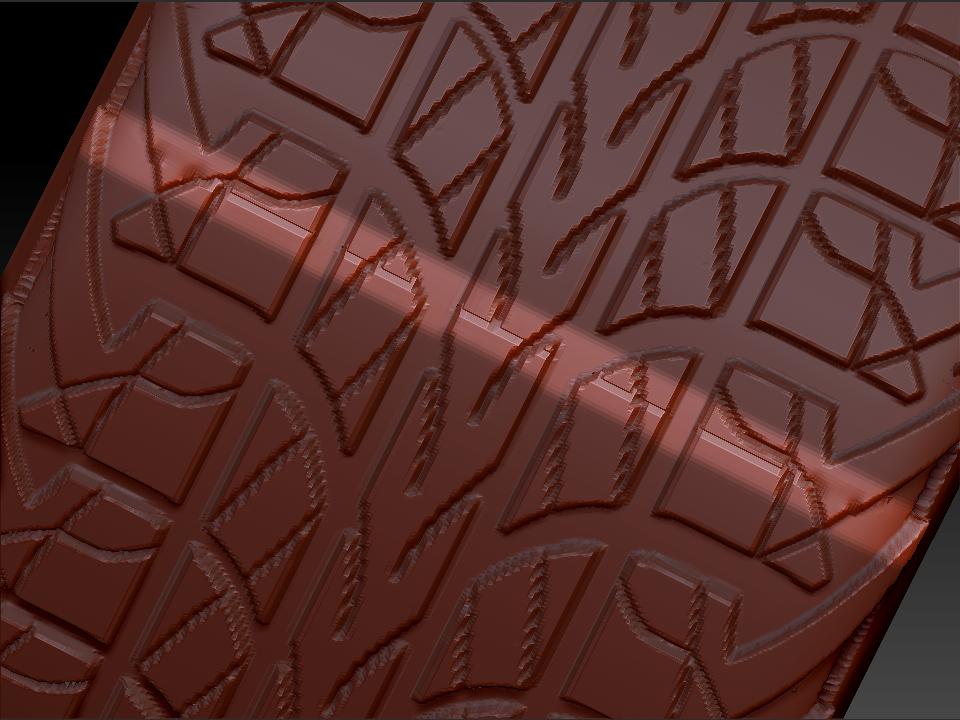
Problem.jpg

Also is there a brush that will return a mesh back to it’s original shape when you first subdivided it?

Attachments
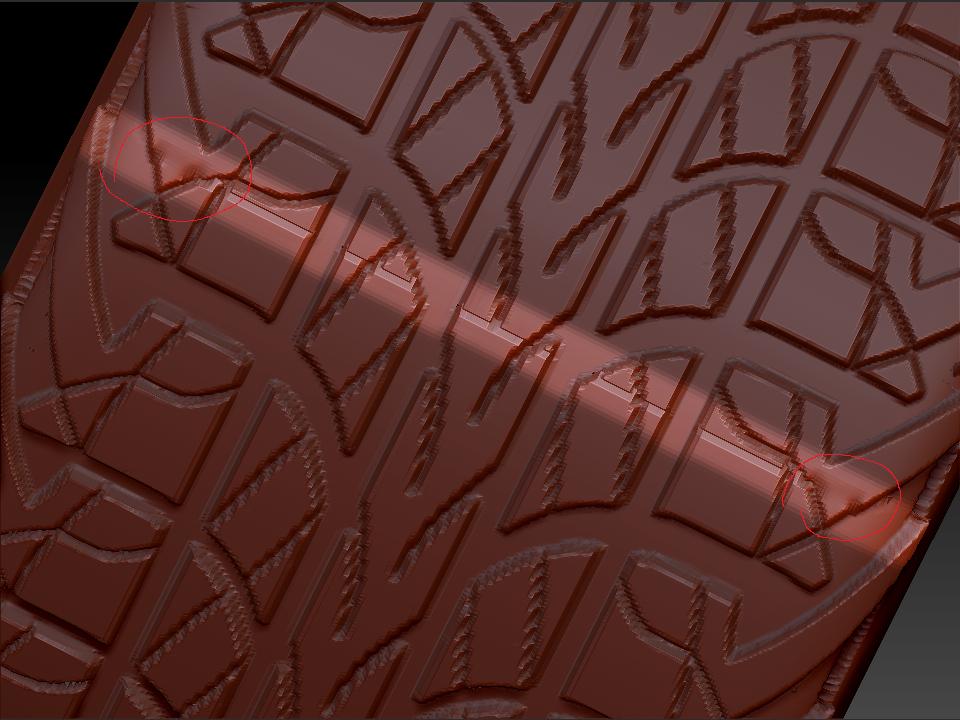
Problem2.jpg

I’m really not sure what would be a good way to fix those seams. It’s a tricky one due to the amount of detail. As for your second question, store a morph target after dividing the mesh, before you start sculpting. You can then use the Morph brush to sculpt parts of the model back to the stored state.

Ahh well that is the answer i’m looking for as far as the second answer. Thank you so very much, I have an idea on how to try it using the planar brush and the projection master that i’ll try later today and if i’m successful then i’ll post how I did it. Thanks again! Do you know of any way to bring in an existing subdivided model without any sculpting on it and store that as the morph target for my already sculpted tire?

For anyone else having a similar problem since I couldn’t find any help on this subject, first off the morph target tip was a huge help, but I managed to finally complete this by remodeling. I did it by unwrapping the low, bringing in those UV’s, texturing the alpha onto the object, applying it through polypaint by using “Polypaint from Texture” then to get a mask I used “Masking -> Mask by intensity” This created a mask in the shape of my black and white (and grey if needed) texture. I then used the deformation tools to extract the shape I needed. It is a little more rough than the projection master technique but it gets the job done without leaving me with those horrible lines. I hope this helps anyone who has similar problems, feel free to ask if you need more details.