ZBrushCentral

Odd error in the model, doing something wrong?

Hi everyone!

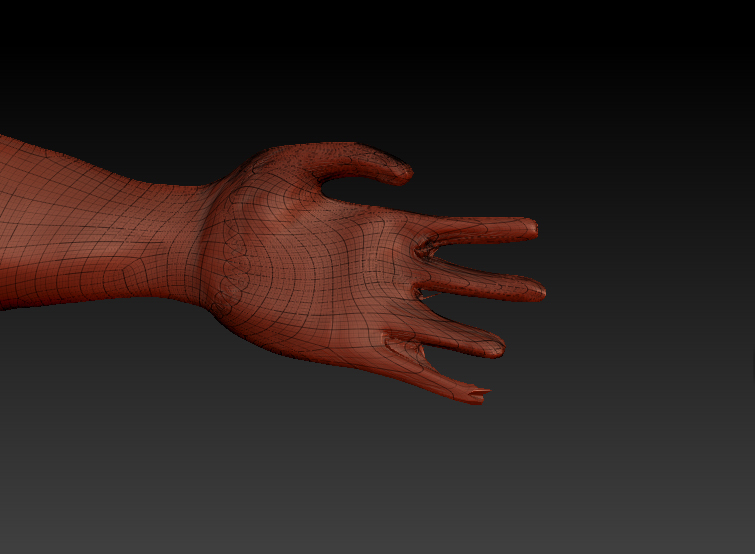
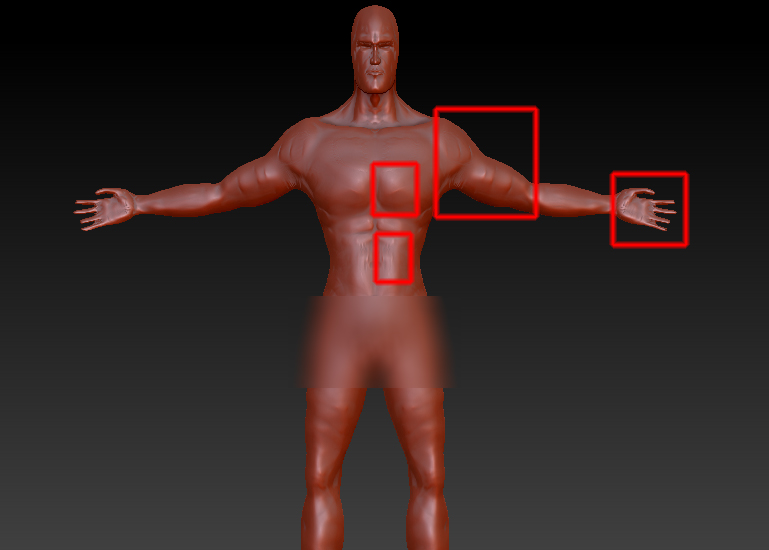
I’m doing a male model in zbrush, and a error appeared in the model, and the fact is that is not the first time that happens, so i supouse that i’m doing something wrong during the modeled. Also in the hands i use to have the same problem, the union with the fingers keeps looking odd. Is a model maded with zpheres, and then i used move and clay brushes, from the lowest subdivision going up.

[male_model.jpg]

Thanks!

Could you upload a screenhot of this model in frame mode please?
And maybe zoom in a little bit because it`s hard to see something. :slight_smile:

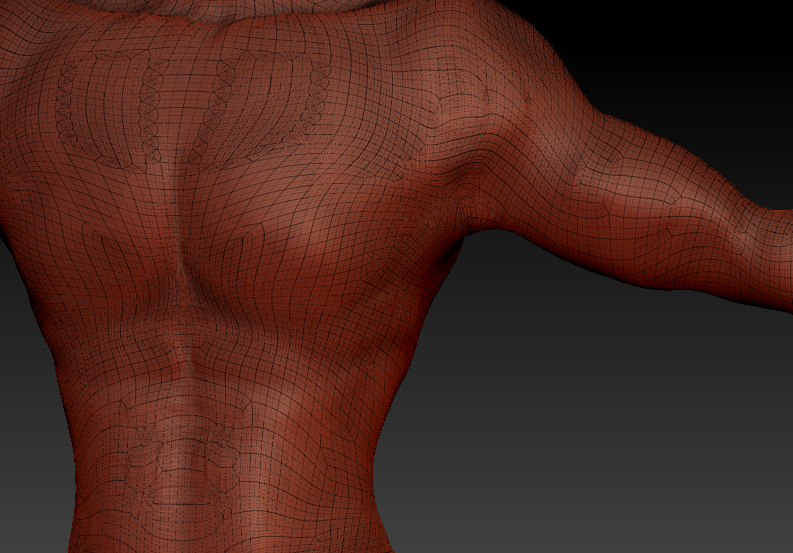
Sure! yes thanks. You are right, it would be better if i do it in frame mode, i suspect that i have to retopology, but i never did before and is a big model, so i wanted to ask before. I supouse that i should have to retopology with all my models, but i have to admit the idea of retopology is not very attractive … (so yes i’m kinda like a newbie even having been working with zbrush for 1.5 years). Anyway, thanks!

As you can see, seems the model have a estrange distribution in that points:

[chest.jpg]hand.jpg

Attachments

male_model.jpg

It has to do with the zspheres. My mesh has the exact same problem :cry: . I “think” in order for the mesh to be problem free, when you are making your zsphere model click on polyF, then press “A” if the mesh is different colors after pressing “A” then there is a problem? I believe the mesh needs to all be a pinkish flesh color to be workable?

I’m sorry FORD, I’m in the same boat you are and I haven’t been able to find a clear tutorial that explain the zspheres.

Thank you, Muddpitt, i seen several tutorial about zspheres, but don’t seems that that problem apears. The fact is that the original model in zspheres was quite diferent from this model, i mean, i used a lot the move brush and clay brush, maybe is that, maybe i have to work more in the zspheres model and then do just a few adjust with the adaptative skin?

Now that i cheked, i remember that i used zsketch, i didn’t saved the original model to see the zsketch, but here is the adaptative skin in frame mode:

[frame-original-model.jpg](javascript:zb_insimg(‘197046’,‘frame-original-model.jpg’,1,0))
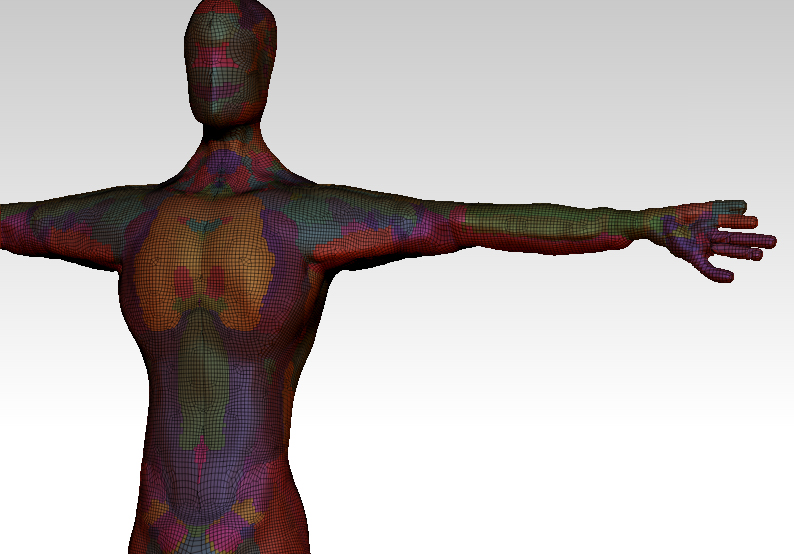
i changed the background to try to make it more easy to see. Here you have all the pollygroups, that i deleted (i don’t remember why, but i think i tried to remesh the model to try to fix the problem, and that deleted the polygroups), and as you can see the fingers don’t look very good, but is for the resolution of the adaptative skin (i belive).

Thank you.
Hey there,

judging from the wireframe, i don’t think the problem are the ZSpheres. I think you subdivided with an active mask on the model. That would explain the weird geometry, especially the triangles.

When subdividing make sure there is no mask on the model and nothing is hidden.

Hope that helps.

P.S.: in the last screenshot you provided i can see that you’ve used ZSketch. Part of the finger problem is definitely the lack of resolution while creating the unified skin. So just up the resolution and do another unified skin. One more thing … before creating the unified skin go to the ZSketch Tab and click on optimize. It will delete all underlying ZSketch strokes.

Thanks a lot! yes, maybe you are true with the mask thing, the shame is that i like how is looking my model and i don’t want loose it. And thanks for the advice about zsketch and optimice.

Well in that case retopolgy is your best option. What you could try though is doing a remesh/reproject all of the entire body. Might work out ok depending on the resolution.

Thanks, i remeshed and reprogected the body, but at the end i obtain a very cuadriculated mesh that if i smooth works pretty well, but i loose a lot of detail, even at the highest resolution of the remesh tool. I supouse that is best that i start my first retopology… :frowning:

Thanks everyone anyway!