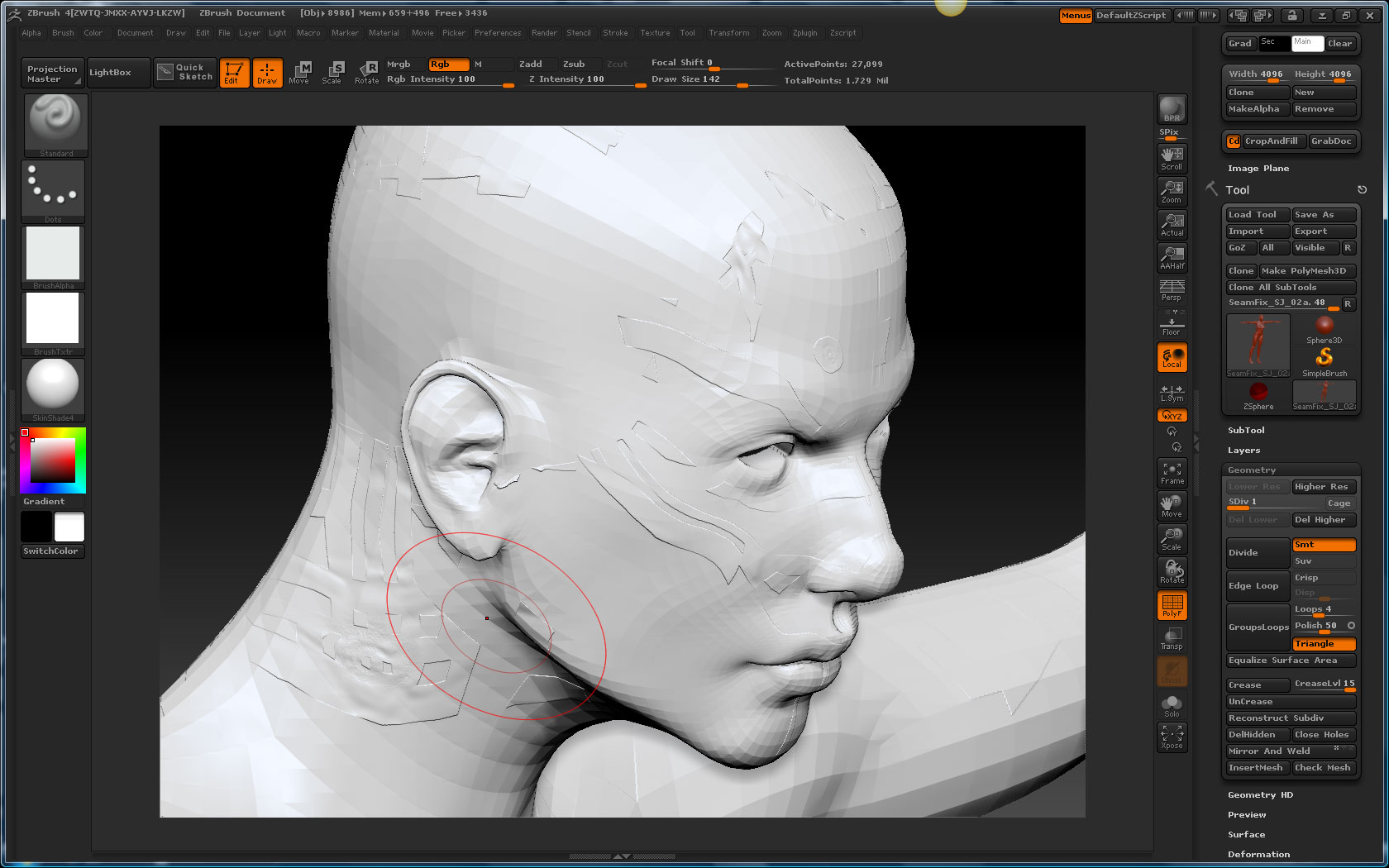
I am getting a very odd displacement result. I attached a file so you can see the results.
The character is not suppose to have what looks like tribal tatoos but rather she should have smooth skin.
Here are my steps.
- Put model into lowest res.
2.Set my UV map to 4096
3.Make a new texture and clone it
4.Make an alpha of this texture
5.Set my Dispalcement map settings. See attached file
6.Select the blank displacement box and select the alpha map.
7.Click Create Displacement map.
My results are what you see in the image file.
Brushs I used to make the character are, standard, move, clay tubes, smooth and inflate.
Attachments