ZBrushCentral

Object always Pixelates on me

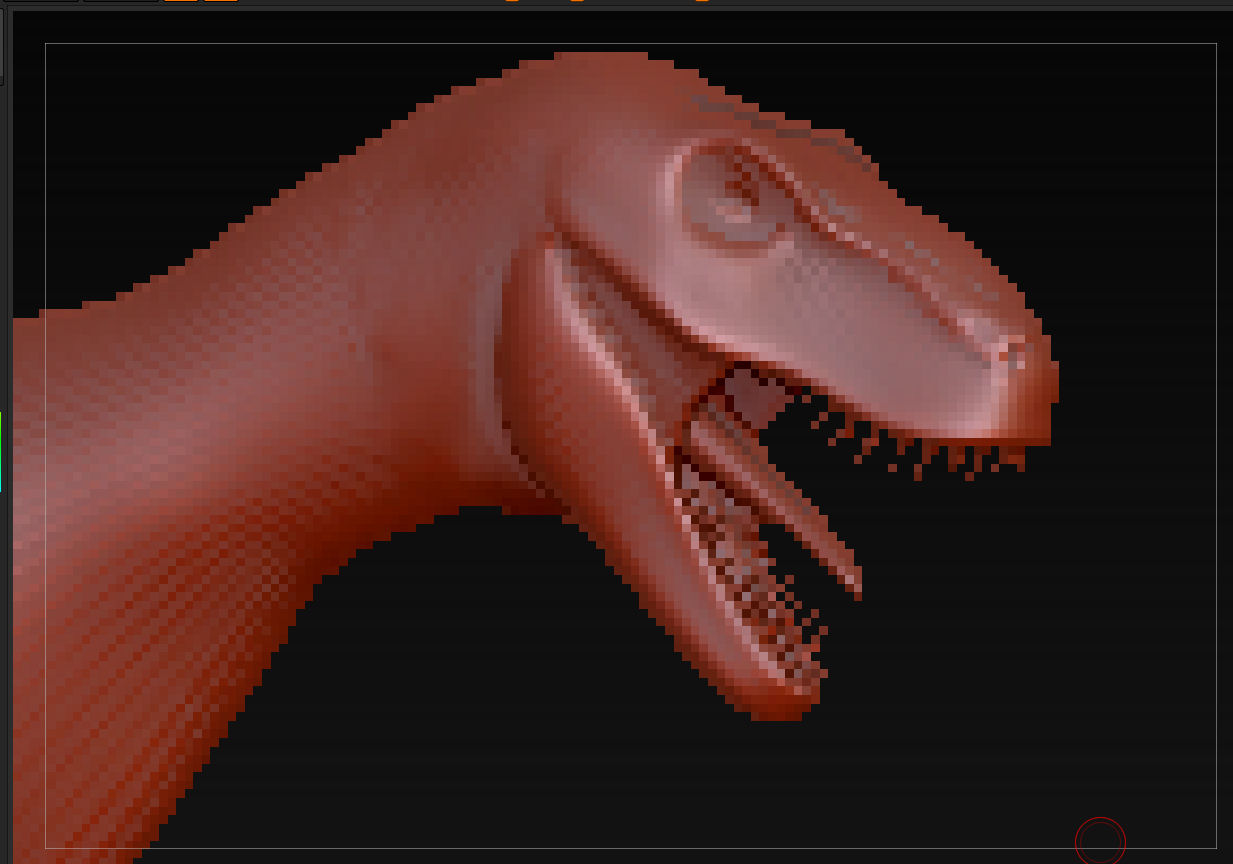
Object always Pixelates on me when i am working with it. I never have any problem with any other prog. I am running a dual core with 3 gig ram so I should have enough memory but working in subdivision 2 even, when I start it everything is fine but after I do a zoom in and rotate everything pixelates after a minute otr two of editing. I then have to save and restart the program work a couple mins and then it pixellates. is there a fix for this?

Thanks
Joe

Attachments
dragon-00100.jpg

you’re zooming in on the canvas (the pixols) just like zooming in on a photo.
you want to use scale on the right hand side.

If you watch the tutorials in the zclassroom there are some quick keys you’ll want to learn that will help you navigate within Zbrush.

thanks so basically what your telling me is that my model is so small that when I zoom in it is pixelating it? lol im new to this 3d stuff so hard for me to tell what size things are. it looked big to me. I just using the zoom tool to soom in so figured it would just zoom in on it.

Joe

No, he’s telling you that there are two kinds of zoom in ZBrush.

On the right shelf at the top there are buttons that are always active. These affect the canvas. Using the Zoom feature is just like zooming into an image in Photoshop. You’re not adding pixels; you’re simply making them larger. This pixelates the image.

At the bottom are buttons that only become available when a model is in Edit mode. The Scale button allows you to resize the model relative to the canvas. This means that the model takes up more pixels, as opposed to simply making the pixels larger. It will give the results you’re looking for.

ahh ok gotcha guys thanks. the scale and move tool make it a lot better no pixelation lol yay.

since im already here one other question. How the heck do I change the lighting in my viewport and lighten up the background. the drawing space is so dark and ive played with every control I could find with no luck.

Joe

Changing the document background is done in the Document palette. There are color patches for the top and bottom color as well as sliders to control the gradient between them.

Thanks Auric it took a few messing arounds but I figured it out and now have a brighter work area and can actually see something lol

Joe

I got all my questions answered can close this thread now and thanks

Joe