Every time I import an OBJ file, as soon as I subdivide it, it seems to break apart at the seams. Anyone know why this is happening and how to avoid it?
Screen shot attached…
Attachments
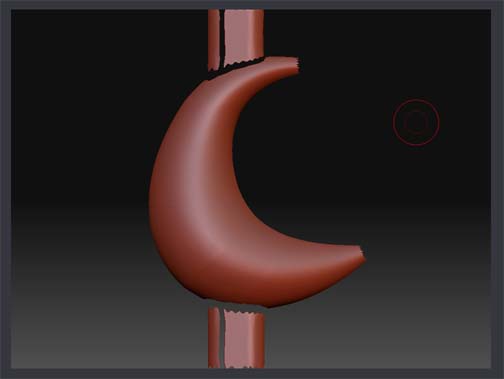
Every time I import an OBJ file, as soon as I subdivide it, it seems to break apart at the seams. Anyone know why this is happening and how to avoid it?
Screen shot attached…
weld your mesh inside your 3d app. you have a broken mesh.
if it needs to be different pieces for some reason then you can tell Zbrush to maintain the edge
tool>geometry>crease
then divide.
Welding did the trick, however, I can’t get the Crease function to work.
I’ve even tried hiding the parts that I don’t want to subdivide and that’s not working either. The hidden parts pop back and get subdivided with the rest of the tool. That’s a separate issue, though…
Thanks for the solution.