Hi gang, I’ve got a real groovy mystery for ya: the case of the missing Z-depth!
The issue is the normal maps I have made in ZBrush won’t render the same level of detail in Maya as they have in ZBrush.
Now, before I get slammed for having this being a partly Maya related issue in a ZBrush forum, there is a reason I’m posting this here: there is a real possibility the issue is coming from ZBrush.
A bit of explanation:
I’m on a MacBook Pro, 2.16 Ghz Core 2 Duo with an ATY RadeonX1600 video card.
Nothing cutting edge and I can barely render 2k maps most of the time.
Anyway, maybe that has something to do with it.
I first made the base mesh in Maya and exported it as an obj to work with in ZBrush. I UV’ed it before I sent it to ZBrush and I’ll admit, there are overlapped UV’s, but they don’t seem to be an issue outside of some artifacts that are more noticeable in the colour map.
When I was sculpting in ZBrush, I brought it up to 5 subd levels, which means I had to do away with the lowest level, the base mesh. I’ve recently reconstructed the lowest level and used the normal maps it uses, but they still made no difference.
I’ve used 1k, 2k and 4k normal maps and nothing seems to have made a difference, I’ve even changed the location of the face’s (which is the main issue here) UV’s to match a resized 4k normal map (as in, I made a 4k normal map and resized the face normals to fit in a 2k normal map then moved the face UV’s over the new, larger UV’s).
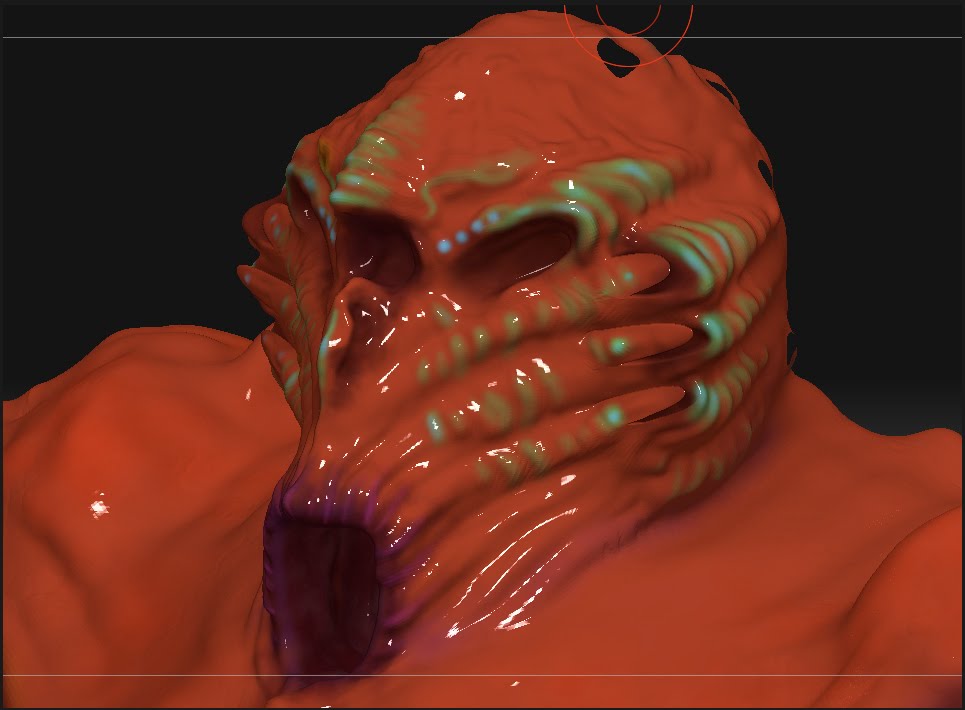
ZBrush captures:

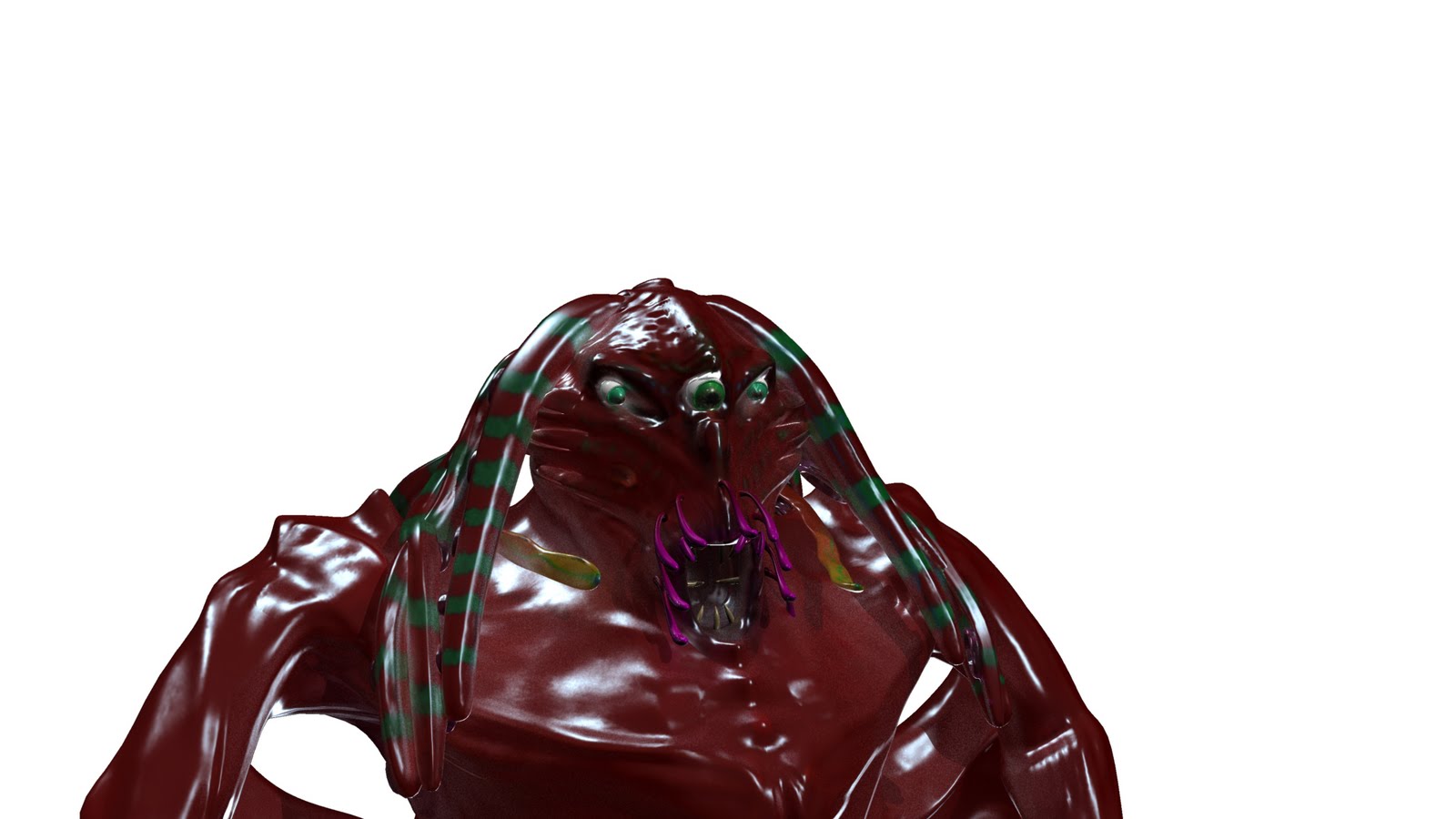
This is using a Blinn shader
As you can see, the details from ZBrush are pretty subdued when they get rendered in MR for Maya. Maybe its the lighting, maybe its some of the features I haven’t set up for rendering correctly. But more importantly, and whats more relevant is what I might have missed from ZBrush. I’ve checked many tutorials and videos explaining about how to do all of this and non of them have really yielded any results. I’ve even tried baking the normals using the high-res model (which is roughly 2.3 Mil. polys) in Maya and that turned out even worse and caused Maya to crash constantly.
I’m thinking one thing I could try is re-working the normals in Maya or use a higher-res model exported from Maya to ZBrush and copy the normals from this model to the pre-existing one in ZBrush. The only thing is, that I’m still using ZBrush 3.12 and UV Master isn’t supported in that version.
Another idea, and this is more of a last resort, is to export the new, low subd version from ZBrush and use it in Maya. I really don’t want to do this because this model is rigged. Its been completely skinned, blendshaped, clustered, deformed etc. and redoing it is another weeks worth of work atleast.
So thats my issue. I’m currently rendering it in Maya with the SSS_skin shader from the first Maya render and I’m going to continue rendering it despite it not having the results I was hoping for but if I can figure out how to fix this, I won’t hesitate to re-render everything. I’d rather this turn out well than just OK.
Thanks all, hopefully someone has some good ideas for me to try.
- Oden666
Attachments