ZBrushCentral

normalize polygons count

hello everybody!
I have a biiiiiiiiiiiiiiiig problem. :frowning:
In level 1 of Subdiv I have different polygons count. For clarity, in some areas are normal distribution of polygons(like it should be), BUT in other areas there are some density in the polygon counts.
My Question is: How do I normalize the polygons count?
One solution I’ve try is with “Delete Hidden”, BUT it remain a hole that is impossible to glue together (in ZBrush).
Please help me with this.
Thanks in advance.

inprogress1.jpg

http://www.pixologic.com/docs/index.php/Topology:_Mesh_Editing

:+1: yeee… thanks alot.
this is the thing I was looking for to see in Zbrush. COOL.
I will present the finished and solved problem (after I will solve it).
thanks again.

hello everybody.

Well… I am glad for the support you give me about topology tool, I was understanding the principle very quickly, BUT…when i arrive at <<Tool:SubTool:Project All>> to project those details to my new improved mesh, well, it messing up all the high resolution mesh.

So I give up and I use that bunch of poly’s as they are. I manage to brake them in my advantage after all.
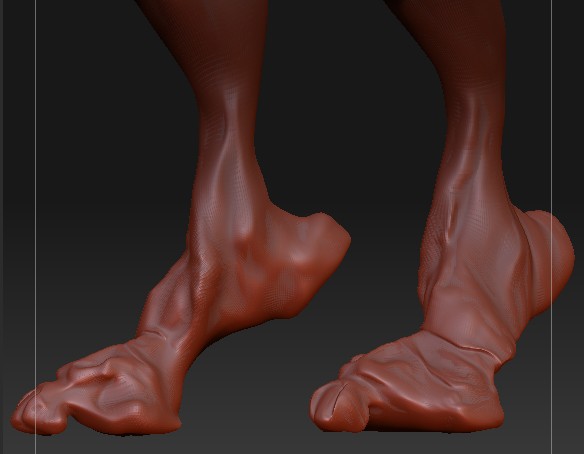
See the the final(i suppose) modeling for the foot:

Attachments

inprogress1-1208961a86b290973c119cad56ce69c4.jpg

There is a way to copy/paste all that bunch of details into a new undetailed and blurred mesh? Other than <<Tool:SubTool:Project All>> because is not working for me. It must be the same size and the same position, that is an impossible task for ZBrush.

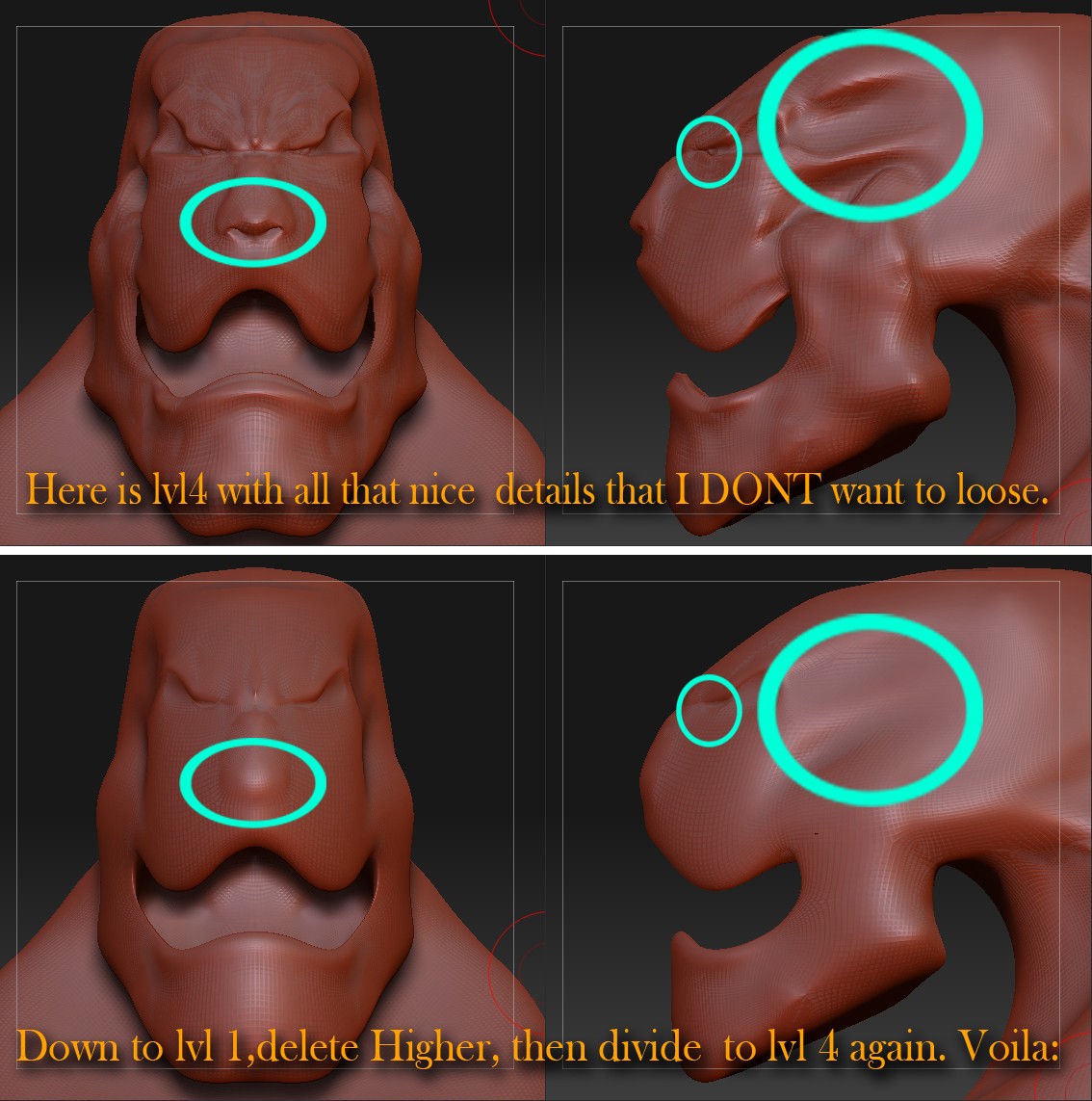
Here is the real problem.
First row is the actual level 4 at witch I stick to not loose.
Second row is the transformation: I decrease to level 1 , delhigher, divided AGAIN to lelel 4. The result is a total blur and undetailed mesh. I loose 4 days by dooing this stupid transition and I don’t want to loose any details.
I am a rookie, I know.

Attachments

untitled.JPG

See my reply in this thread:

http://www.zbrushcentral.com/zbc/showthread.php?t=72097

NOP , It not work.
It work only in 1 case:
Set the Tool: Morph Target: Project Morph slider to 100. This will project the morph target with the stetched polygons into your current smooth mesh. The result is a ‘relaxed’ mesh. The SAME ONE.
!!! It Not work from 1 mesh to another one !!!
I suppose I must try to combine diferent parts of a mesh (arms ,legs ,head ,body) to create a whole one.
THIS I suppose, is the ONLY WAY, to make an entire mesh. From parts. Pitty.