Hello, i am quite new at Zbrush, so I hope this is a problem with my process rather than a problem in ZBrush on the Mac.
I’m getting hard edges in the normal map (seen and sometimes unseen in the image file) where the geometry edges are. When I bring the model back into Maya, and look through the viewport or render an image, it becomes quite apparent. The problem is showing up only in parts of the geometry and not the entire geometry. I’ve tried different configurations and it always seems that the normal maps display generated in ZBrush 3.2 (mac) produce undesirable results to some degree.
Here is my process:
- In Maya 2008 (mac)
- Select my geometry and hit GoZ
- Set morph target for my geometry
- divide some and then detail
- Go to the lowest geometry level
- Hit Switch for morph target
- Generate Normal Map
- Click GoZ to go back into Maya
- In maya, I smooth normals to remove facestting
- View as high quality render to see normal map in view port or render in mental ray
Changing the UV’s seems to have an effect on where these artificats show up. Attached are several files that show what i’m talking about. In this case, you can see the issue within the normal map, but other times, its not apparent. Has anyone had a similar issue and are there tips to keep this from showing up?
Is this an issue with my process or an issue with the software in general? I know 3.1 for the Mac had issues with normal maps but im not sure if this is a continuing problem.
Thanks!
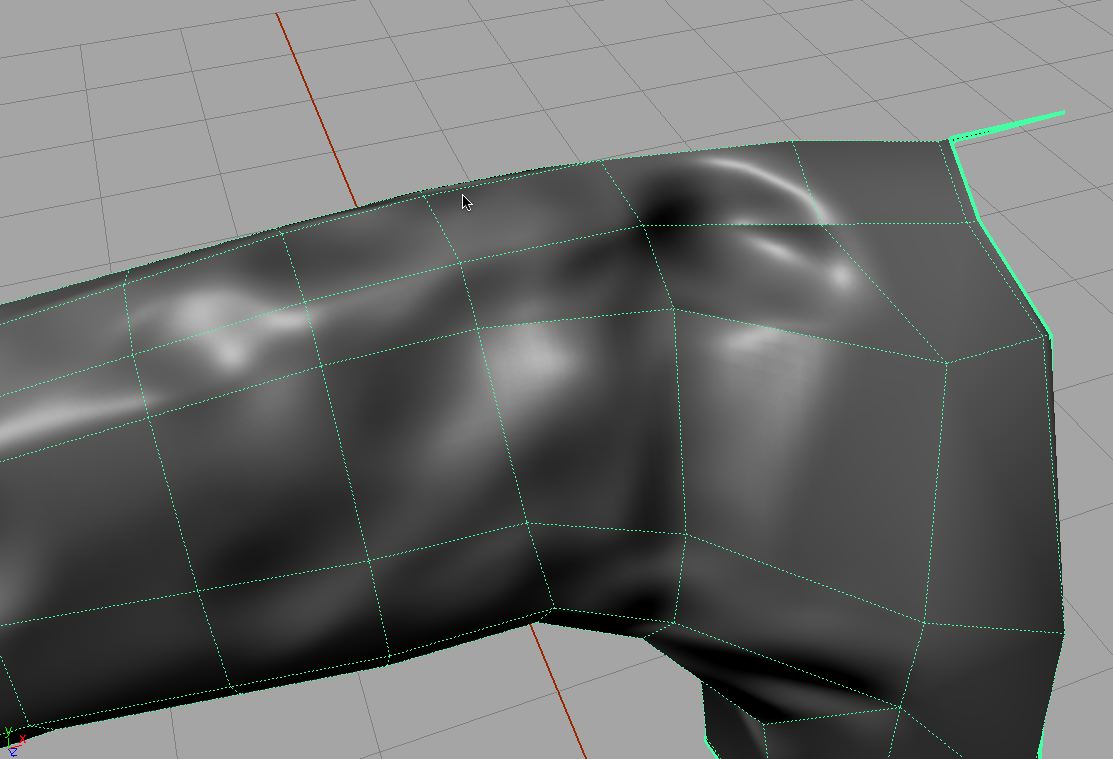
Attachments


