ZBrushCentral

Normal Mapping help

Alright so i downloaded the trial of Zbrush since i want to try learning how to make HiRes models. So i’ve been watching tutorials and so far this is where i am:

I created a low poly model in 3ds max.
I uv unwrapped it.
I’ve imported it into Zbrush via OBJ. file.
I scuplted the Hi Res off the low poly base.
I Polypainted the hi res.
I exported it as an OBJ.

I’m using Xnormal-
I put the OBJ. files into their respective slots (hi res/low res)
Set it up correctly following this tutorial:http://www.youtube.com/watch?v=MSk_kZLagVo&feature=related

When i generate my maps i just get a blank white sheet. I AM STUCK.

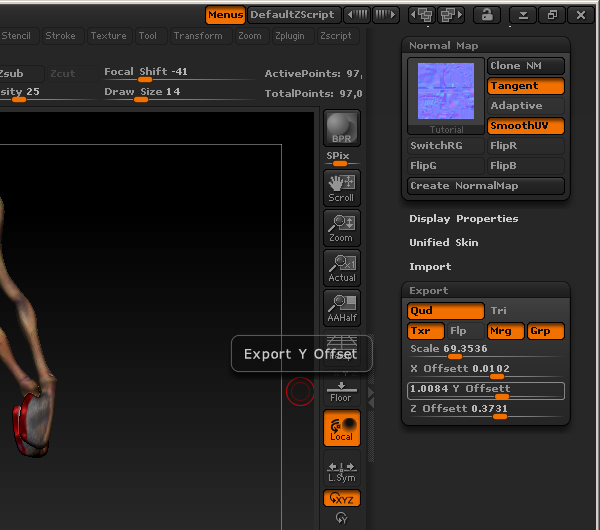
I’ve watched other videos and i’ve noticed one thing, two videos i’ve watched say to go to export on the bottom right; However my export option DOESN’T have an export button.

So please, someone help. I just want to project my Hi-Res’ look onto my low res model.

Attachments
export.jpg

So your problem sounds and looks to be xNormal related.
What are your settings inside of xNormal?
Are you calculating the raycasting distance?
Which maps are you trying to generate?
Can you get any map to generate? Normal, AO, Diffuse, etc?

[youtubehd]MSk_kZLagVo&hd=1[/youtubehd]

Following a tutorial, these are my settings:

Hi Poly Mesh: “Ignore per vertex color” Unchecked, Averaged Normals.

Low Poly Mesh: 7.203-0.460, Averaged Normals.

Baking Options: Size= 2084x2084
Normal
Bake Highpolys Vertex Colors

I’ve also tried it with AO, still get the blank white sheet.

have you tried your workflow on a small object…a sphere, box, etc?

Can you view your HP mesh in xNormal or is your tricount too high? Can you lower it to check your output? Basically, can you make sure your two meshes are sitting on top of one another. That could be your problem.

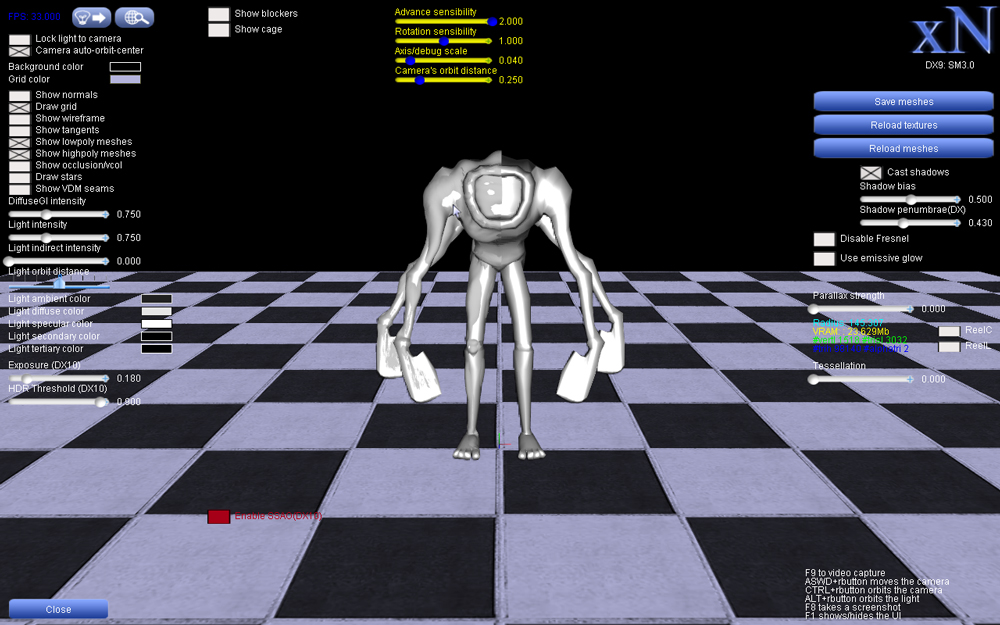
I think i figured out what you were talking about… i never used that 3d button before. This is what it got:

Pretty much its one half of my hires and my low poly underneath. The reason its 1/2 of my hi poly is because i was following a new tutorial i found. Regardless, it doesn’t work the original way (with the full hi poly), and the way i have now (with 1/2 hi poly).

They seemed to be lined up perfectly to me.

Attachments

3dxnormal.jpg

Are half of your UV’s outside of 0,0-1,1 UVspace? You seem to have half a HP and a full LP, but is the mirrored half that isn’t “ontop” of the HP outside of 0-1?

From the look of the file you sent me everything should have worked. I delete the extra half of your mesh. Mirrored the character and moved the mirrored side +1u. I will shoot you the file so you can see what I did. Let me know if this works for you now. I did nothing to your .zpr so I will just shoot over the 2 obj files I exported out of zbrush. Your HP and your LP meshes.