ZBrushCentral

normal map

Hello, I have big problem with normal map, I try to create normal map for lowpoly mesh (for exampmle for game). I create low model in
3D max and than I export (obj) this model in zbrush and want to divide this mesh and add some detail and after I want to create
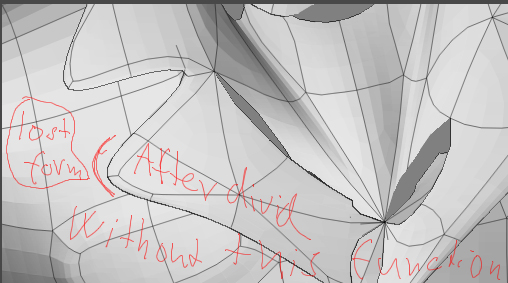
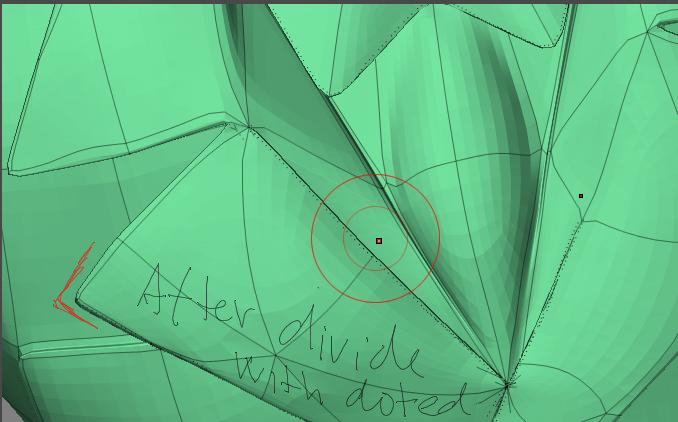
normal map for low model but here is my problem, when I divide low model I lost shape/form (for example scruff looks moor smaller and smoother and not fit on low mesh)
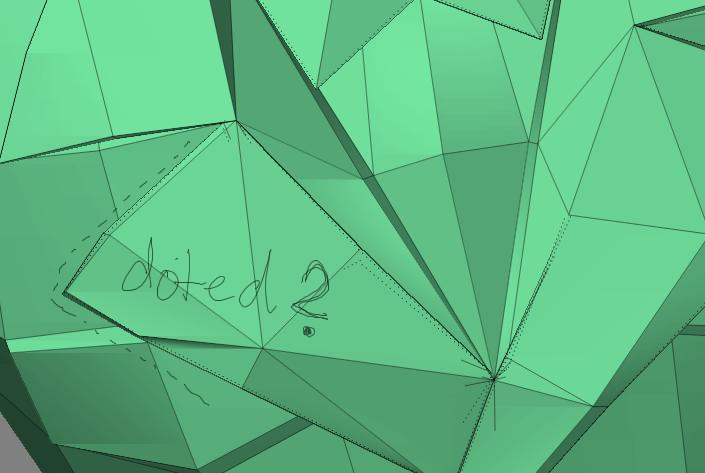
I have correct model in zbrush (which modeled profesional for games and a use this like reference) and this model has around corner dotted line and this model holh form very vell, but a dont know how he do it (maybe it isnt in dotted line). If anyone know how it doing please advise me. I will be gratefull. (I apologise for my english :frowning: )

Attachments

best corner my.jpg

after divide01.jpg

best corner01.jpg

sorry i don’t realy understand what exactly your question is about. but the doted line means that you have pressed the crease-button while you had hidden parts of the mesh. this makes the edges to stay in their actual position while subdividing the mesh

sorry i guess thats not what your problem was about?

to wammerl : thank you for answer but when I press CREASE it hold my only corner which wasnt connect but scruff is still smooth and smaller what I doing wrong? (sorry but I am beginner) thank too much.

When I press Subdivid Smooth Modifier next to the Divide button the mesh is still hold form. I must try to when it is what I want but thank you to help me with Crease it help me to much! thank man :wink:

It isnt it because when I use Subdivid Smooth Modifier and than divide it only “tesseltate” the mesh but it dont good for creating normal map. If anyone knou how mesh get form after divide please help me (but I thing with Crese I was too much close)