ZBrushCentral

normal map problem?

hi @all,

i exported this guy to maya, but if i put the normal map on it, i get this mistakes…First, i thought it is a topology problem, but if i subdivide with the approximation editor, i get the same result.
I have used the guvtiles layout and checked the uv for mistakes…but there are no red lines or mistakes…

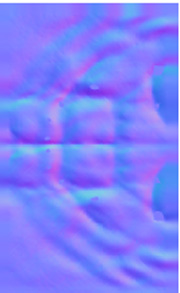
edit: ok the mistakes are already on the normalmap, but don´t know why

(part of the normal map)
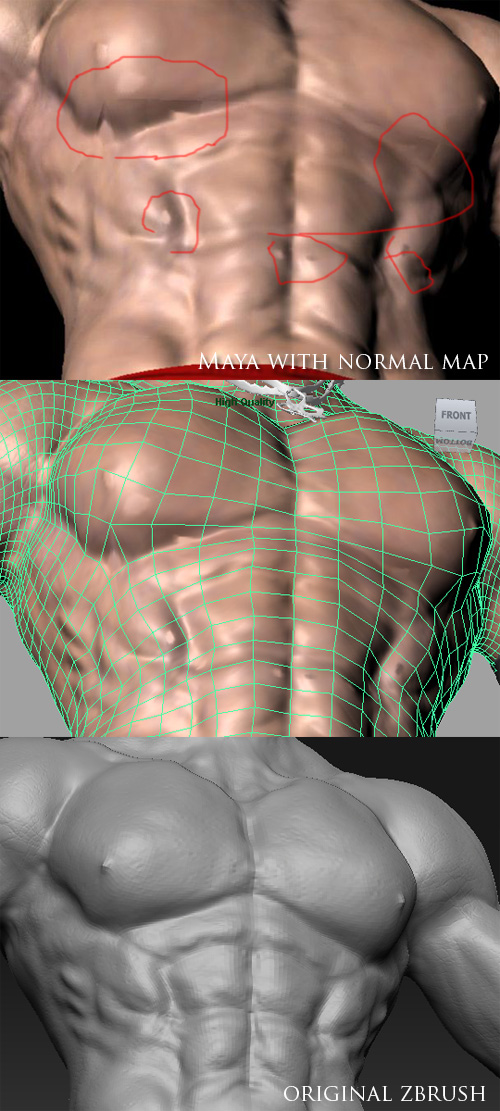
fehler.jpg

Attachments

normal map.jpg

Take geometry slider all the way to the last level
Delete lower
turn on the SMT and SUV buttons
Reconstruct Sub D till you get all your level back
Check your UVs for Red
Regenerate your normal map

thx for your help…but the mistake still the same

ok, i exported my mesh from subdiv level 2 and i generate the normal map from subdiv level 2, too.
if i generate the normalmap from subdiv 1, then the mistakes are stronger, looks like the surface is to high for the normalmap.
if i generate from subdiv 3, i get no mistakes…but i don´t know if i lose details…because the mesh was exported to subdiv2

in Zmapper use the projection normal map feature

Turn the Raycasting Slider up a little bit

Then capture mesh

then create proj normal map

This will allow the system to capture much higher changes in the normal map.

(beware cranking it up to far can lead to weird effects inside your map)

map.jpg

yeah…that helps…thx so much :slight_smile: