ZBrushCentral

normal map problem (viewed in Max)

Hi,

I’m baking my first normal maps with ZBrush and the idea is to take the model to a game-engine.

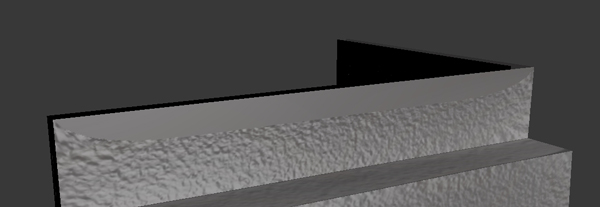
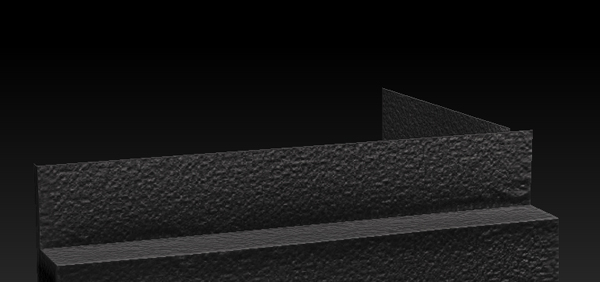
However, in both 3ds Max and the game-engine, there are “clipped” areas in the normal map, as if the rays had missed in the baking process. It’s quite a simple boxy object and the UVs should be fine (made in Max). Does anyone know what is causing this and how to fix it?

Here’s a screemshot from Zbrush and Max.

Thanks!
zbrush1.jpg

Attachments

max1.jpg

When you set up your projection, make sure you push the cage off the surface a bit.

Hi,

Sure, but this map was done in Zbrush, not in Max. Or is there a way to control the cage in Zbrush as well?

I just tried to recreate the UVs with UV Master. Very different looking map, but precisely the same problem.

All tips are very welcome.

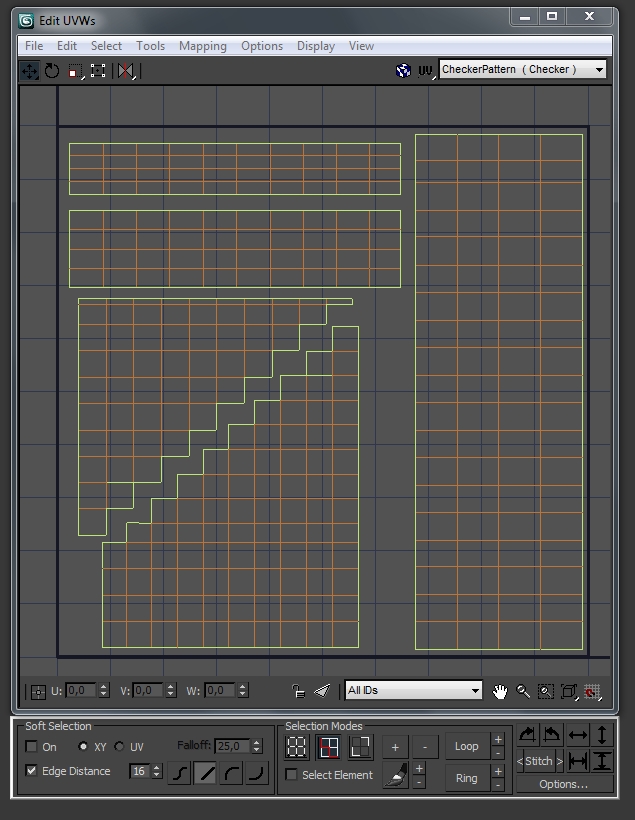
what do your uvs and wireframe look like?

The ones I made in Max are shown in the screenshot. The other ones UV Master made are very ZBrush like, one seamless carpet.

But neither one works - I still get that clipping!

Note, that there’s no overlapping or anything funny about the UVs - I checked especially the faces that have those clipping problems, but I don’t see anything wrong with those.

Attachments

max.jpg

I’ve got nothing. If you upload the .ztl and the .max file I can take a look.

Hi,

I think I solved this on my own!

I closed the mesh and it started to look right. It was open on purpose, though, as it’s meant to be a game prop and unnecessary polys must be deleted.

But is closed mesh a must in ZBrush? I can always delete the not needed polys after I’m done detailing, I guess…

closed edges aren’t a must, but they are typically wanted. Your sculpting mesh and your game mesh typically aren’t the same mesh. Even polyflow, fewer tris, etc are needed for Zbrush, where as your game mesh will have tons of tris and uneven topology.

It sounds like a nasty mesh error with smoothUV…which has been a problem since 3.1

Right,

I was aware of the other requirements, and so this piece also was all quads and fairly evenly divided (no badly stretched polys).

What ever the reason the maps started looking fine, as soon as I closed the openings. For the game-engine, I intend to simplify the mesh quite a bit more.