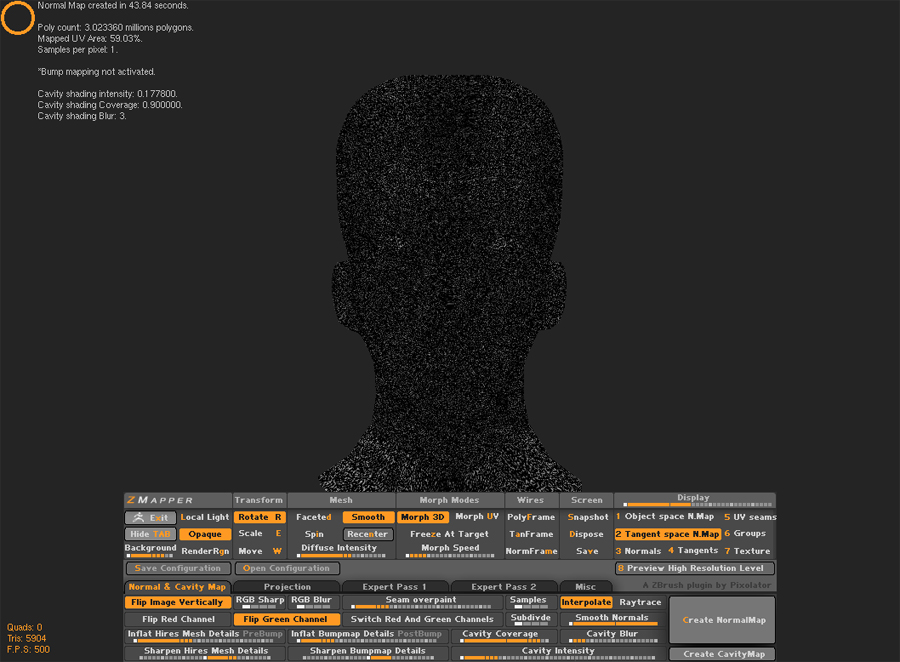
I just watched a video tutorial on zmapper from Gnomology. I got the basic idea on how to generate a normal map from a high poly version of your low poly model. So I ran into some problems . I unwraped a head model and imported in into zbrush. I finished a high res model of the head and tried using zmapper to generate a normal map but I have wierd tilling going on. Its wierd because I don’t have any problems when I generate a normal map from a level 2 subdivision but when I try from a level 6 subdivision it doesn’t generate correctly.
When I use zmapper I open a preset of 3d max V7. Now I used a “fast” Preset. Could that be the reason why I am getting a wierd map? Should I be using the “Best Quality” Preset?
Attachments