ZBrushCentral

Normal Map has Artifacts near seam

Not too sure why this is happening or if it’s anywhere related to http://www.zbrushcentral.com/zbc/showthread.php?t=56882

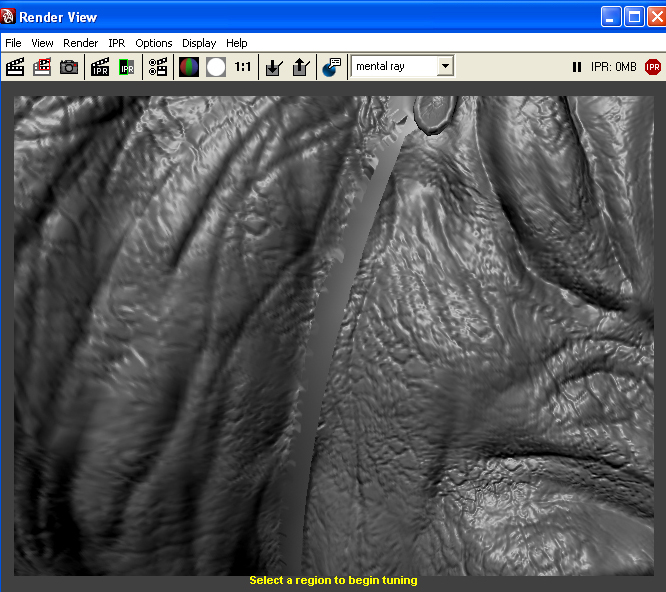
But I’m getting weird normal edges on my map.

I GrpSplit my UV groups into different subtools to bake the Normal maps in.

Tangent Space Best Quality
and
Object Space best quality
have the same results.

Thanks in advance.

Normal Map
[NormalMap_Artifacts.jpg]MAYA_seam_prob.jpg

After you split your model, you may need to crease the edges with Tool>Geometry>Crease. This prevents the edges from contracting when the model is divided.

You might also want to experiment with the Tool>Geometry>Suv setting, which controls whether the UV’s are smoothed or not during division.

Thanks Aurick I tried both but I still got the same results.

I also Normal mapped another Rancor the same way and didn’t see that problem.

So still beside myself. :frowning: