ZBrushCentral

Normal Map Error-pls Help (Maya)

I would like help with normal mapping.
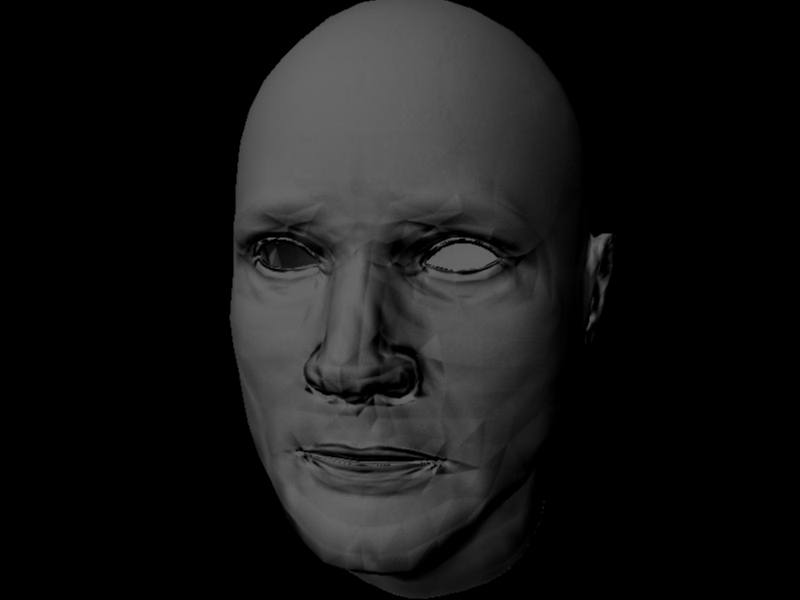
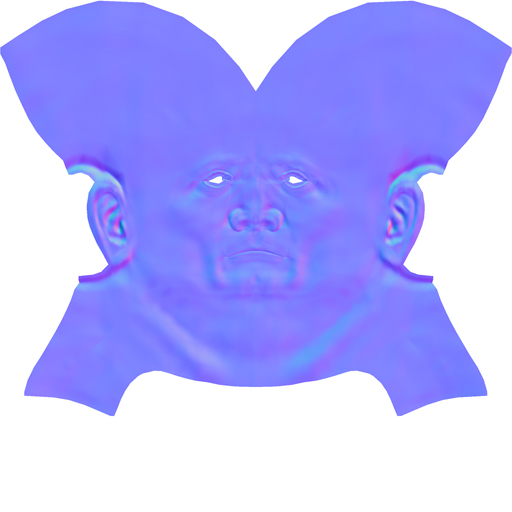
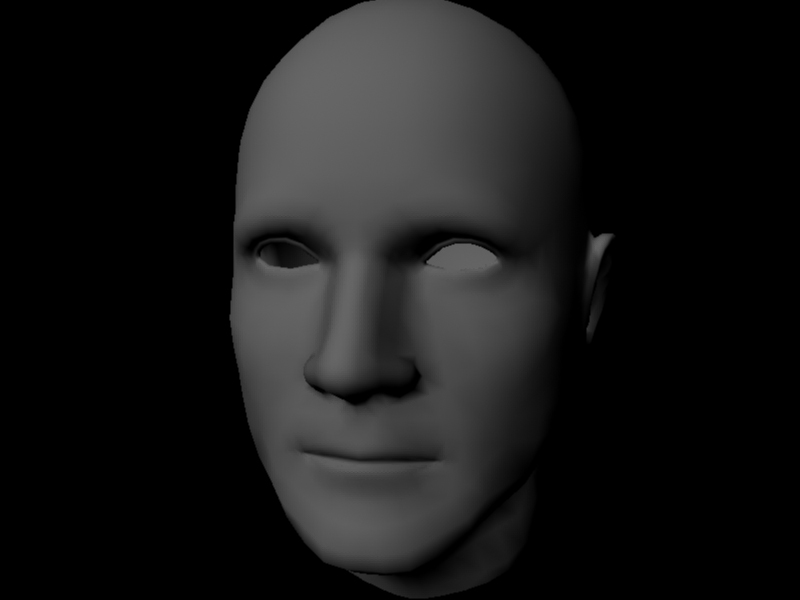
My outcome is image 4 which is the low res mesh (2000 tris) with 2K normal map applied using MAYA 7 and Zbrush 3.1.
As you can see its a mess. I do not know what the error is, but perhaps someone else does.
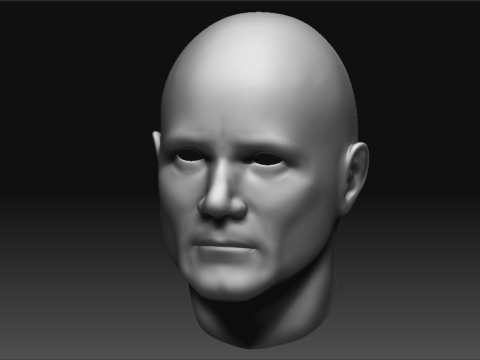
ZBrush Document.jpg
maya lowres mesh with normal map applied.
I followed these steps:

  1. created low res mesh
  2. uv mapped
  3. import to zbrush and divide 5x
  4. returned to lowest subdivision
  5. exported normal map from normal mapper with mayatangentspace bestquality settings
  6. exported lowres mesh
  7. imported lowres mesh in maya
  8. smoothed edge normals
  9. applied normal map to bump map node with setting: ‘use as tangent space normals’
  10. switched to metal ray production quality
  11. rendered

I have viewed digital tutors and gnomon normal mapping tutorials on the subject and followed them directly.
Any help would be appreciated if you know what is causing the problem !

Attachments
2a copy.jpg

1a copy.jpg

normsmall.jpg

You could try:

“Unlock normals” first, then “Set to Face”, then apply soft normals again.

Additionaly, check if you can see normal map effects with “best quality” rendering enabled in viewport.

Thanks for the suggestion, but I did that and it had no effect.

The normal map is visible in the viewport when set to best quality.
I can only guess that the problem is due to the fact that I am using MAYA 7 instead of 8/8.5. I have rendered normal maps in 8.5 previously and have not had problems like this.
Nice portfolio BTW.:+1:

Hm, I just remembered there was a plug-in ,“js normal mapper”, that, if i remember correctly, was used to render normal maps in maya 7. I had a look, and if it’s the one i m thinking of, it’s made by this guy and is available on his site:
http://www.pixero.com/downloads_mr.html

Yeah, I first found out about the JS normal map node in one of the gnomon tutes when it was used to add both a normal map and bump map to a model.
I gave it a try in maya 7 but the results where still pretty bad, so I installed maya 8.5 to see if it would make a difference.
I got perfect normal map results after rendering the same mess in 8.5, so the lessen to be learned in this thread is: do not use maya 7 to render normal maps!

Thanks for making an effort to help out FESS, appreciate it:+1:

I completely agree. I was a little confused why I was getting bad normal maps too, so I tried Maya 8 and poof, it works. While I am on subject, I will say Maya 8 has been the worst version of Maya I have ever worked with. They really screwed up on the functionality of some tools, example extrude, every time I switch between local and global space it always brings the manipulator to the center of the world, very frustrating. I could list alot of other reasons why it was bad but I don’t have the time or energy. Sorry for the little rant.

I really want to give Maya 2008 a try. I heard alot of the bugs got cleaned up.

So don’t use Maya 7 for Normal Map renders and Maya 8 is full of bugs!