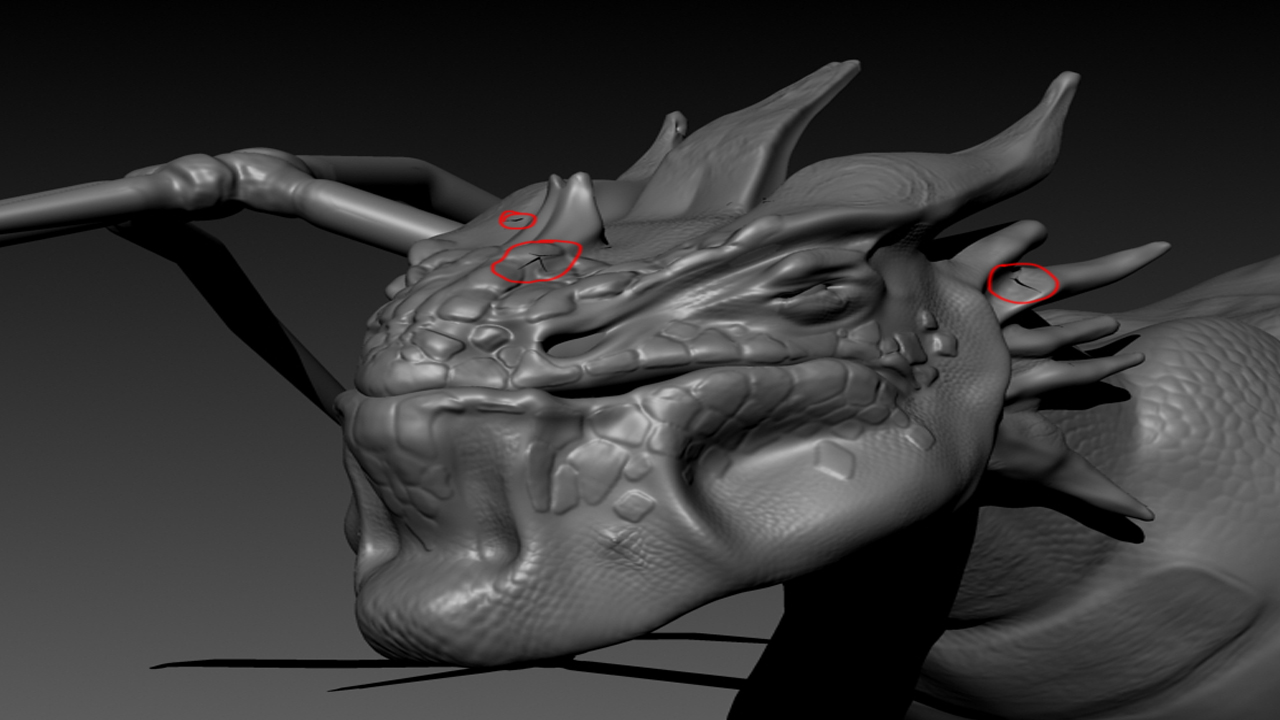
hi guys!
I have spend last 8 hours trying to figer out what is going on with my model. Baisicaly I have created high ress model in Z , then re topologies it and project details on to it. Then I have UV unwrapped it in Hadeus , export to maya . Baisicaly this model goes with subdivisions up to level 6 in Zbrush. So I have got displacment map fo lvl 1 to 4 and norm map for lvl 4-6. From some reason I get this cracks on model when render in maya - all of them are on the seams of UV map. I tried to fix map map in photoshop but, there is nothing to fix with normal map or disp. map. For second I thought there is something wrong with topology )rg. double vertexes or faces) but there is not.
Pls pls HELP !!
Attachments