Hello all!
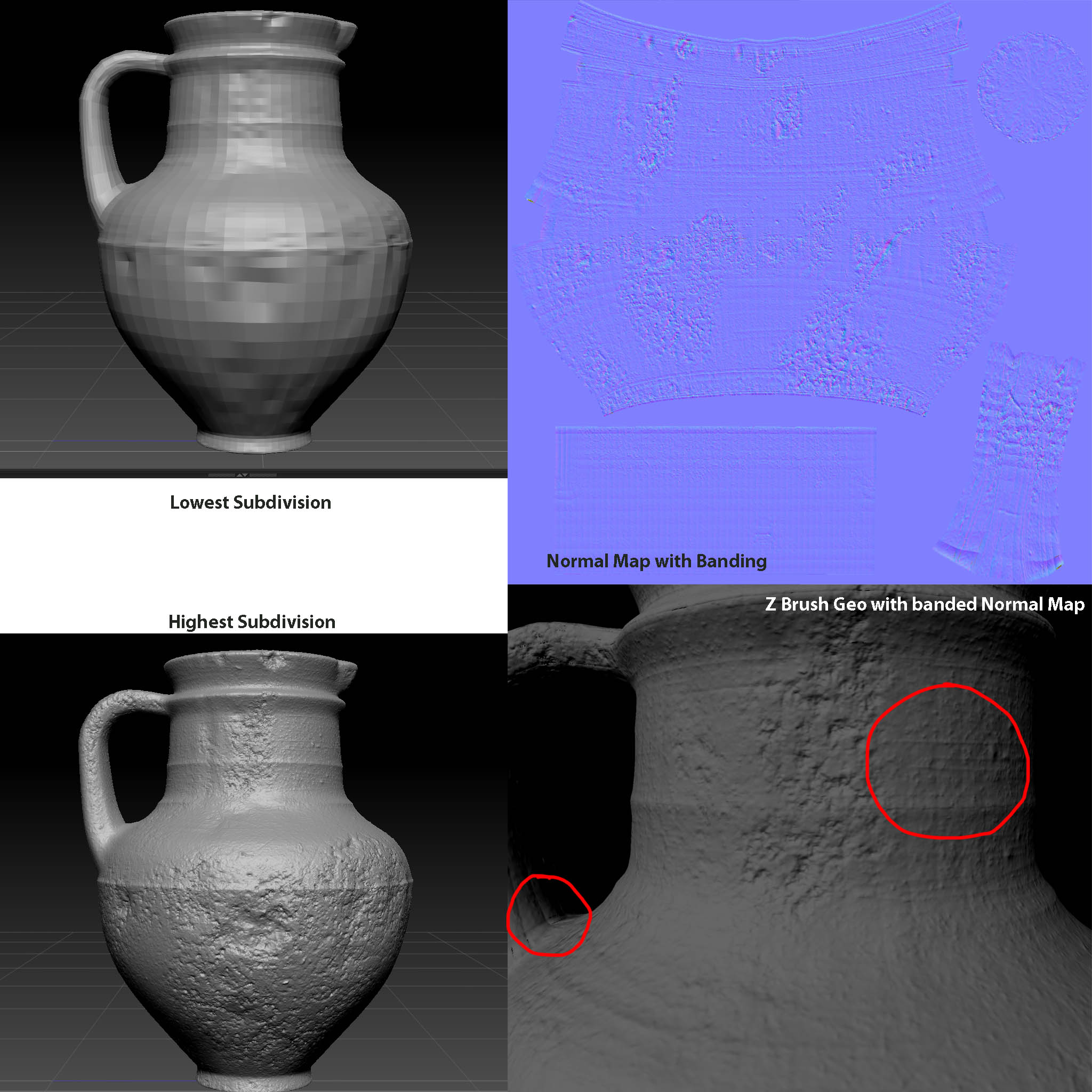
I took a quick look around and didn’t find anything on this topic, so I’m here to ask about a “banding” issue when I export normal maps from ZBrush 4R2. (Please see the image, as it’s a little hard for me to explain.)
Whenever I export a normal map, no matter the settings (ie. tangent, adaptive, smoothUV), it looks like the mesh has been transposed onto the normal map. My mentor said it may be a round object problem, but we’re not entirely sure since we just switched to 4R2. I was curious if anyone with more 4R2 experience had encountered this problem and had any suggestions.
On a side note, exporting as a displacement map and plugging that into a bump map node seems to work better, but I don’t get as much clarity as I would like.
Thanks for your help!
Attachments