ZBrushCentral

normal map baking issues

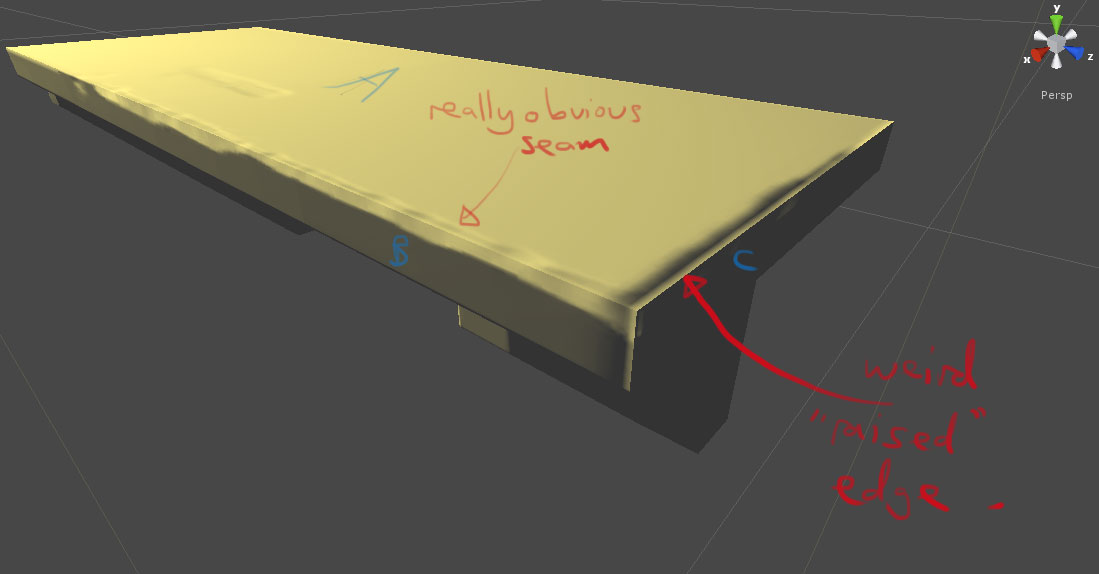
Hi, I’m having trouble baking normal maps in zbrush. The following image is taken inside Unity and shows two of the main issues I’m having.

  1. the really obvious seams that appear at the 90degree edges of the mesh
  2. this strange “raised” area of the normal map that appears at the edge of the mesh.

Hopefully you can tell what I’m trying to achieve from this image, its just a box with a roughly chamfered edge.

Here’s my workflow:

  1. create a mesh in max, uv this mesh (because the edges are 90degrees I UV to separate islands so that each edge can have some padding)

  2. make sure I’ve removed all smoothing groups (as these seem to adversely affect the normal mapping process, for more see: http://www.svartberg.com/tutorials/article_normalmaps/normalmaps.html)

  3. GoZ to zbrush, store morph target, subdivide, sculpt, return to the lowest subdivision level, switch morph target, create normal map (only option ticked is “flip green channel”)

  4. Export the low-poly mesh from max (using fbx exporter 2011), export the normal map from zbrush and import both to Unity.

While troubleshooting this issue, I was surprised to see that the “crease edges” option can really affect the normal mapping result. I was even more surprised to find that my normal map changed when I exported smoothing groups from max, as I didn’t know zbrush could read these.

I’ve also tried playing around with “smooth uv” and “s normals” options in the “normal map” rollout but without any luck.

I’ve been trying to solve this for 2 days now and could do with some assistance fairly urgently.

P.s. I’m pretty sure someone will suggest that I simply don’t use 90degree edges on my low-poly mesh. I have tried this, but still haven’t managed to get a good result. Surely it should be possible to create a chamfered effect on the low-poly mesh shown above.

Attachments
shelf.jpg

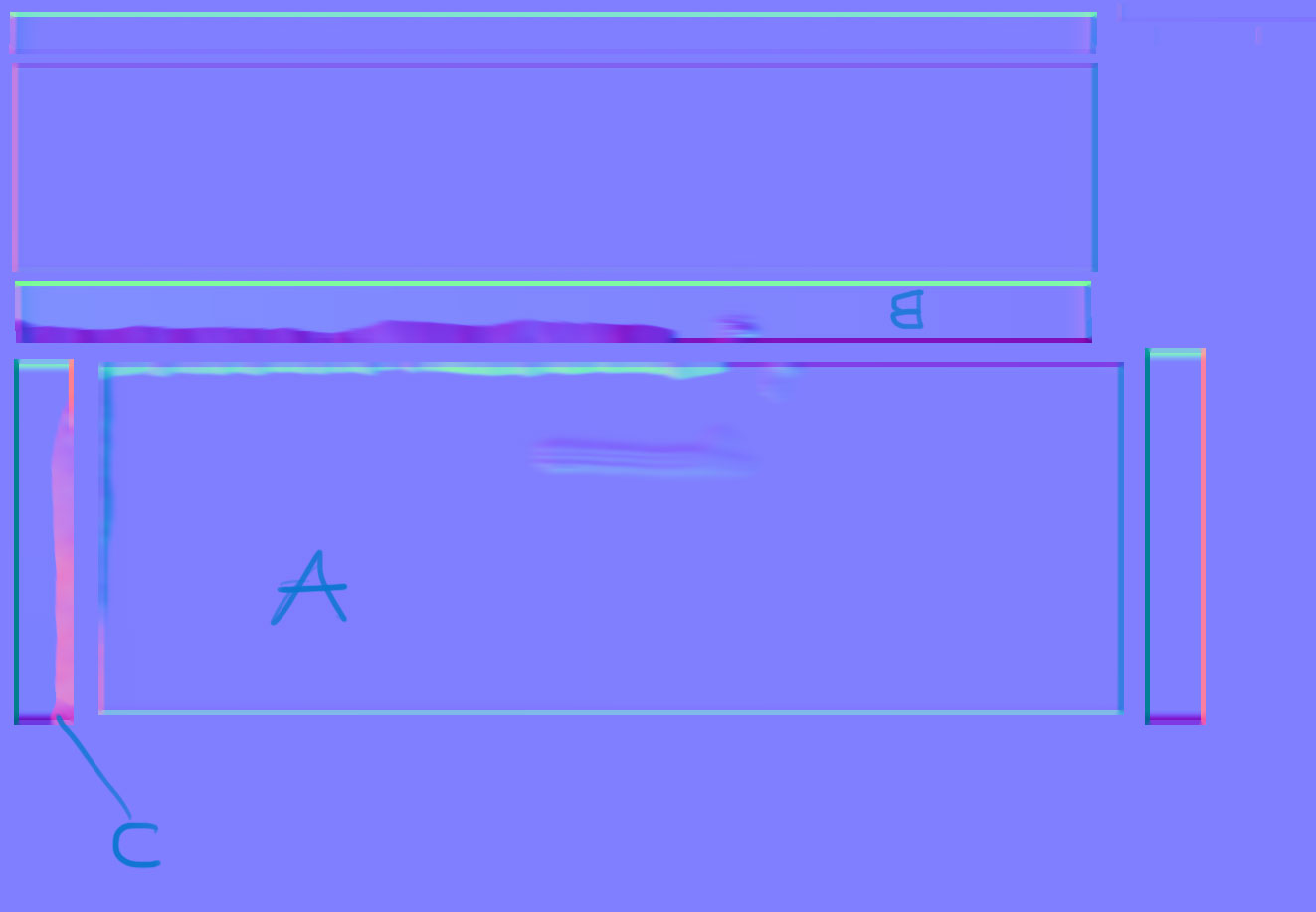
shelf_NM.jpg

Additionally, I’ve been wondering if this issue is to do with the normal map overpaint (UV map border) settings.
Below is an image of
a) a close-up of the normal map for a simple rounded cube created in zbrush with a UV map border of 4px
b) the normal map/cube rendered in 3d studio max with black seams that I think are caused by the uv-overpaint.

What I don’t understand is why the map border is a different colour to the adjacent pixels on the uv-island. Surely the border should just “extend” the colour of the very outer edge of the uv island into the uv-space. When I change the colour of the uv-border to match the outer pixels of the uv-island (for instance, replace the blue-ish colour with the red-ish colour), the black seams dissapear.

Is there a reason why zbrush is baking the uv-border the “wrong” colour, and is there a way to correct this?

cube_original_NM_3.jpg

A simple six-sided cube can be one of the most deceivingly complicated model to bake a (tangent based) normal map for due to every edge being a hard edge. There are workarounds in external programs such as splitting the UV islands where the hard edges are, or controlling the vertex normals at the corners, but I’m not sure if any of this will even matter with how zbrush bake’s its maps.

Since you are using Unity, I would recommend using xnormal with the UnityTSpace plugin for perhaps some of the best quality normal maps you can get with Unity. Between that and jacking up the edge padding, the result should be better.

Thanks for the reply cryrid,

I’ve made alot of progress on this.

I fixed the “overpaint” issue by breaking the cube’s vertices inside max (so none of the cube’s faces were geometrically attached). Then I used this as my low-poly mesh to bake a normal map inside zbrush (subdividing and after manually zprojecting the detail onto it). This gave really perfect normal maps. I think before, the normal map process was baking elements from the adjacent faces onto the “current” face and thus causing artifacts.

In unity I also had to un-check “create from greyscale” in the normal map import settings.

I tried using xnormal (I’m using the unity plugin you mentioned) , but it kept smoothing the normals, which I didn’t want it to do. I’ll have another look at xNormal when I have more time.

(Ahh, there is an option when you load the meshes in xnormal to use averaged normals, imported, etc)