ZBrushCentral

Normal Map Artifacts From ZBrush To Maya

I have been attempting to get rid of artifacts in normal maps brought into and rendered in maya. I have tried different normal map sizes, different coordinate combinations, and rendering a normal map at different subdivions (up to 7). I cannot get the artifacts to dissapear. Where in the process am I going wrong and what can I do to sooth these UV’s? I’ve also tried adaptive and smooth uv’s with no success.

Attachments
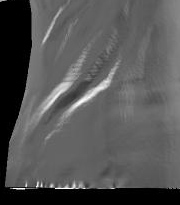
mayaartifacts.jpg

I’m sure somebody else out there must be dealing with this?

I’ve tried a couple of different normal mapping techniques and I’ve still had little sucsess with rendering the image properly without wierd artifacts. I wish some who has sucseeded in rendering normal maps in the Maya can post an example shader network.

p.

Are you using Maya or Mental Ray rendering? I guess it dosn’t really matter, these GUYS have some interesting shader networks going on. I’ve done some rendering, seems to work. I also did some testing just using a displacement map and a bump, worked pretty good. Anyways, I hope that’s what you’re looking for.

Cheers,
Shawn