Thanks Beta_channel for you response, I gave basic info cos i thought it would be a pretty easy to solve.
I was trying to give more details about the problem when I noticed that the problem is actually from the normal map and not the displacement or texture maps.
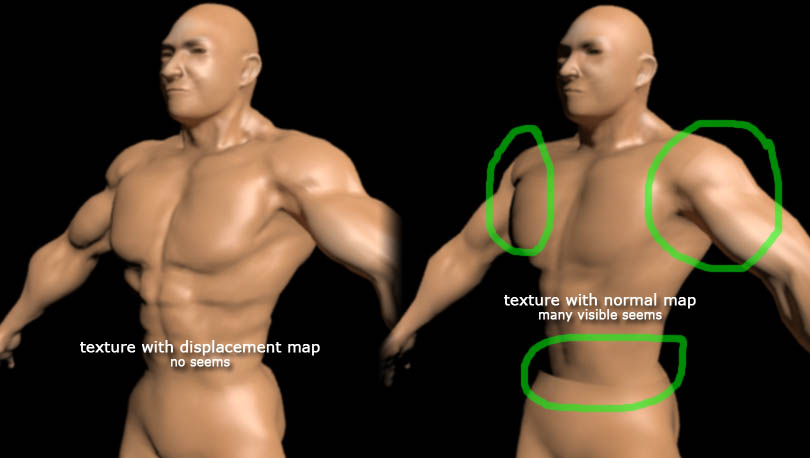
But permit me to answer the questions according to the way it was asked.
· The Rendering engine is mental ray, but I have the same problem also in the scanline renderer
· Type of displacement map??  I didn’t know there were more than one type, but I guess I’m using the standard type.
· Please see the image below for the uv layout
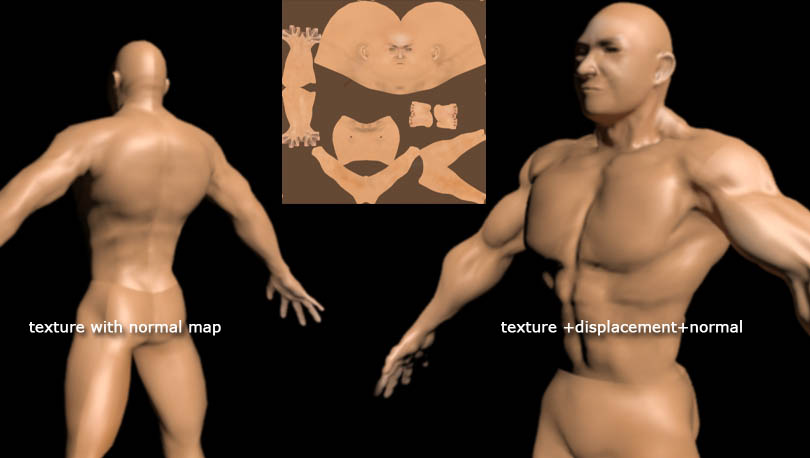
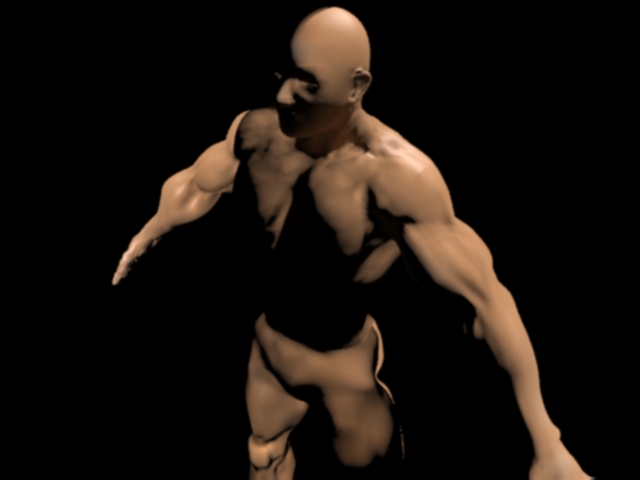
· See also images above for the errors and below img for settings in ZB and Max
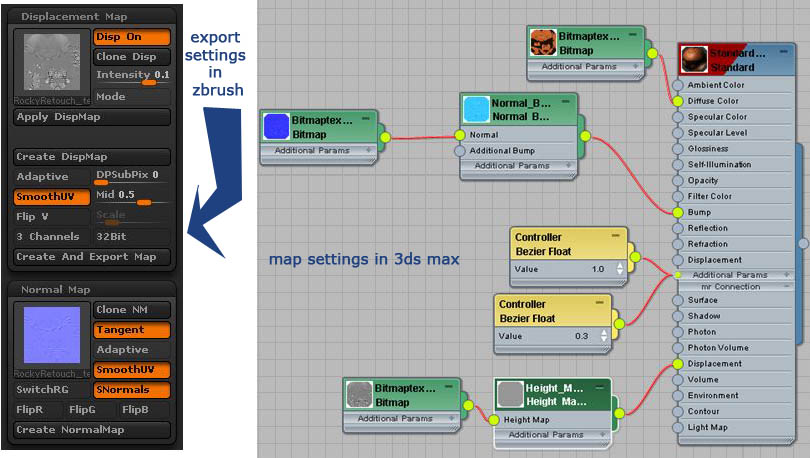
· Reason for using displacement map?? To project the sculpted detail to the low res mesh in max or is there a better way? I would appreciate an answer because I use both displacement and normal. Although a friend once told me that displacement maps are used in films and normals in games. I have not confirmed this so I don’t knw how true this is.
Vector displacement map also, I have no idea what I would need it for, but would appreciate what ever would improve my work.
· Baking inside of max instead of zbrush?? ?? I don’t think I’ve ever heard of that, but I would appreciate any information on how to do this.
· Rigging?? Yes I’m not sure I have any problems with retopology
· Animated maps/morph targets?? No animated maps, pretty sure of morph targets.
I know this is much but, I still a novice when it comes to “the bridge” between zbrush and 3ds max and even Maya. I would appreciate any help in this regard and even more.
liNus¬
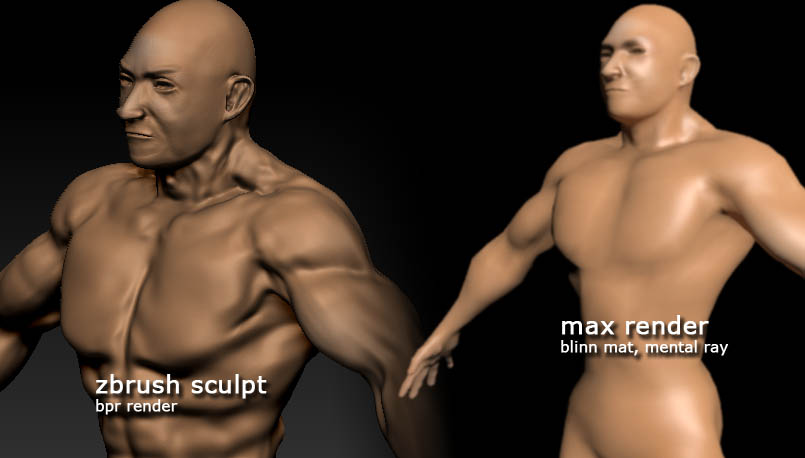
win7 pro, x64, ZBrush 4r4, 3ds Max 2012 x64
 I didn’t know there were more than one type, but I guess I’m using the standard type.
