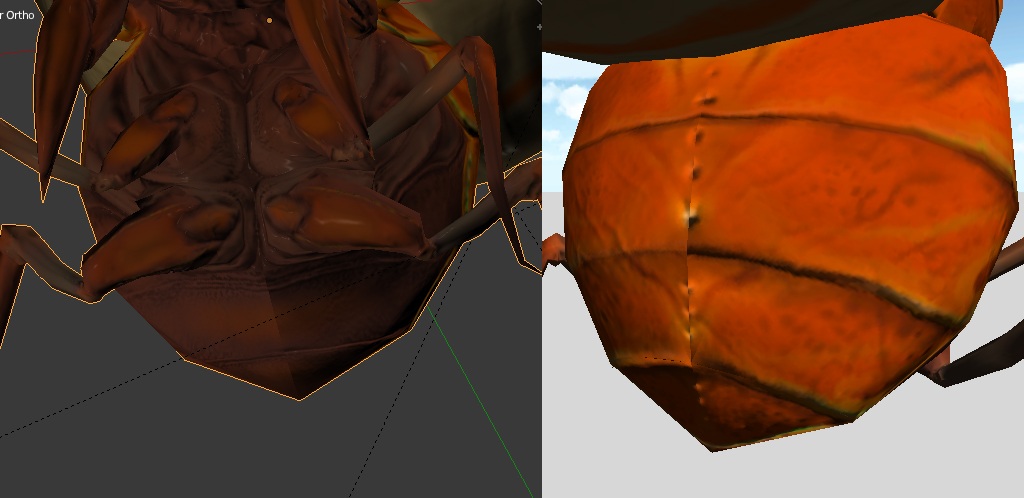
Without an image it is difficult to tell.
I am assuming you made your lowpoly in either Max or Maya and mirrored your object when you were done.
Max and Maya both lie to you about the normal direction of your geometry. In max you must take your object and apply 1 of 2 options to correct this.
Either apply the “normal” modifier 2x and then collapse your stack, or you must apply the reset Xforms modifier (found in the utilities section) and then collapse that. Make sure you save before doing an xForm reset as it is an undo-able operation.
If you apply the xForms you’ll see that half of your mesh will be inside out or have inverted normal direction. This is how every other application will read your mesh, max is just lying to you.
If you work in Maya there is a script you can get to actually mirror objects correctly, rather than just applying a -1 transform and inverting the normal direction, it actually applies the -1 transform, inverts the normal direction and then applys a new function to properly flip the normals for export. I don’t remember what it is called as I don’t work in Maya but you should be able to do some searching to find it.
As for fixing your errors I would need to see what is actually happening to figure out what options you have available to you to fix the object. But off the top of my head I figure you can fix the lowpoly normal direction and then re-export your object, import it into Zbrush, append it to your highpoly sculpt, subD the new mesh up and project it onto your highpoly.
Alternatively, you can set up a polygroup for your flipped faces at your lowest subD level so you can make sure you grab all of your inverted faces. Hide everything but your inverted faces, go to your highest subD level and delete your lower subD levels. Then go to tool.display properties.flip. Unhide all of your mesh (everything should be facing the correct direction now) you can then reconstruct your lower subD levels using tool.geometry.reconstruct subdiv (use as many times as needed).
This will most likely give you a different lowpoly mesh than you had before because zbrush uses MRE (multi-resolution editing).
If you need to have the original shape you can try to import in the original mesh at your lowest subD level (if your winding order hasn’t changed you should be able to just import it. Make sure you store a morph target (tool.morph target.store MT) before you do this as everytime you step up your subD levels you will be “editing” your lowest resolution shape as well.
If all of this is dumb then check your images when you upload them to make sure they actually display and we should be able to help you more if you need it.