Hey guys, new to zbrush and first post. I am sure this is a common first timer mistake. I am having a hard time getting the edges of my “Best” quality render to look good. I have also set the AA setting up and I still get this? Any tips?
Attachments
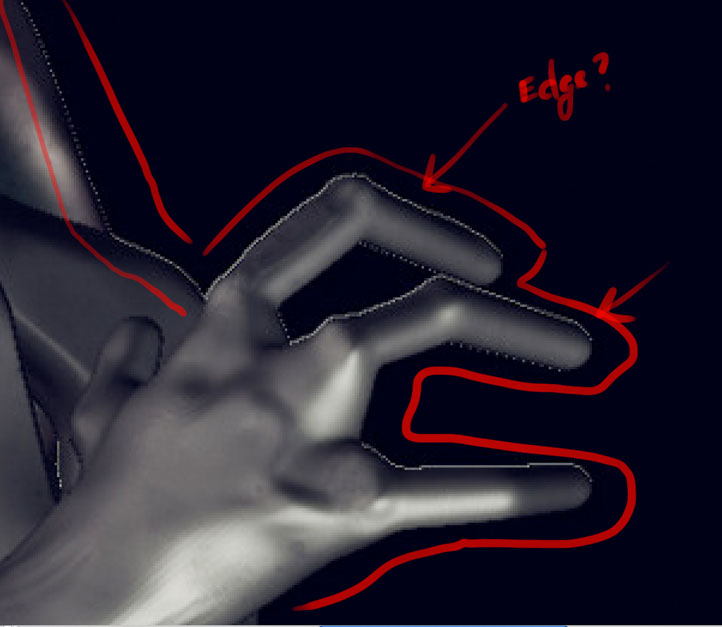
Hey guys, new to zbrush and first post. I am sure this is a common first timer mistake. I am having a hard time getting the edges of my “Best” quality render to look good. I have also set the AA setting up and I still get this? Any tips?
Under document you can set the pixel dimensions. Try increasing those numbers. You might need to open a new document, so save your tool and re-draw it.
Is there a reason you’re using Best Render rather than Best Preview Render (BPR).
BPR has 3 levels of AA on by default if I recall correctly.
I agree with beta_channel.
“Best” render used to be the best until “BPR” came along. If you have to use 'Best" render, because some materials will only display properly with “Best” render, then do a BPR render over top of that.
They should have re-named Best render to something else when they introduced BPR rendering. I’ve noticed that it has confused new users before.
Agreeing with 2 previous posts. What size is your document? Probably too small.
To expand on what Doug Jones said…
It looks like you are zooming in using the document zoom when you sould be zooming in using the ‘Scale’ button on the right side shelf.
Recent thread, same sort of issue… http://www.zbrushcentral.com/showthread.php?179275-Zoom-is-blurry-Answered&p=1031629#post1031629
Thanks guys!!! I just use the default document size in Zbrush. I also need to read up on the BPR.