ZBrushCentral

Noob question on projecting hi res on to low res

Hi all,

This is my first sculpt in zbrush and im running into problems. I kept saving…but my latest version i could not go up a level unless i deleted history…bad idea. Now i need to go back to lower versions and fix things and cant.

A friend said i can project hi res onto an older lower version (as its from the same original model)

Can anyone talk me through how. Im a noob so go easy on me. Thank you so much in advance for any help.

Attachments
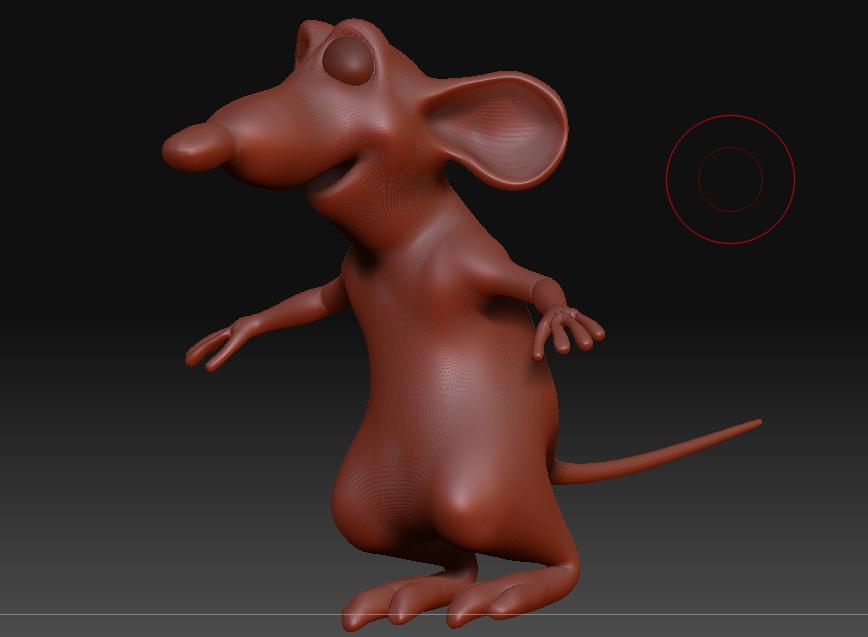
Remy test.jpg

Hey there,

before starting to reproject, you should give reconstruct Subdiv a try. Load up the model with the deleted subdivision history and go to Tool/Geometry and hit reconstruct Subdiv (you will need UV’s though).

http://www.pixologic.com/docs/index.php/Tool:Geometry_Subpalette

Hope that helps.

As long as you haven’t added or subtracted polys it should work.

Recap:

  1. Have your highres model loaded.

  2. Append the lowpoly as a subtool.

  3. Crank the resolution of the lowpoly up to wanted level.
    You might have to ssculpt a bit on the lowpoly (make it cover the highres properly, while following it’s geometry)

  4. Save morph target on the low poly model

  5. Hit “project all” in subtool pallet (play a little with the settings, “dist” and “blur” until you find one that works on most of the surface, you should expect a couple places to look a little crazy)

  6. Now use the “morph brush” on the crazy places and you should be done.

You guys are legends Thank you so much.I’m going to try this when j get home and let u know.

Also if u notice closely the fingers on remy are screwed…bad zsphere blocking.any easy way I can fix this? Tried smoothing…don’t work.

I know I have to redraw the facial topology anyway just seekin noob advice on fixing.

Thanks tons!!!