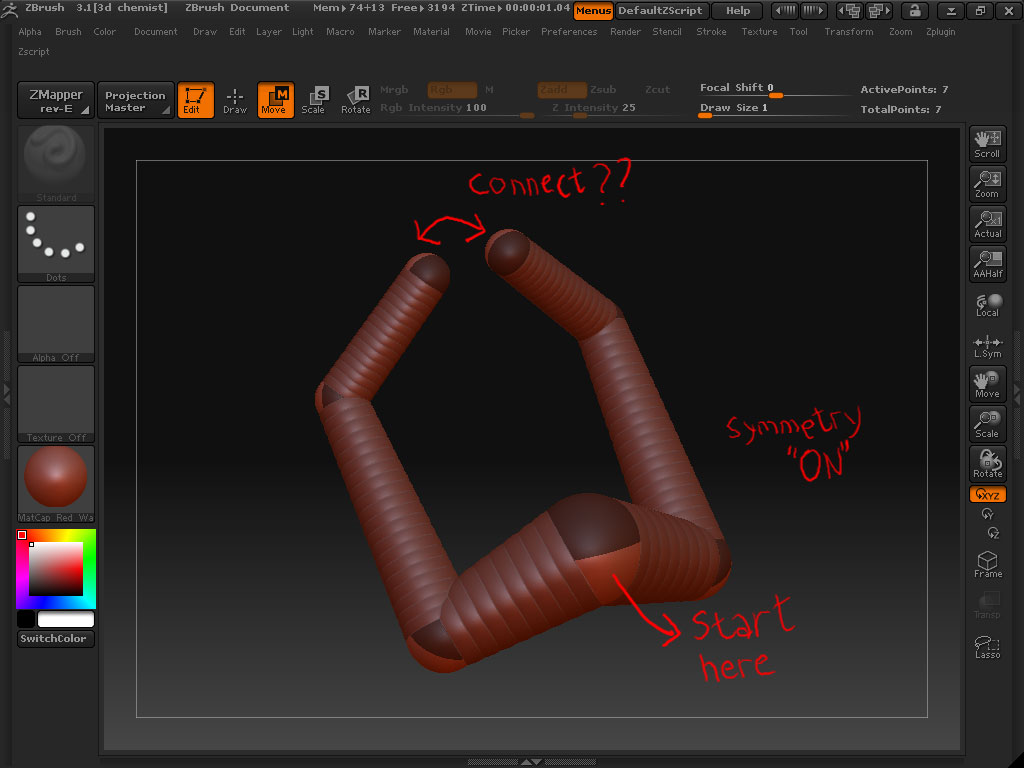
I don’t think there is a way to do this with zspheres.
An alternative to unified skin is possibly retopology.
Where you take the new zsphere polymesh and do retopology. Now, I haven’t done this in a while, but you don’t have draw every polygon during the retopology. There’s some key combination like shift and you can literally brush over the shape to pick up the existing lines from the original mesh. I then figure you do that for the whole thing mesh except the gap. Then you manually create the lines connecting that area.
You’ll probably have to find a tutorial on how to do retopology for starters, and what that exact keyboard function is to draw the topology from the existing shape (which works best on low polygon shapes or else you risk a crash)
I think this method is used to merge two shapes and project the higher polygon detail while maintaing the topology. First using the lowest mesh or the shapes to make the correct single mesh like mentioned above. Then using the highest subd, import that new topology you just made to project the details to. There may be a tutorial kicking around like that showing how to make a half man half rhino type creature.
 ]
]