I cant seem to not be able to find the noisemaker plugin for mac. can anyone help me out with that?
It should on the right hand side under surface.
Its called noise as before.
Mike
unfortunately when i click it it says that i need the plugin for the 32 bit system. it says to go to the zbrush site but i cant find it anywere on there.
I believe the Noisemaker plugin has not yet been release for any platform
http://www.pixologic.com/docs/index.php/Surface_and_Noisemaker
You will notice that the 2D and NoisePlug buttons currently do nothing. They will be enabled by a plugin which is planned for release sometime after ZBrush 4R2 launches. The Offset, Angle, and Scale XYZ sliders at the bottom of the popup window will also only work with that plugin. More information will be made available following ZBrush 4R2’s release.
well crap i was looking forward to using that. thank you though
Oh. I never noticed that. I used the noise to add an image of cloth texture to one of my models and it seemed to work. Guess Im not understanding what this noisemaker plugin is supposed to do.
Sorry about that then. I never actually spotted the noiseplug button.
Mike
thats what i want the plug in for anyway. how did you load the texture file into the noise?
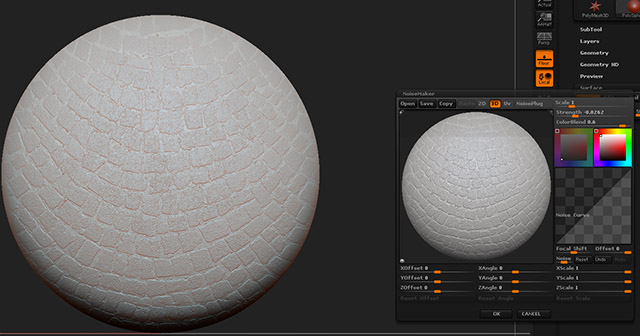
In the windows where it shows the sphere, I clicked on the blank area around that sphere. It allowed me to open a texture map to use as the basis for the noise.
Actually it was near the little grey sphere in that viewport. Double click and it launched a dialog box to open it.
Added a screen shot to show it.
Cheers
Mike R
Attachments
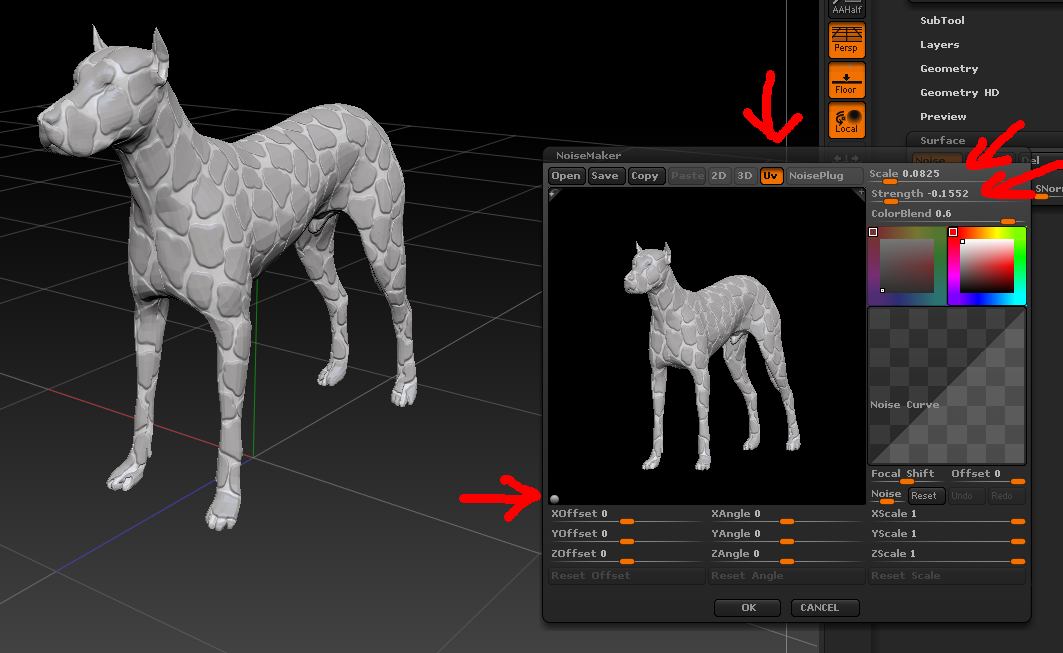
Yes, as mykyl says (thanks mykyl  ), you can load an alpha or texture by clicking on the little sphere in the bottom left of the preview. Use with either the 3D or UV option. Adjust the scale & strength sliders to get the effect you want.
EDIT: for best results use a tileable alpha or texture. My example uses Alpha 62.
The Noise plugin, when it is released will add further functionality, as well as the Offset, Angle and Scale sliders that are at the bottom of the Noisemaker interface.
Attachments
awsome thank you so much!!
I have looked under surface and clicked the noise button, no pop-up screen. I also looked under alpha for the create sub menu, no can find. Where is the noisemaker plugin? Please advise.
Upgrade to ZBrush 4 R3. Then after pressing Noise, press the NoisePlug button to show the plugin window
For some reason when I updated, I updated to 4 R2. Finally got it to update correctly and have found the magic button 
Thanks again.