So I am sculpting on a piece that I,
-Made in 3D Studio Max 2012
-Used GoZ to import to ZBrush
-Used polygroups and crease edge to get the hard surface look I need
-Sub divided 7-8 times.
I would like to have a 6-7 sub division level max if possible with no artifacting, but I realize that some meshes do need to be 7-9, sometimes 10 sub-ds. Not a big deal, but if you have a suggestion for that after my main issues, that would be cool.
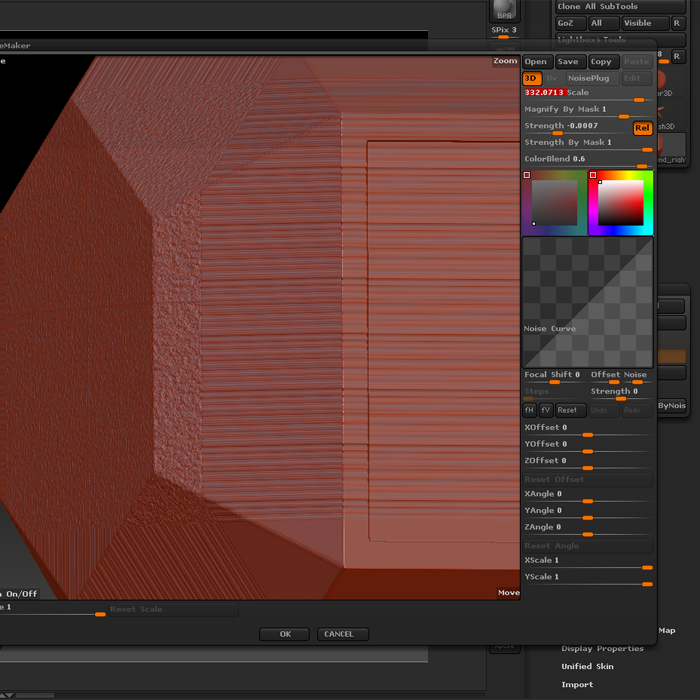
First problem is noise. Look at the picture and you will see what I mean. It does not create a uniform noise.
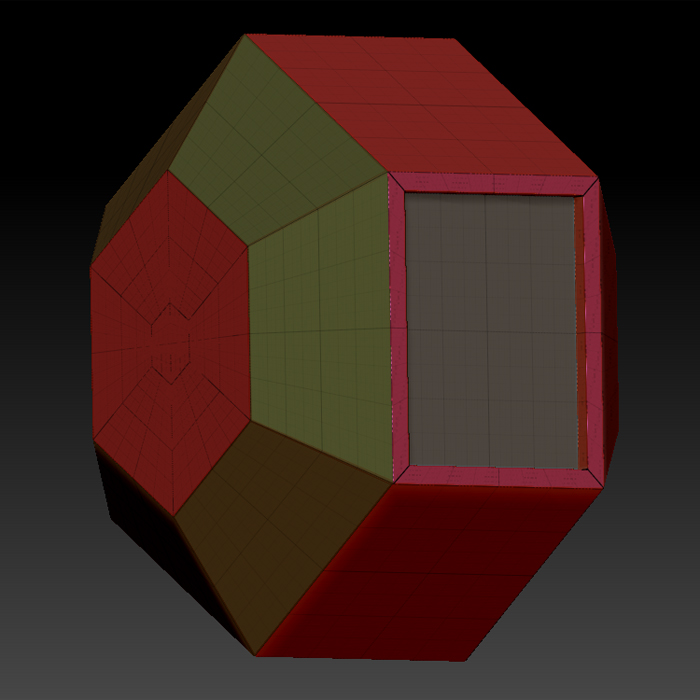
Here is what my mesh looks like.
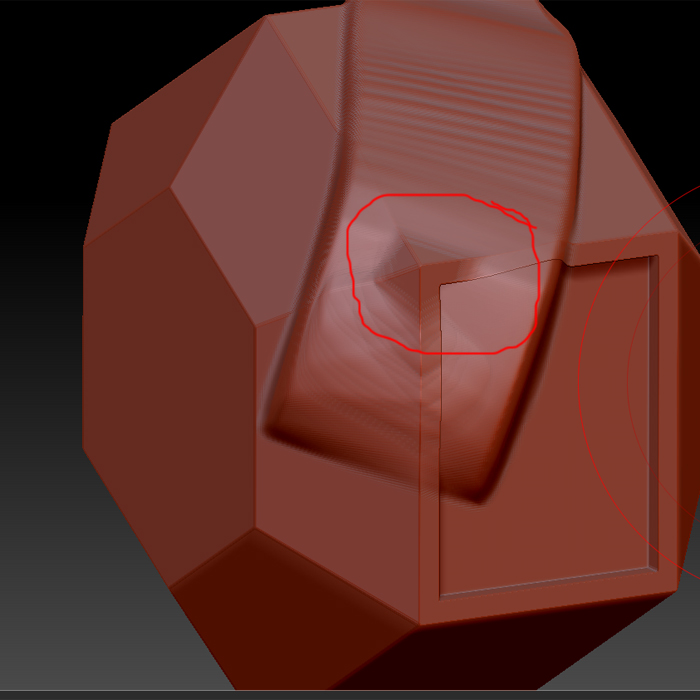
Second problem is with general sculpting. It doesn’t stay within the topology. I can only assume that is has something to do with normal. But I have no idea if it is normal for ZBrush to do this an I have to just deal with it.
Attachments