ZBrushCentral

No icon for .ztl, .zbr, .zpr files???

this is driving me batty.
i recently upgraded to OS X mavericks and did a clean install of zbrush 4r6.
none of the file types for the program have any icons associated with them?
in previous versions of the software, all the files showed up as a generic, white sheet of paper looking icon, but now after these upgrades, all the files’ icons are the grey unix one (see pic).
is there any way to change this? if i generated or had some custom icons to put in place. where do they go?
any help is greatly appreciated.

Attachments
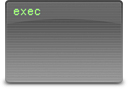
Unix.jpg

It looks as though ZBrush is no longer associated with the file types. You can try re-associating the file types with ZBrush by:

  1. Right+click on a file in Finder.
  2. Choose Get Info.
  3. In the dialog, find the Open with: pane.
  4. Click on the drop-down and select other… Navigate to the ZBrush.app and select it, being sure to check the Always Open With box.
  5. Back in the Get Info dialog, click Change All…

Reboot your Mac and check if that’s made any difference. If it hasn’t you could try resetting the Launch Services database as described here:
http://www.tekrevue.com/tip/rebuild-launchservices-fix-duplicate-entries-os-xs-open-menu/

You won’t be able to use custom icons as the icon files are declared within the app package. (ZBrush doesn’t actually declare any for its file types which is why you get the plain vanilla Document icon.)

HTH,

thanks a ton for looking out for a joker… but no dice.
neither option did anything.
i guess it’ll just have to be one of those things i’ll make myself get used to.
it hasn’t changed the functionality of course, so i can’t really grips too much, i suppose.
thanks again!

Hmm, that’s a shame. I’ve no other suggestions, apart from the fact that you can copy & paste icons on a file-by-file basis. Just click on the icon at the top of the Get Info dialog and choose copy or paste from the Edit menu.

yeah, it’s a thorn in the 'ole side for now- but with the the upcoming releases of OS X yosemite and 4r7, perhaps whatever is causing the issue will work itself out.
i’ll just have to buck up for a bit!
thanks for all the help, sir.