ZBrushCentral

Next problem...

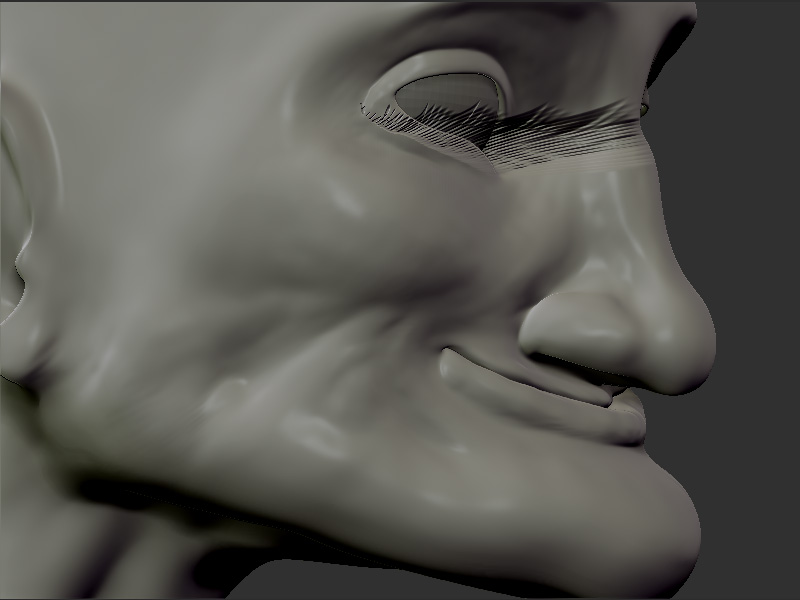
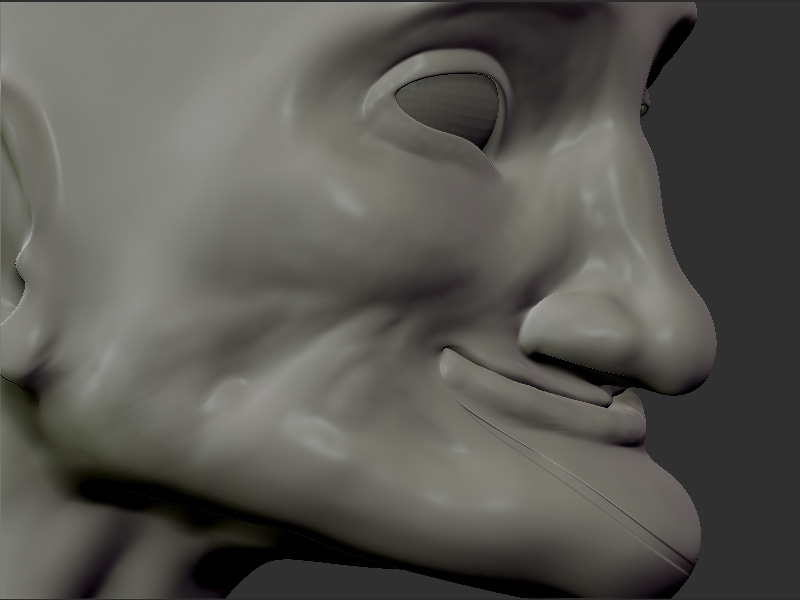
Ok, so I’ve managed to start my sculpting all over again and now I wanted to start doing some detailing and I thought that the Deco brush would be nice to do the wrinkles. But that brush does’t behave anything like it used to, it just lives it’s own life, not that “smooth perfect for wrinkles brush” I tried some time in the older version.
Can someone please tell me what is happening?
Look at this:
On the first pic i have followed the lower lip line
and on the secon the cheek.
It also seems that the drag rect is the only thing that comes close to working with the deco brush.
deco1.jpg

Attachments

deco2.jpg

In 3.5, the 2.5 brushes no longer each have default strokes or alphas…they simply use the last ones selected. The look of the 2.5 D brushes depend on specific stroke/alpha/texture settings. Simply look at what the setting were for this brush in 3.1, and replicate those in 3.5, and it should be ok.

Im told this is interim behavior, and the brushes should go back to the way they were in a subsequent update.

Scott, you are my life jacket as I drift on my raft on the stormy dark sea…:slight_smile:

Just one thing. I recall being able to use lazy mouse with deco brush but that aint working for me.

Husse

Man, are you screwed.

You cannot use lazy mouse with 2.5d brushes in any version, that I am aware of. However, when deco brush is set to the proper alpha/stroke (Dragrect, I think) type, it has a sort of “lazy” quality to the stroke.

Super! I really need to look in to this.

Hey, I’m not the one writing Haikus about Zbrush…:wink:
Oh, by the way, it should of course be; “…on the stormy dark Z.”

Husse