ZBrushCentral

Newbie needs help!

LOL so this is my personal ad.

I’m new to zbrush and am trying to get a good workflow between zbrush and maya. The issue Im having is that once I create a texture map in zbrush, export it out, then bring it into maya, 2 major things happen.

  1. wierd seam issue I cant get around.
  2. texture becomes slightly distorted in some areas, lines dont look as straight as in zbrush but I am using the same uvs.

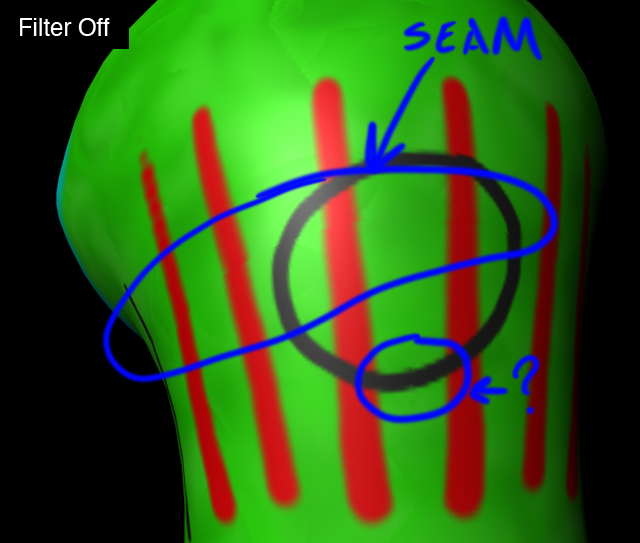
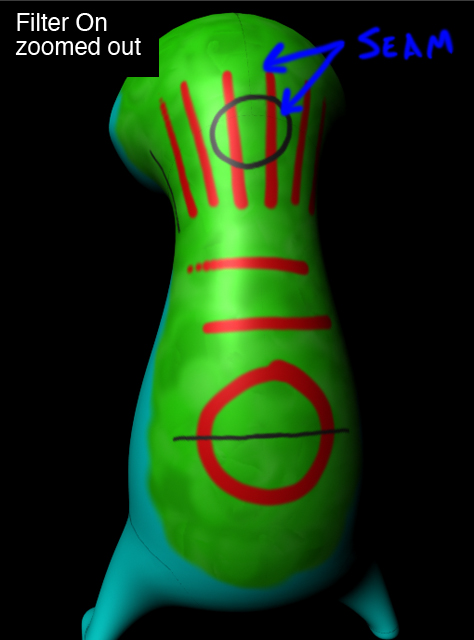
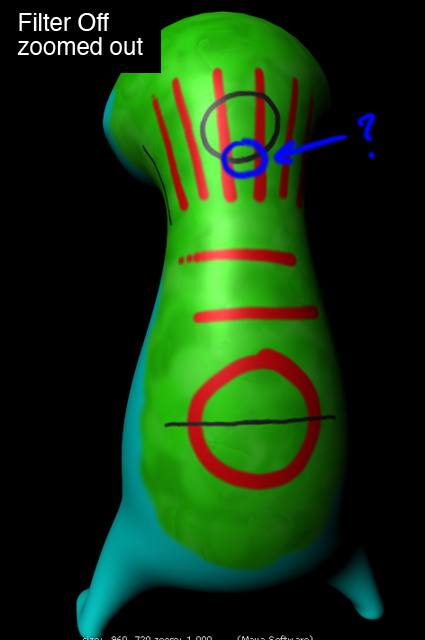
I found some info on fixing the seam issue but it appears to create a new issue. In a previous post someone had the same issue where it looks good zoomed in but when you zoom out the seams become apparent. The solution was to turn off the filtering on the file texture node, but in doing that the seams become visible when up close. Is this just a trade off or is there some way around it?

I did some extensive research on here and other forums but could not find much else on it. I have watched many tutorials but most seem to only cover displacement texturing between maya and zbrush. If anyone can point me in the right direction where I could find some good tutorials or info on the correct way to texture in zbrush and get it to work within maya, it would be greatly appreciated. Im just tryin to get a good workflow down.

As for my system:
macbook pro 2.4 GHz intel core 2 duo
2 GB ram
osx 10.5.5
zbrush 3.12 for osx
maya 2008

Sorry so wordy, tried to be as specific as could. I look forward to being a part of the zbrush community. Pretty intimidating but exciting!

Attachments
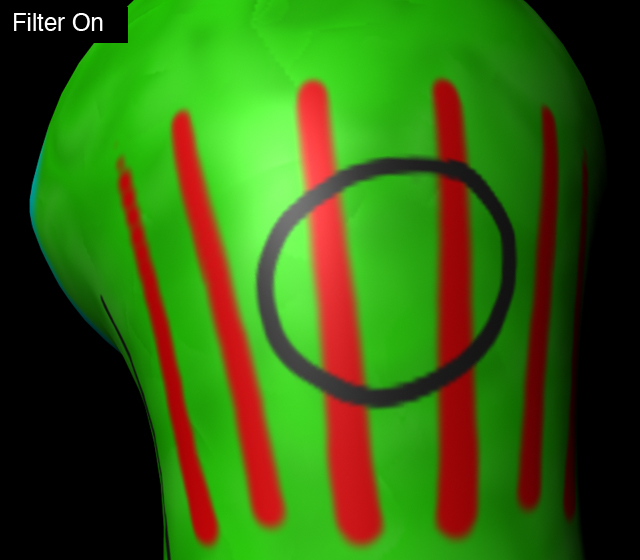
filterOn.jpg

filterOff.jpg

filterOn_zoomOut.jpg

filterOff_zoomOut.jpg

You only need to post your question once. You can edit it later if you want to reword something.

I’ve heard Mac users saying that at the moment you cannot get a usable displacement map out of ZBrush 3.2, but I don’t know how true that is or if it’s exclusive to displacement maps. The case may be that you cannot export a proper map of any kind out of the Mac version right now.

-Dustin

Yea actually I have read about alot of peolple having issues with exporting maps using the mac version. That could very well be the issue, but after testing further I am seeing it as more of a maya issue than Zbrush. I took the uv map and painted it in photoshop only to find pretty much the same issue occuring where it looks fine up close but zooming out reveals the seams.

I’ll post on cgtalk and see if someone can shed some light on this. I’m not much of a renderer. Thank you for your response, what did you mean about my post though, did I post it more than once?

I was having some issues trying to upload my images and when I kept hitting post my thread was not showing in the forum. I finally got it to post by NOT clicking the place image in post button. I never saw more than one post from me though, but i’m sure it was something I did. I need to get more familiar with the forum. Thanx again!

Are you painting on the texture directly using Projection Master, or are you using PolyPaint? PolyPaint is the preferred workflow and is covered in the online documentation found in my signature.

Beyond that, it would help to know the settings that you’re using and more info regarding your workflow.

Hey aurick, yea I’ve seen your signature before, it is such a great resource. It was all done using polypaint then converting it to a texture. My detailed workflow is as follows:

  • I modeled it in maya
  • exported the obj and brought it into roadkill to layout uvs
  • exported that obj and brought into zbrush
  • I divided it to about 5 million polys, changed material to a fast shader, clicked the colorize button and used color>fill object for a base, then continued to paint a quick texture for testing purposes
  • then under the uv map tab I selected my size (2048x2048) and left the rest @ default
  • under texture map section I clicked new from polypaint and cloned it to get it into my texture pallette
  • under there I flipped it in V then exported the psd
  • back in maya I brought in the same obj I imported into zbrush and applied a blinn mapping the psd as a file texture.

I did a few alternate tests trying different options in zbrush such as fix seams, upping the uv border slider, and trying to use the apply adj in the uv map tab. Thing only thing that seemed to help was upping the uv border, but the higher I made that number only let me zoom out a little further until the seams were visible again. Even on the higest level i could still see them when zoomed out really far.

I am still feeling like it is a rendering issue in maya but not sure. Thanks for your response I really appreciate the help!