ZBrushCentral

Newb ask for advice. Best way to make a rim around helmet?

Hello!

Im super excited i was able to come up with something like what i did considering how little i know ZBrush:

However i have encountered some issues i would require some advice for…

How would you make a rim around the bottom part of the helmet? The way that the bottom edge would get like a solid layer of metal rim around it? Like for example this one have: http://us.123rf.com/400wm/400/400/Krisdog/Krisdog1206/Krisdog120600064/14196453-monochromatyczny-ilustracja-helm-z-brazu-jak-te-uzywane-w-starozytnej-grecji-czy-rzymie-korynckim-lu.jpg

Im struggling with masking, extracting, curve mode and it all gets pretty messy result - uneven, looking bad. How should i do it to get a nice, even layer of metal as a rim around the base?

After trying all i could think up with, there is only one last resort i can think of :slight_smile: Creating a thin, long rectangle, bending it and then using the move brush to make it fit the helmet. I will try that too, but in meanwhile would love to see how would experienced users deal with it.

Any advices would be super appreciated.

Attachments
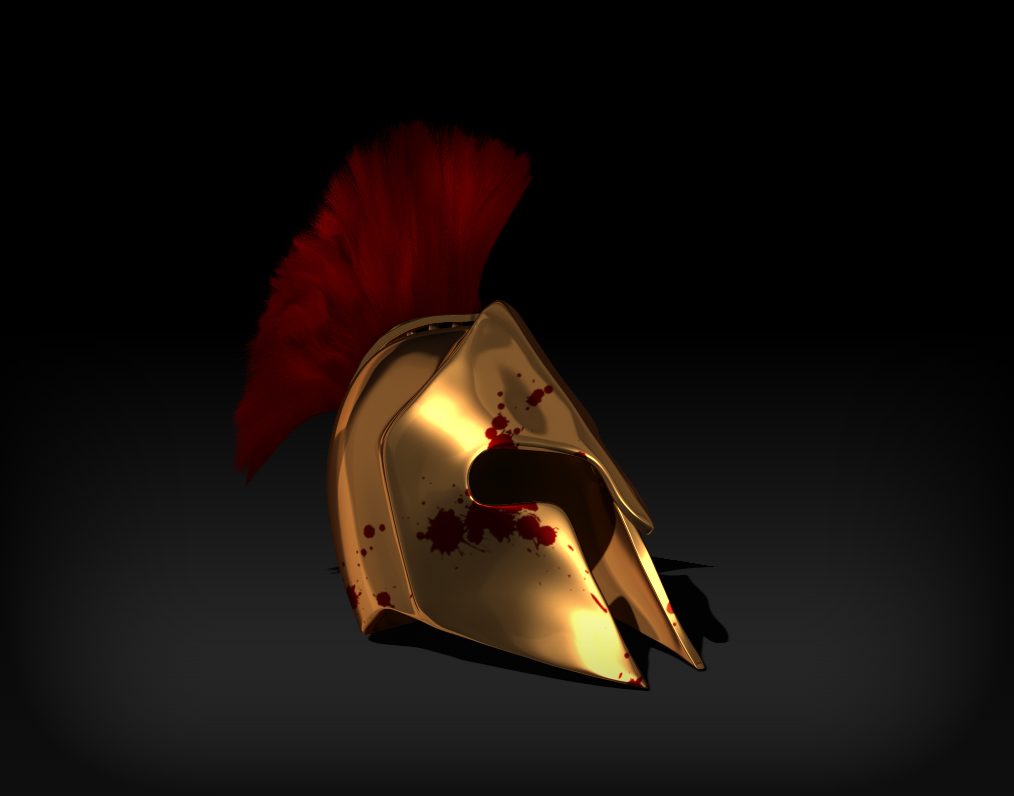
ZBrush-ScreenGrab01.jpg

I would try the Panel loops options to create a nice edge with a bevel profile.

1-Mask the edge you want to Pannel Loop
2-GroupMasked (Ctrl+w)
3- Isolate the new polygroup and go to Geometry -> EdgeLoop -> Panel Loops.
4- I would use it with Double and Append active. This will create the edge in a separate object. This may be better for tweak the edge and polish where you need

Hope this helps

Yeah i have tryied the mask but it was very tricky, cause when i used any other than “paint mask” to manually paint it, it was masking also inner side even with backface masking on/off. So i had to either manually paint it on outer side which resulted in not very precise and even mask or use the curve or lasso mask and then paint with alt to remove it from inner side and bottom.

But since you say there is no easier way i will give it another go later. Maybe gonna try curve mask a bit above the bottom end, then use the curve mask again with alt to make it a strip disconnected with bottom edge, then it will be much easier to remove the mask from inside without playing a lot with the bottom edges (since it wont be connected with the bottom end), then panel loop it and move it down to be on the edge :smiley: That could work!! :smiley:

Thanks!

It worked!! It worked!! A little faith can do so much! All it took was your reply to give me faith that it is possible with panel loop. :smiley:
I have yet to think of some nice ending in the front, but that tommorow. I just had to come here post the picture and thank you again! I love you and i love this program! :smiley:

zbrush2.jpg

Thanks for your kindness. Allways glad to help in any way. :slight_smile: