ZBrushCentral

New guy looking for some direction with a first time project.

Hello ,
I come to join the forum looking for some help getting on the right step. I have a personal project that was asked of me. I’m new to zbrush and I am looking to create a dragon head that can be printed out and have a very real look to it. It started out with some one giving me some artwork of a dragon head they liked from tattoo flash they bought. I was gong to try and do a redraw of it and try to paint it up in photoshop ,But I don’t like the way it would look. This is all for a truck graphic part paint and part automotive wrap then cleared over. I do not want to up load the photos of what I have unless I know it’s ok with the mods since some of it is copyrighted material I have bought.

Gary

Did I post this in the area of the forum?

I think this is an instance where you really have to help the community help you. It can be hard for people to give any advice with zero information given to them. If you were to say “I need to model this particular dragon, and this is where I’m currently at” then it would be much easier to get the advice you need. Even if we couldn’t see your end goal and you were to just say “I need to model a dragon and this is where I’m at, and I don’t know how to do _______, or that _______ area is giving me trouble”, you could still get some solid advice. But if the only information given is that you need to model a dragon and we know nothing else about it or about you, then only generic advice can be offered (watch the zclassroom videos to learn the types of tools that are available, youtube some sculpting tutorials to see how other artist’s approach things, pick up a training dvd or two). It’s the difference between getting tailored advice and critique, and being told to use google (which can sound rude).

If it’s copyrighted material you bought, did they offer any public previews before you purchased it? Those could be helpful to share. If not (or if you’re under and NDA/ have a contract going with a client where you can’t share your work and progress), then don’t. But start a new personal project to at least get your feet wet before diving in. Find a similar dragon to start sculpting, and post pictures of that. Use it as a basic test run to help get a feel for the workflow and techniques you might have to use for future sculpts (sort of like how traditionally people might have made smaller-scale models before tackling a larger work). Going that route (posting continuous work in progress shots) would probably be more at home in the main forum. When you post such pictures there it would probably be wiser to explain your situation and make it clear each time that you’re asking for advice on how to proceed from your current screenshot so that people don’t just sit back and give you room to do your thing with the occasional encouragement. From there, these support forums would be better suited for more specific questions that the C&C from the main forum might fail to provide. Exempli gratia: how to create certain effects like scales, or make teeth and horns separate from the head, or how to emulate a certain brush behavior that you see someone else using, or how to get around a certain error message or a poor result you might be getting from something like dynamesh… vs just asking about how to sculpt an entire thing filled with complexities.
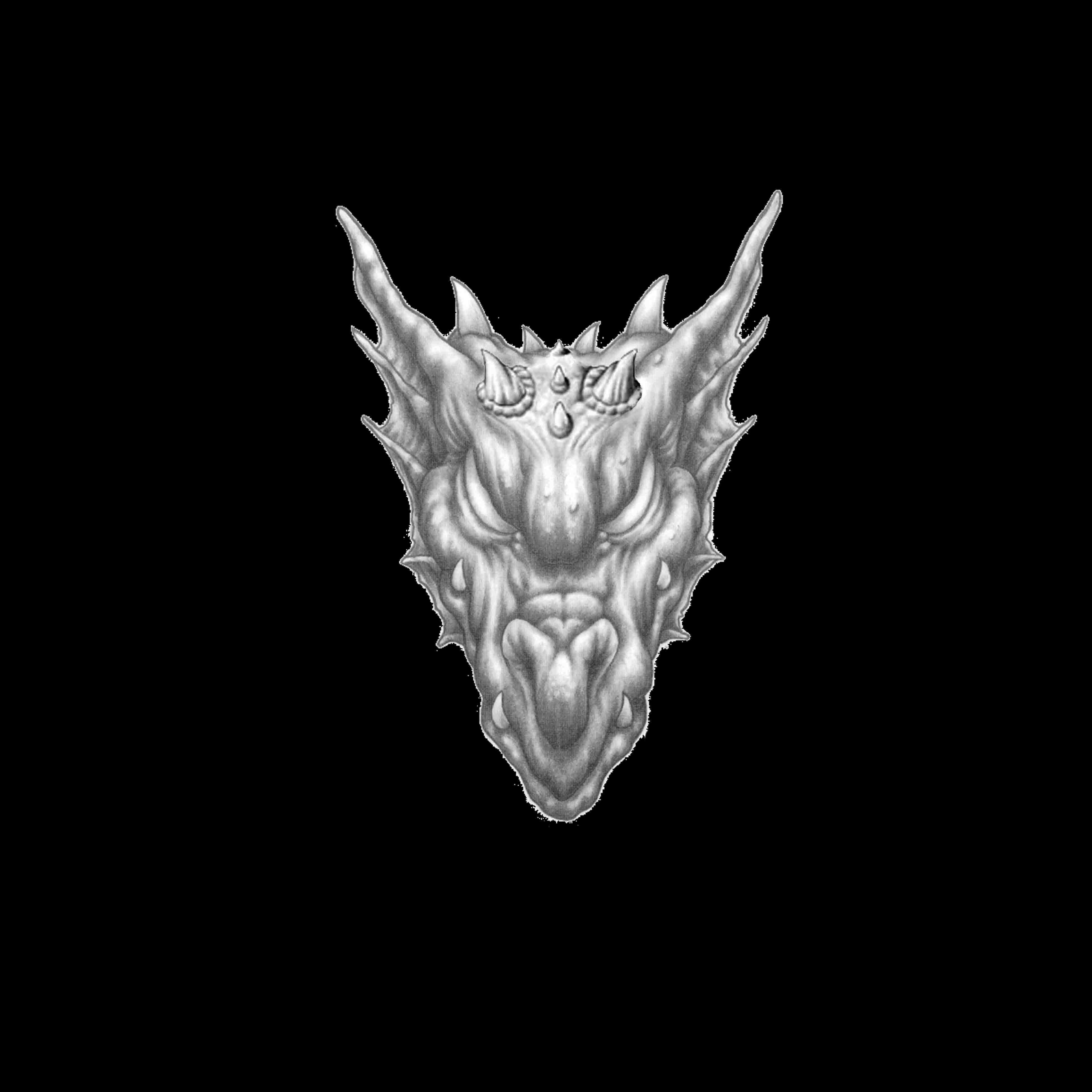
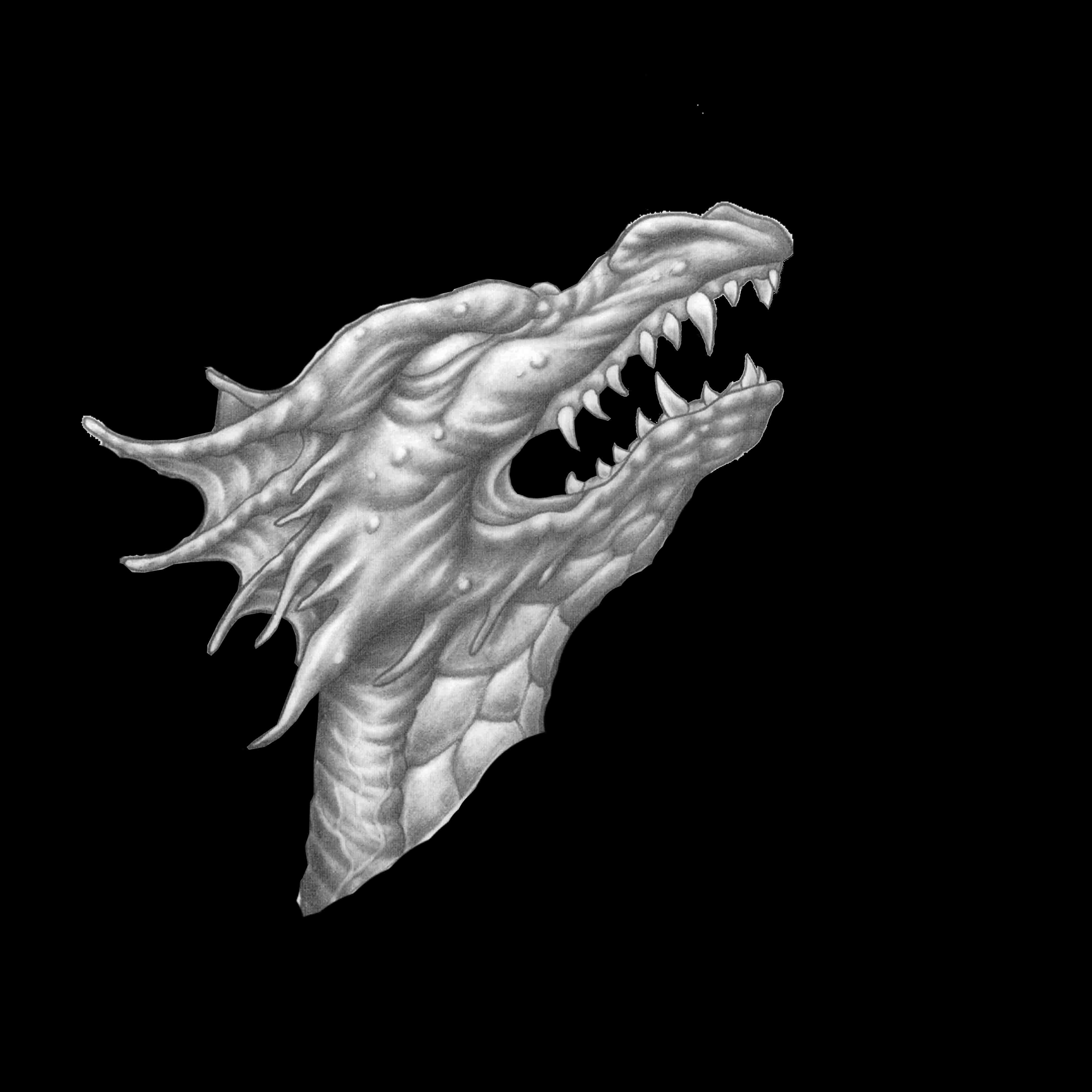
Thank you for giving me a reply. I don’t think I gave enough info to tell the truth and yea that was my fault. I understand it can be hard to help someone if they don’t know what to ask. SO… let me try this again.

I would like to model something close to this dragon ( see pictures below) . I am very new to Zbrush I watched a few videos on the subject but everyone has a different style of starting out. I was wondering if you can point me in a direction of a video or tut that I can take a side image and front image and work from them. I’m not sure if it can be done in zbrush. I have only played with the tools they give just to try and get a idea of things with it. like I said sorry about my first post. These dragons are from tattoo flash that was paid for. I just happened to add to it make it a little different. Thank you in advance

G

Attachments

front view start.jpg

sideview start.jpg

I was wondering if you can point me in a direction of a video or tut that I can take a side image and front image and work from them. I’m not sure if it can be done in zbrush.

There’s about 5 methods that quickly come to mind. Image planes (square grids with textures on them) and the image plane plugin, and loading an image onto the 2d document are older methods for this. Spot light can also be used for reference, and if you have the newer versions of Zbrush you can either drop the opacity of the window to see an image behind it (as seen in the recent jewelry tutorials found at the top of zbrush central), or by using the recent ability to place images on the grid. You can see this here: http://eat3d.com/free/using-reference-zbrush

Thanks for the heads up. I just need to find a good starting point where I have seen some people doing build up with zspears or start with a mesh and just tug to get the basic shape. From you view point what would be the best work flow for a new person. I think if i get the right advice for start with this and learn as you go using X mesh or load it on a plane and use z spears to get the rough shape. I think that would be a big help. I have watched a few tuts on youtube but you can search hours for a basic of just getting started.

I would recommend this one.
http://www.thethirdguild.com/products/zbrush-tutorials-characters-made-easy-part-1/

Thank you for the link I will look into that. I went into the zclasroom to cover the basics again. I might start with my own concept once I have a better understanding of the program.