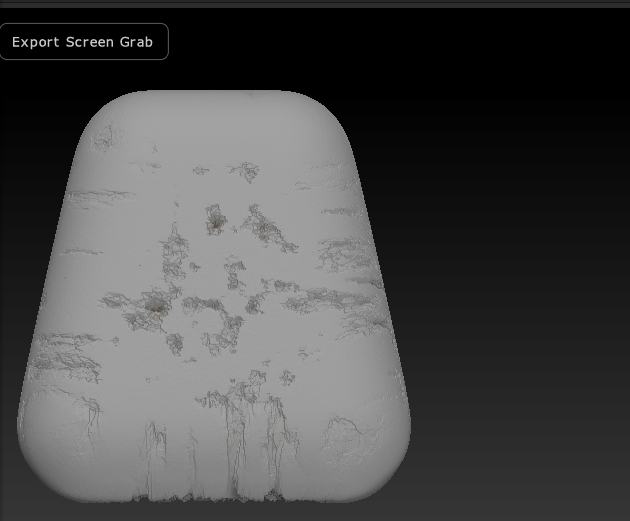
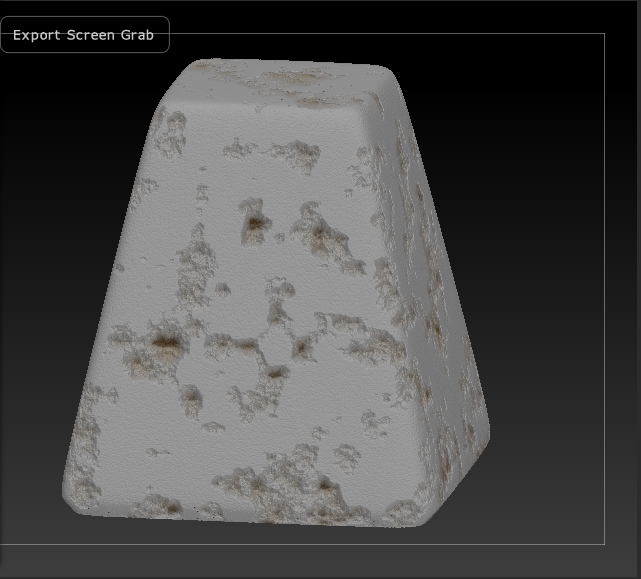
I urgently need help with a Noise Maker problem. I have some great noise effects for a “tank trap” that I need for a scene, but when I apply the damage noise to it ( I am using the Lightbox > NoiseMaker under Surfaces option in the Tools Tab. The one I’m using is the default Noise09.ZNM) it bloats out my model almost double the size as if I used a deformer. The first two layers I applied the Noise Maker noise to did not do this and came out great. I am working at 2.622 million polys so this should not be happening. Can anyone help with this or provide an alternative solution. I have found no free tutorials on the noise brush so I’m not sure how to use that in replacement of the NoiseMaker. I am a little low on time since I am behind in this project so I would love a good quick response aside from “Do it by hand with a brush and alphas”
Pre-Apply to Mesh
Post-Apply to Mesh
any help is greatly appreciated. Thank you for reading
Attachments