ZBrushCentral

Need some help

Hi all !

I have did a mesh in maya…
I have work in low quality display and i have discovered that when i press the number 3 it switch onto the high quality display.
I wondering how i can make my mesh stay on the high quality display???
Thats to switch between the low and the high…
I wanna make the high quality to become the low quality how can i do that ?

[low quality screen.jpg](javascript:zb_insimg(‘148187’,‘High quality screen.jpg’,1,0))
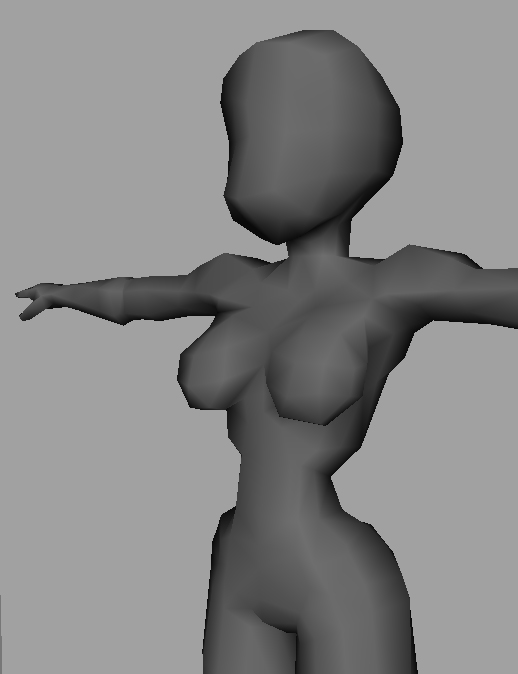
Attachments
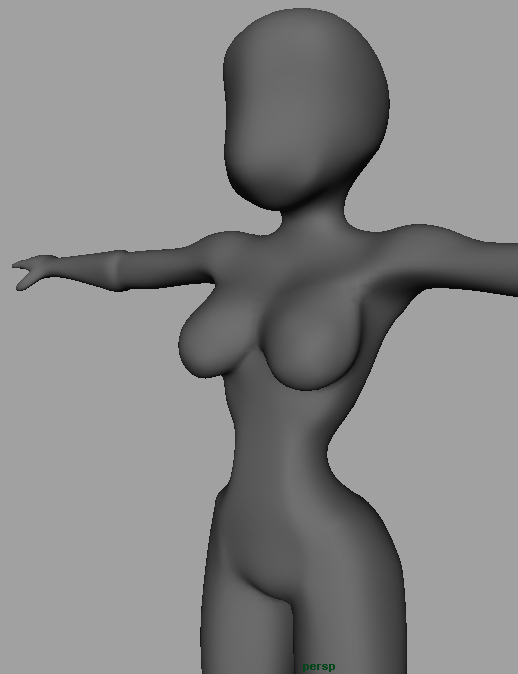
High quality screen.jpg

3 is not one of the default hotkeys. So I don’t know what’s going on.

To smooth a model without adding polys, set Tool>Display Properties>DSmooth to 1 and turn off Transform>Quick. Whenever you’re not interacting with the model (such as rotating or actively sculpting) the model will be smoothed.

Alternatively, divide the mesh. You can then use Tool>Geometry to go up and down between subdivision levels.

Are u in zbrush … ?
Tool>Display Properties>DSmooth
I don’t know where is it…
Im in maya …
do you know how in maya !

Tanx !

the “3” display is a subdivision preview, wich maya or mental ray can render subdividing two times your mesh before rendering it.

Zbrush uses exactly the same algorithm to subdivide a mesh, so, just import your obj file, and divide it two times.