ZBrushCentral

need some advise -stars

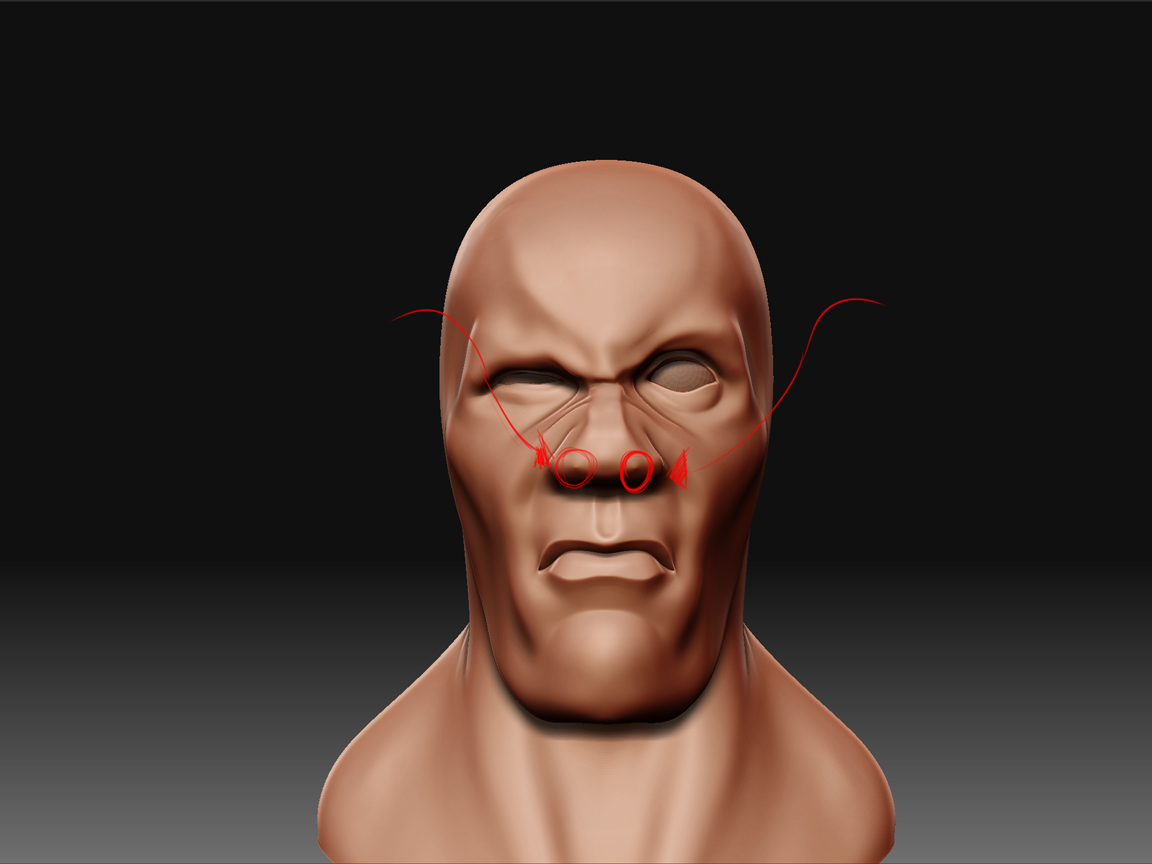
I was working on this character made the base mesh in maya imported it into zbrush started my sculpting and when i got to a sub d of 700k i got these points on the characters nose. i did some research and found that abnormal edge flow or “stars” on the mesh may cause this, my question is this: is there a way to fix this without having to retopo?

thanks in advance to anyone who responds. :slight_smile:
for-web.jpg

hit that area with the flatten brush. the problem occurs from the smoothing. just ignore that one vertex and once you’re done working…hit that one small spot with the flatten brush…and you’ll be all set.

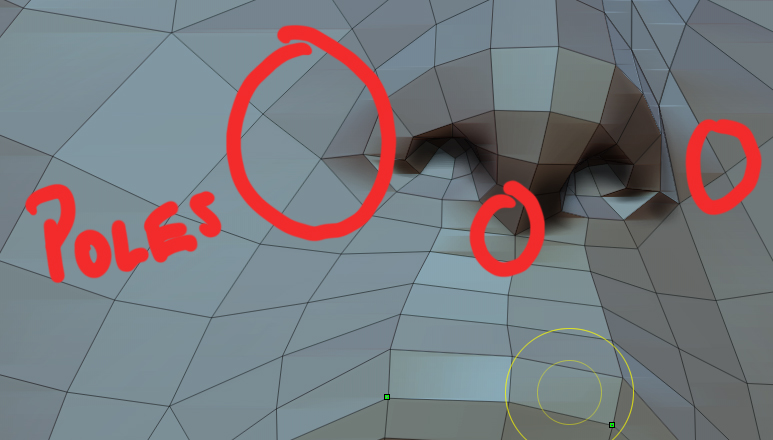
In the future, you probably want to make sure that your five pointed poles are strategically placed on a head. On the nose, for example, avoid poles front and center like you have on your model. You can get away with no poles directly on the nose, except for where it meets the cheeks and brow, as well as underneath the nose. These places will cause you less grief when smoothing and deforming.

See attached image.

And thanks for the flatten brush tip!

Cheers,

Matt

Attachments

poles.jpg