ZBrushCentral

Need help with snake scale sculpting

I need help with sculpting the scales on a snake.
This is what I’ve got so far and to say the least, it’s not satisfying.

[img]http://img.photobucket.com/albums/v68/redbull/prewcopy.jpg[/img] Does anyone have any tips or tutorials on how to make nice realistic snake scales?

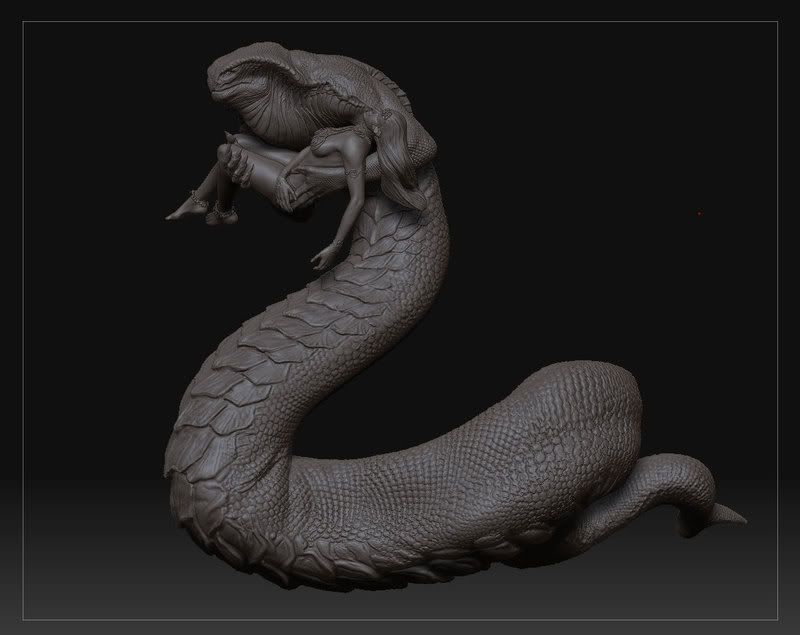
I would like a result somewhat similar to the scales on this terrific model (NOT mine): http://img.photobucket.com/albums/v68/redbull/04.jpg

Here are the alphas I've been using. [img]http://img.photobucket.com/albums/v68/redbull/Scaly_Skin_32.jpg[/img] [img]http://img.photobucket.com/albums/v68/redbull/Scaly_Skin_9.jpg[/img]

It looks like either your model doesn’t have enough resolution for the details you’re trying to add, or your alphas just aren’t sharp enough.

You might check out this tutorial: http://www.zbrushcentral.com/zbc/showthread.php?t=30406

hey yoroba,

I just finished sculpting scales on a dinosaur, and what worked well for me was to;

  • UV map my geometry in an external app (doesn’t necessarily have to be the final UV map, mine was temporary just to get the scales done)
  • create a bump map style, black and white texture in photoshop of your scales/surface details
  • make sure your model has ample resolution as mentioned before
  • create a layer for your scales/details
  • use the photoshop image as a mask on your ZBrush geometry (under Tool>Masking, “Use alpha as mask”)
  • under the deformation tab, use “Inflate” to push out or recess your detail mask
  • then you can adjust the intensity of the details on your layer, refine & detail it, combine multiple details on multiple layers with the morph brush/morph targets etc.

You can see an example of the dino I did this way in my CG Portfolio below if you’re interested…

Hope this helps. Good luck!

Thanks a lot for the replies.

fattkid: I really liked your approach, but unfortunately I couldn’t make it work as wished. However I found that making a better alpha and using the stroke to apply it little by little, really did the trick for me. But thanks for the suggestion :slight_smile: